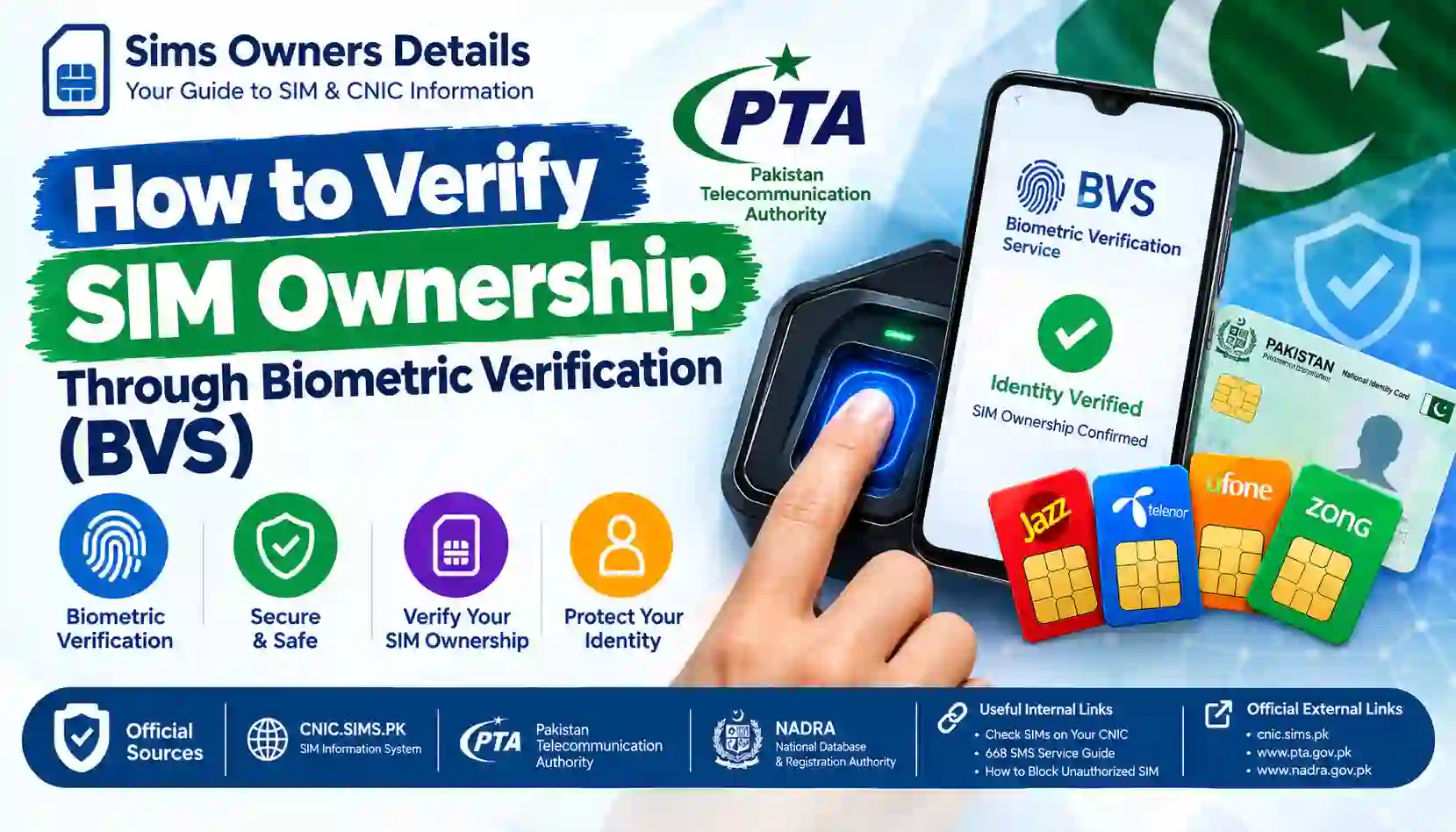
Learn how to verify SIM ownership through Biometric Verification Service (BVS) in Pakistan. Understand biometric SIM verification, required documents, failed verification, and official methods.
Biometric verification is an important part of the SIM registration process in Pakistan. Instead of relying only on a person’s name or CNIC number, biometric verification helps establish that the individual requesting a SIM-related service is actually the identity-holder associated with the record.
If you are buying a new SIM, replacing a SIM, transferring ownership, or completing another service that requires subscriber verification, you may be asked to complete a biometric verification process.
This process is commonly referred to as BVS, or Biometric Verification Service.
NADRA’s official verification documentation explains that its biometric verification service can match fingerprints and photographs with CNIC information and return an electronic verification result. NADRA also describes biometric verification as an important tool for establishing identity and reducing impersonation.
For telecom users, the important point is simple:
Biometric verification is used to confirm identity during applicable SIM-related transactions.
It is not the same thing as entering a CNIC into an online SIM-count checker.
This guide explains how the process works, what you normally need, what happens during verification, what to do if your fingerprint fails, and how to protect yourself from unauthorized SIM registration.
BVS SIM Verification: Quick Overview
Before going into the details, here is the basic process:
Visit Authorized Operator → Provide CNIC → Biometric Capture → Identity Matching → Verification Result → Complete SIM Service
Depending on the service you are requesting, the exact procedure can vary.
| Step | What Happens |
|---|---|
| 1 | Visit an authorized telecom outlet/service centre |
| 2 | Explain the SIM-related service you need |
| 3 | Present your valid identity document |
| 4 | Biometric information is captured |
| 5 | The identity is checked against the relevant verification system |
| 6 | Verification result is returned |
| 7 | The operator completes the applicable service if verification succeeds |
The exact requirements can differ depending on whether you are registering, replacing, transferring, or otherwise modifying a SIM.
What Is Biometric Verification Service (BVS)?
Biometric Verification Service (BVS) is an identity-verification process based on biometric characteristics such as fingerprints.
The purpose is to establish that the person requesting a service is the legitimate identity-holder associated with the relevant identity record.
NADRA describes its BIOSYS biometric verification service as a system in which fingerprints captured by clients are verified against the corresponding CNIC numbers. NADRA also lists different biometric verification categories and related services within its verification ecosystem.
In simple terms:
Traditional identity check
CNIC → Identity information
Biometric identity check
CNIC + Fingerprint → Identity verification
This additional verification layer can make impersonation more difficult during services where biometric authentication is required.
Why Is Biometric Verification Used for SIMs?
A SIM is more than a small piece of plastic or an electronic profile in a phone.
A mobile number can be connected to:
- Banking accounts
- Mobile wallets
- Email accounts
- Social-media accounts
- Two-factor authentication
- Business communications
- Government services
- Personal contacts
Because of these connections, unauthorized SIM issuance can create security risks.
PTA National Telecom CERT’s cybersecurity guidance warns about illegal SIM issuance and recommends that users periodically check the number of SIMs issued in their name. The guidance also advises consumers to obtain SIMs through authorized cellular franchises rather than informal sales channels.
Biometric verification is therefore an important identity-control mechanism within applicable SIM-registration processes.
Who Performs the Biometric Verification?
A common misconception is that you can simply open a public website and complete BVS yourself.
That is generally not how telecom SIM biometric verification works.
The verification is normally performed through an authorized service channel connected to the applicable identity-verification infrastructure.
This may involve:
- A telecom operator’s authorized franchise
- An authorized service centre
- An approved biometric device
- The relevant identity-verification system
- NADRA’s verification infrastructure
NADRA states that it provides electronic identity-verification services to public and private-sector stakeholders and that its biometric verification service matches biometric information with CNIC records.
Therefore, if you need biometric verification for a SIM service, you should use the telecom operator’s official and authorized channel.
BVS vs Online SIM Verification
These two processes are often confused.
They are actually designed for different purposes.
| Feature | BVS / Biometric Verification | Online SIM Check |
|---|---|---|
| Main purpose | Verify identity | Check SIM registration information |
| Fingerprint | Yes, where applicable | No |
| CNIC | Usually required | Required |
| Physical visit | Normally required for operator service | Not necessarily |
| Device | Authorized biometric device | Computer/phone |
| Used for SIM registration transactions | Yes, where applicable | No |
| Used to check SIM count | Not the primary purpose | Yes |
If your question is:
“How many SIMs are registered on my CNIC?”
you should use an official SIM-information checking method.
If your question is:
“I need to register, replace, transfer, or perform a SIM-related transaction that requires identity verification.”
you may need biometric verification through the operator.
How to Verify SIM Ownership Through BVS
The following is a general guide. The exact steps may vary depending on the telecom operator and the particular SIM service you are requesting.
Step 1: Decide What SIM Service You Need
Before visiting a service centre, understand why biometric verification is required.
For example, you may need a biometric verification for:
- New SIM registration
- SIM replacement
- Certain ownership-related services
- Re-verification
- Other subscriber-account actions
The operator can tell you the exact requirement for your transaction.
Step 2: Visit an Authorized Service Location
Use an official telecom operator franchise or service centre.
Avoid completing sensitive SIM registration transactions through unknown individuals or unofficial sellers.
PTA’s National Telecom CERT guidance specifically recommends purchasing SIMs from cellular franchises rather than informal kiosks, portable vans, standalone booths or door-to-door sellers.
Step 3: Take Your Original Identity Document
Take the identity document required for your transaction.
For a Pakistani citizen, this will generally involve your CNIC.
NADRA describes the CNIC as an official identity document and proof of a citizen’s identity, nationality and legal status within Pakistan.
Do not rely on a screenshot of your CNIC when the operator requires the original document.
Step 4: Tell the Representative What You Need
Explain the exact service you want.
For example:
“I want to register a new SIM.”
or:
“I need to replace my existing SIM.”
or:
“I need help with a SIM registration issue.”
The representative can then tell you whether biometric verification is required.
Step 5: Biometric Capture
If biometric verification is required, your fingerprint will be captured using an authorized biometric device.
The device is used to obtain the biometric information necessary for identity verification.
You may be asked to place one or more fingers/thumbs on the scanner.
Follow the instructions provided by the authorized representative.
Step 6: Identity Matching
The captured biometric information is submitted for verification against the relevant identity record.
NADRA’s official documentation explains that biometric verification can match fingerprints against the corresponding CNIC number and return a verification result electronically.
The purpose of this step is to determine whether the biometric information corresponds to the identity being presented.
Step 7: Verification Result
The verification system returns a result.
If the identity is successfully verified, the operator can continue with the applicable SIM service, subject to the service’s other requirements.
If verification fails, the operator may need to investigate why the biometric match was unsuccessful.
What Do You Need for SIM Biometric Verification?
Requirements can vary by service and operator, but you should generally be prepared with:
Required or commonly relevant
- Original CNIC
- Your physical presence
- Fingerprint/biometric verification
- The SIM or mobile number involved, where applicable
- Any additional documents specifically requested by the operator
Important
Do not assume that every SIM transaction has exactly the same requirements.
For example, replacing a damaged SIM may involve different checks from transferring a SIM to another person.
Always confirm the current requirements with the relevant operator before visiting the service centre.
Can You Verify SIM Ownership Online Using Your Fingerprint?
This is an important distinction.
A public SIM-checking website and a biometric SIM transaction are different things.
You may be able to check SIM registration information online using an official SIM Information System, but that does not mean you can perform every biometric SIM transaction through a website.
Biometric verification is an identity-authentication process performed through approved systems and devices.
NADRA’s verification services are provided to public and private-sector stakeholders through defined verification mechanisms.
Therefore:
Online SIM check ≠ Online BVS transaction
If an unknown website tells you to upload your fingerprint or CNIC image to “verify SIM ownership,” be extremely cautious.
How to Check SIMs Registered on Your CNIC
BVS should not be confused with checking the total number of SIMs associated with your identity.
If you simply want to know how many SIMs are registered against your CNIC, use the official SIM verification process.
You can read our detailed guide:
CNIC.SIMS.PK Guide – How to Check Registered SIMs Online
You can also read:
How to Check SIM Registration Status in Pakistan
Another official verification route covered in our guide is:
How to Use 668 SMS Service to Check SIMs on Your CNIC
These methods are intended for checking registrations associated with your own identity.
What Happens If Biometric Verification Fails?
A failed biometric verification does not automatically mean that your CNIC is invalid or that you are not the legitimate owner.
Fingerprint matching can fail for several reasons.
Possible causes include:
- Dirty fingers
- Wet fingers
- Extremely dry skin
- Fingerprint wear
- Poor scanner contact
- Incorrect finger placement
- Device problems
- Temporary technical problems
- Identity-record issues
- Biometric mismatch
The correct response is to ask the authorized representative to check the reason for the failure.
What to Do When Your Fingerprint Does Not Match
If your BVS verification fails, follow these steps.
1. Clean and Dry Your Finger
Make sure your finger is clean and reasonably dry.
2. Try Again
A second attempt may succeed if the first scan was poor.
3. Follow the Device Instructions
Place your finger correctly and avoid moving it during capture.
4. Try Another Authorized Device
If the service centre’s equipment appears to be malfunctioning, ask whether another authorized device is available.
5. Ask About NADRA-Related Issues
If repeated verification attempts fail, ask the operator whether you need to resolve an identity or biometric-record issue.
6. Use an Official NADRA Channel When Appropriate
NADRA provides identity and biometric verification services and operates registration centres and other official service channels.
Do not attempt to “fix” a biometric problem through an unofficial website.
Why Fingerprints Sometimes Become Difficult to Read
Fingerprints are not always equally easy for scanners to capture.
People who regularly work with:
- Construction materials
- Chemicals
- Machinery
- Cleaning products
- Agriculture
- Manual labour
may experience more worn or damaged fingerprint patterns.
Age, skin condition and repeated exposure to certain environments can also affect the quality of a fingerprint scan.
If the problem continues, use the official process recommended by the operator or NADRA rather than trying an unofficial workaround.
Is BVS the Same as NADRA Biometric Verification?
They are closely related concepts but should not be treated as identical terms in every context.
BVS is commonly used to describe biometric verification within a service or transaction.
NADRA’s biometric verification infrastructure provides identity-verification capabilities to authorized stakeholders.
NADRA’s official material describes BIOSYS as an integrated identity-verification service where fingerprints captured by clients are checked against corresponding CNIC numbers. It also lists MBVS and other verification categories.
So, in simple terms:
Telecom service → biometric capture → authorized verification infrastructure → identity result
The telecom operator and verification infrastructure have different roles.
BVS and SIM Ownership Transfer
If you want to formally transfer a SIM from one person to another, biometric verification may be part of the applicable process.
Do not assume that physically giving a SIM card to someone else changes the registered ownership.
For example:
Person A
The SIM is officially registered against Person A.
Person B
Person B starts using the SIM.
That does not automatically mean the official registration has changed to Person B.
If a transfer is required, use the operator’s formal ownership-transfer procedure.
For more information, read:
How to Get a SIM Formally Transferred to Another Person in Pakistan
BVS and SIM Replacement
Biometric verification can also be relevant when requesting certain SIM replacement services.
For example, if your SIM is:
- Lost
- Damaged
- Not working
- Physically unusable
the operator may require identity and biometric verification before issuing a replacement.
The exact procedure depends on the operator and service.
Always use an authorized service centre.
Protect Yourself During Biometric SIM Verification
Biometric information is extremely sensitive.
A fingerprint is not like an ordinary password that you can simply change whenever you want.
That is why you should take precautions whenever your biometric information is being captured.
Use Authorized Locations
Visit a recognized operator franchise or service centre.
Know the Purpose
Ask why biometric verification is required.
Do Not Allow Unnecessary Scanning
If someone asks for your fingerprint without explaining the purpose, stop and ask questions.
Do Not Give Your CNIC to Random Agents
Your CNIC and fingerprint together can represent highly sensitive identity information.
Do Not Let Someone Photograph Your Fingerprints
Avoid allowing unauthorized individuals to capture or store biometric information.
PTA Warning About Illegal SIM Issuance
PTA National Telecom CERT’s published cybercrime guidance discusses illegal SIM issuance and specifically warns about criminals collecting thumb data from people under false pretenses.
The guidance recommends buying SIMs from cellular franchises rather than informal kiosks and periodically checking the number of SIMs issued in your name through 668.
This is an important security lesson:
Never provide your biometric information simply because someone says they can give you a free SIM, prize, service, or registration.
Verify the organization and purpose first.
How to Check Whether Unknown SIMs Are Registered on Your CNIC
BVS verifies identity during applicable transactions, but it is not the primary method for auditing all SIMs registered against your CNIC.
For a registration audit:
Use the official SIM Information System
Enter your own CNIC and review the available SIM registration information.
Use 668
Send your CNIC through the recognized 668 SMS method.
Compare the Result
Think about:
- Current SIMs
- Old SIMs
- Secondary numbers
- Data SIMs
- Business numbers
Investigate Anything You Cannot Explain
Contact the relevant operator.
For a detailed guide, see:
How to Block an Unauthorized SIM Registered on Your CNIC
What If Someone Registers a SIM Without Your Permission?
If you discover an unauthorized SIM registration, take it seriously.
Start with verification.
Recommended sequence:
Check → Confirm → Contact Operator → Resolve → Escalate if Necessary
Check
Confirm the registration through an official method.
Confirm
Make sure it is not an old SIM you forgot about.
Contact Operator
Identify the network and contact its official service channel.
Resolve
Ask about blocking, disowning or correcting the registration.
Escalate
If the issue is not resolved through the operator, use the appropriate PTA complaint mechanism.
You can also read:
What to Do If an Unknown SIM Is Registered on Your CNIC?
BVS Does Not Mean You Can Search Anyone’s SIM Details
This is worth emphasizing because many websites misuse the term “biometric verification.”
BVS is an identity-verification mechanism.
It is not a public database where you can enter another person’s mobile number and obtain:
- Fingerprints
- CNIC information
- Home address
- Family information
- Private subscriber records
- Call history
- SMS history
Do not confuse identity authentication with public access to private information.
BVS vs 668 vs CNIC.SIMS.PK
Here is the simplest comparison:
| Feature | BVS | 668 | CNIC.SIMS.PK |
|---|---|---|---|
| Biometric required | Yes, where applicable | No | No |
| Physical presence | Normally yes | No | No |
| Main purpose | Identity verification | SIM registration check | SIM registration check |
| CNIC | Yes | Yes | Yes |
| Fingerprint | Yes | No | No |
| Useful for SIM transaction | Yes, where applicable | No | No |
| Useful for checking SIM count | Not primary method | Yes | Yes |
| Internet required | Usually through service infrastructure | No | Yes |
| Public self-service | No | Yes | Yes |
This distinction can save users a lot of confusion.
Common BVS Questions
Does BVS prove SIM ownership?
BVS verifies the identity of the person undergoing the biometric process against the relevant identity record. The specific legal or account status of a SIM depends on the telecom transaction and operator’s records.
Is biometric verification required for every SIM service?
Not necessarily. Requirements can vary depending on the service and operator. Confirm the current requirement with the relevant telecom provider.
Can I perform BVS from home?
Do not assume that a telecom SIM transaction requiring biometric verification can be completed through a random website or app. Use the authorized process provided by the relevant operator.
What if my fingerprint fails?
Ask the authorized representative to retry the scan and investigate the cause. If repeated attempts fail, you may need to resolve a biometric or identity-record issue through an official channel.
Can I use someone else’s fingerprint for SIM verification?
No. Biometric verification is intended to authenticate the identity of the person requesting the service.
Can an agent register a SIM using my fingerprint without permission?
You should never knowingly provide biometric information for an unexplained or unauthorized purpose. If you suspect misuse, contact the relevant operator and use the applicable official complaint channels.
Is BVS the same as CNIC verification?
No. CNIC verification can involve checking identity information, while biometric verification uses biometric characteristics such as fingerprints to authenticate identity.
Does BVS show all SIMs registered on my CNIC?
Not as its primary function. To check SIM registrations associated with your CNIC, use the official SIM Information System or the recognized 668 method.
What documents should I take for biometric SIM verification?
For many telecom transactions, your original CNIC will be important, but requirements can vary. Confirm the exact documents with the operator before visiting.
Can I transfer a SIM by simply giving it to another person?
No. Physical possession of a SIM should not be confused with formal registration. If ownership needs to change, follow the operator’s official transfer procedure.
BVS Verification Checklist
Before visiting a service centre, use this checklist:
- Take your original CNIC.
- Visit an authorized telecom service location.
- Know exactly which SIM service you need.
- Ask why biometric verification is required.
- Allow biometric capture only for the intended service.
- Review the information before completing the transaction.
- Keep any receipt or transaction reference provided.
- Never share an OTP with an unknown person.
- Do not provide fingerprints to unofficial SIM sellers.
- Check your SIM registrations periodically.
- Report suspicious registrations through the proper channels.
Official Sources for Biometric and SIM Verification
For identity verification information, NADRA is the primary official source for its own biometric and identity-verification services.
NADRA explains that its verification services support electronic authentication and include biometric verification, Verisys and other verification mechanisms.
NADRA also identifies the CNIC as the official identity document issued to Pakistani citizens.
For telecom-related SIM safety, PTA National Telecom CERT’s guidance recommends using authorized cellular franchises and periodically checking SIMs issued in your name through 668.
Final Thoughts
How to Verify SIM Ownership Through Biometric Verification (BVS) is a question that is really about identity authentication rather than simply searching for a mobile number online.
Biometric verification uses fingerprint-based identity matching to help confirm that the person requesting an applicable service is associated with the identity record being presented.
For SIM-related transactions, the safest approach is to use an authorized telecom operator or service centre and follow the current verification procedure.
If your goal is different and you simply want to know how many SIMs are registered against your CNIC, you do not need to treat BVS as a SIM-counting tool. Instead, use the official SIM Information System or the recognized 668 SMS method.
If biometric verification fails, do not use unofficial websites or ask an unknown person to “fix” your fingerprint record. Work through the authorized operator and, when appropriate, official NADRA channels.
Most importantly, protect your CNIC, fingerprints, OTPs and other identity information. PTA’s cybersecurity guidance specifically warns about illegal SIM issuance and recommends obtaining SIMs through authorized channels and checking SIMs issued in your name.
Sims Owners Details is an independently operated educational website. We do not operate PTA or NADRA systems, access private telecom databases, or provide confidential subscriber information. Our purpose is to explain official SIM and CNIC verification procedures in simple language.
Always confirm important requirements with the relevant telecom operator, PTA, NADRA, or another official authority before completing a SIM-related transaction.