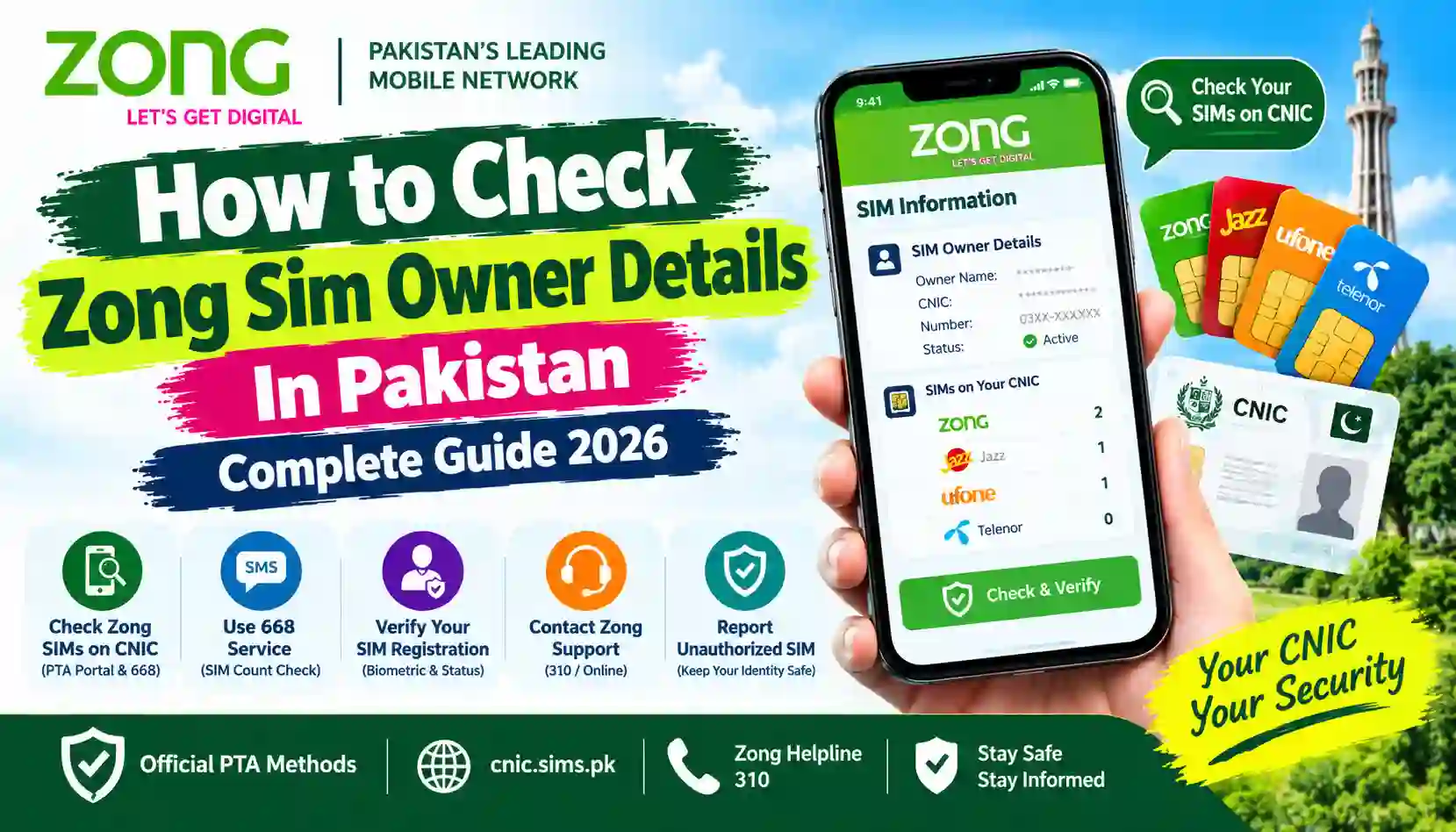
Learn how to check Zong SIM owner details in Pakistan, verify your own SIM, check Zong SIMs on your CNIC, and use official PTA and Zong services.
Zong is a popular mobile network in Pakistan, offering voice, SMS, and internet services. If you use a Zong SIM, you may want to confirm its registration, check how many Zong SIMs are associated with your CNIC, or verify that your mobile connection is registered correctly.
Understanding how to check Zong SIM owner details in Pakistan can help you manage your mobile connection and identify possible registration problems. It is especially important if you have purchased a SIM recently, have forgotten your registration details, or suspect that an unfamiliar SIM is linked to your CNIC.
There are several ways to check your own SIM registration. You can use the official Pakistan Telecommunication Authority (PTA) SIM Information System, send your CNIC to 668, check your SIM’s verification status using the relevant service, or contact Zong customer support.
This guide explains each method step by step, including what the available services can and cannot tell you.
Important: Public SIM-checking services do not provide unrestricted access to another person’s private subscriber information. This article focuses on checking your own SIM and registrations associated with your own CNIC.
Sims Owners Details is an independent informational website. It is not affiliated with Zong, PTA, NADRA, or any government authority.
What Are Zong SIM Owner Details?
The phrase “Zong SIM owner details” can refer to several different types of information.
For example, you may want to verify your own Zong SIM registration, check how many Zong connections are linked to your CNIC, or find out whether your SIM’s biometric verification has been completed.
These checks use different services.
| What you want to check | Recommended method |
|---|---|
| Number of Zong SIMs registered against your CNIC | PTA SIM Information System or SMS 668 |
| Registration information for the Zong SIM you use | Zong support or the applicable SIM registration service |
| Verification status of your Zong SIM | Zong’s supported verification service, including SMS 7911 where available |
| Your own Zong mobile number | Zong’s current self-service options or customer support |
| An unfamiliar Zong SIM on your CNIC | Contact Zong and request an investigation |
| Private identity details of another subscriber | Not available through a legitimate public lookup service |
Before choosing a method, decide what you actually need to verify. Checking a SIM count against your CNIC is different from confirming the registration of a particular SIM.
Method 1: Check Zong SIMs Registered Against Your CNIC Online
The official PTA SIM Information System allows you to check how many SIMs are registered against your CNIC across supported mobile networks.
This is a useful starting point if you want to know how many Zong connections are associated with your identity.
Step-by-step process
Step 1: Visit the official PTA website
Open: https://cnic.sims.pk
Step 2: Enter your CNIC number
Enter your own 13-digit CNIC number without dashes, following the instructions on the website.
Step 3: Complete the verification step
If the page displays a verification challenge, complete it before submitting the form.
Step 4: Submit the information
Submit the form and wait for the result.
Step 5: Find Zong in the results
Review the network-wise SIM counts and identify the number shown against Zong.
Step 6: Compare the result with your records
Think about the Zong SIMs you currently use and any old connections that may still be registered in your name.
If the number appears higher than expected, contact Zong and request an investigation. Do not automatically assume that the difference proves fraud.
What does the PTA SIM portal show?
The portal is designed to show the number of SIMs associated with your CNIC by mobile network.
It is not intended to provide public access to every subscriber’s name, full CNIC, residential address, call records, or live location.
If you need to investigate a particular registration, contact the relevant operator through an official channel.
Method 2: Check Zong SIMs on Your CNIC Through SMS 668
If you do not want to use a website, you can check SIM counts through the SMS service.
How to check Zong SIM count using 668
- Open the messaging application on your phone.
- Type your 13-digit CNIC number without dashes.
- Send the message to 668.
- Wait for the reply.
- Review the SIM counts for the listed networks.
- Find the Zong entry and compare the count with your own records.
SMS charges may apply. If you do not receive a response, confirm the latest service instructions with your mobile operator or PTA.
Example
Suppose the reply indicates that two Zong SIMs are registered against your CNIC, but you currently use only one.
This does not automatically mean that someone has misused your identity. An old registration or another issue may need to be investigated.
Contact Zong and explain that you cannot account for the registration. Ask what information and identity verification are required to investigate it.
Privacy reminder: Enter your own CNIC only on the official portal or through the official SMS process. Avoid sharing your results publicly.
Method 3: Check the Verification Status of Your Zong SIM
Zong users may also need to verify whether their own SIM has completed the required verification process.
PTA has published a Zong verification method using SMS 7911.
Steps to check Zong verification status
- Open the messaging application on your phone.
- Type the letter V.
- Send the message to 7911 from your Zong SIM.
- Wait for the response.
- Follow any instructions provided in the reply.
The service is intended to help check the verification status of the SIM in use. Confirm that the code and instructions remain available before relying on them, as operator services may change.
For published instructions, consult the PTA SIM verification guide.
What if the SMS code does not work?
If you receive no response, or the message says the service is unavailable, contact Zong through its official support channels.
You may need to visit an authorised Zong service centre with your original CNIC for further verification.
Do not use an unofficial website claiming to check biometric status by asking you to upload your fingerprints, CNIC image, or one-time password.
Method 4: Check Registration Details for the Zong SIM You Are Using
Sometimes, you already have a Zong SIM and simply want to confirm its registration.
A commonly used SMS method for checking information associated with the SIM in your phone is to send MNP to 667. Availability and the exact information returned can vary, so confirm the current process with Zong if the service does not work.
How to use the SMS method
- Insert your own Zong SIM into your phone.
- Open a new SMS.
- Type
MNP. - Send it to
667. - Review the reply and follow any instructions.
This method is associated with mobile number portability and may return registration-related information for the SIM sending the message.
It is not a way to enter an unrelated Zong number and retrieve that person’s private subscriber information.
If you need to confirm the registration of your own connection, Zong customer support remains the appropriate contact for clarification.
Method 5: Contact Zong Customer Support
If the online portal or SMS services do not answer your question, contact Zong directly.
Zong can guide you through the applicable process for checking your own SIM registration, verification status, or a possible registration discrepancy.
Zong contact options
| Support channel | Details |
|---|---|
| Zong helpline | 310 from a Zong SIM |
| Official website | https://www.zong.com.pk/ |
| SIM verification information | https://zong.com.pk/sim-verification |
| SIM purchase and registration rules | https://www.zong.com.pk/pta-terms-conditions |
Check the official Zong website for current contact options, charges, and service availability.
What should you ask customer support?
Explain your situation clearly. Depending on the issue, you may ask Zong to:
- Explain how to verify the registration of your own SIM.
- Confirm the current process for checking verification status.
- Help resolve a registration discrepancy.
- Investigate an unfamiliar SIM linked to your CNIC.
- Explain the procedure for blocking, disowning, or transferring a connection.
- Provide a complaint reference number.
The operator may require identity verification before discussing account-specific information.
Method 6: Visit an Authorised Zong Franchise
An in-person visit may be necessary if you have a registration problem that cannot be resolved online or by phone.
Consider visiting an authorised Zong service centre if:
- You suspect a SIM has been registered against your CNIC without permission.
- Your verification status appears incorrect.
- Your SIM has a registration-related problem.
- You need to discuss blocking or disowning a connection.
- Zong requests additional identity verification.
What documents should you take?
Depending on your case, take:
- Your original, valid CNIC.
- The Zong SIM you want to verify, if available.
- Any complaint or reference number you have received.
- Relevant messages or documents that explain the issue.
Ask the operator which documents are required before travelling.
If you do not recognise a SIM registered against your CNIC, explain that you dispute the registration. Request an investigation rather than treating it as a routine cancellation.
Keep a record of your complaint and any written confirmation.
How to Find Your Own Zong Mobile Number
If you have a Zong SIM but have forgotten its number, use Zong’s current self-service options or contact customer support.
A commonly listed own-number enquiry code is *8#, but short codes can change and may not work for every connection.
You can try the following:
- Insert your Zong SIM into your phone.
- Dial
*8#and press the call button. - Follow any instructions displayed.
- If the code does not work, check Zong’s official support information.
- Alternatively, contact the Zong helpline or visit an authorised service centre.
This method is intended to help identify the number associated with the SIM you are using. It does not show every Zong SIM registered against your CNIC.
For a network-wise SIM count, use the official PTA SIM Information System.
Can You Check Zong SIM Owner Details by Mobile Number?
Many people search online for phrases such as:
- Zong SIM owner details by number
- Zong number owner name
- Zong SIM database online
- Zong number CNIC details
- Zong SIM owner address
These searches can be confusing because some websites claim to reveal a person’s identity simply by entering a mobile number.
There is no general public service that should be used to obtain another subscriber’s confidential records without proper authorisation.
Avoid websites that claim to provide:
- Another person’s full CNIC number.
- A subscriber’s home address.
- Private call or message records.
- Live location information.
- Unrestricted access to telecom subscriber databases.
Such claims may be misleading, inaccurate, or designed to collect personal information.
What if an unknown Zong number calls you?
If you receive a suspicious call or message:
- Do not share your CNIC, password, or one-time verification code.
- Block the number if you do not want further contact.
- Keep relevant messages if you suspect fraud or harassment.
- Report the incident through your operator or the appropriate authority.
- If there is a genuine legal concern, follow the official reporting process.
Do not assume that the registered subscriber is necessarily the person currently using a number. For suspected criminal activity, report the facts rather than attempting to obtain private subscriber records yourself.
What to Do If an Unknown Zong SIM Is Registered Against Your CNIC
An unfamiliar SIM registration should be investigated promptly, particularly if you believe it was issued without your consent.
PTA advises consumers to check SIMs associated with their CNIC and contact the relevant service provider if they discover a SIM issued without their knowledge or consent.
Step 1: Check your CNIC
Visit https://cnic.sims.pk/ or send your 13-digit CNIC number without dashes to 668.
Review the network-wise result and note the Zong count.
Step 2: Contact Zong
Call 310 from your Zong SIM or use the official Zong website to find current support options.
Explain that you do not recognise the registration and request an investigation.
Step 3: Visit a service centre if required
Take your original CNIC and any complaint reference. Follow the operator’s identity-verification process.
Step 4: Request the appropriate action
Ask whether the SIM should be blocked, disowned, or corrected in the registration system. These actions are not necessarily identical, so confirm which procedure applies to your circumstances.
Step 5: Keep your complaint number
Save the reference number and any written response. These details can help you follow up if the matter is not resolved.
Step 6: Escalate an unresolved issue
If you cannot resolve the issue with Zong, consider submitting a complaint through PTA’s official complaint system.
After the operator processes your request, check your CNIC again. If the result still appears incorrect, follow up using your existing complaint reference.
How to Protect Your Zong SIM Registration
Responsible SIM ownership helps protect your identity and mobile account.
Keep your CNIC private
Share CNIC copies only when there is a legitimate reason and you are dealing with an authorised organisation.
Use authorised registration channels
Purchase, replace, or transfer a SIM through authorised Zong service channels. Follow the applicable biometric verification process.
Do not approve unexplained biometric requests
Before completing a biometric transaction, understand what service you are authorising. Never allow someone else to use your identity for an unexplained SIM registration.
Review your SIM registrations periodically
Use the official PTA portal or SMS 668 to check the number of SIMs registered against your CNIC.
Report suspicious registrations promptly
If you discover a connection you do not recognise, contact the operator and request an investigation.
Avoid unofficial SIM database websites
Do not provide your CNIC, passwords, one-time codes, or biometric information to sites promising access to private subscriber records.
Keep complaint records
Save the reference number, date, and any written response when reporting a registration problem. These records may be helpful if you need to escalate your complaint.
Common Mistakes to Avoid
When checking Zong SIM owner details, avoid these common mistakes:
- Confusing a SIM count with a full subscriber record: The PTA portal provides a network-wise count, not unrestricted access to private identity details.
- Assuming every code works forever: Check current instructions with Zong or PTA.
- Assuming an unexpected count proves fraud: Ask the operator to investigate the registration.
- Using unofficial lookup websites: These sites may expose you to scams and privacy risks.
- Sharing your CNIC publicly: Keep identity information and verification screenshots private.
- Ignoring a registration discrepancy: Report the issue to the operator.
- Failing to keep a complaint number: Save the reference for future follow-up.
- Confusing blocking with disowning: Ask the operator which action is required for your case.
Frequently Asked Questions (FAQs)
1. How can I check Zong SIM owner details in Pakistan?
To check Zong SIMs registered against your own CNIC, visit the official PTA SIM Information System at https://cnic.sims.pk/ or send your 13-digit CNIC number without dashes to 668. For information about your own SIM registration, contact Zong or use its currently supported verification services.
2. How can I check how many Zong SIMs are registered on my CNIC?
Open the PTA SIM Information System, enter your own CNIC, complete the verification step, and review the network-wise counts. Alternatively, send your CNIC number without dashes to 668.
3. What is the SMS code for checking Zong SIM verification status?
PTA’s published guidance lists SMS verification through 7911 by sending the letter V from the Zong SIM. Confirm that the service is still available before relying on it.
4. What is the Zong helpline number?
Zong lists 310 as its customer support helpline when calling from a Zong SIM. Visit https://www.zong.com.pk/ for current contact details and other support options.
5. Can I check a Zong SIM owner’s name by mobile number?
You should not expect a public lookup service to reveal another subscriber’s confidential identity information. For your own SIM, use official verification channels. For a legitimate complaint, contact Zong or PTA.
6. Can I find the CNIC linked to another person’s Zong number?
Another subscriber’s confidential CNIC details are not available through a legitimate public lookup service. If you have a legal or security concern, report it through the relevant operator or authority.
7. How do I check Zong SIMs registered against my CNIC without internet?
Send your 13-digit CNIC number without dashes to 668 and review the reply. SMS charges may apply. For current instructions, check PTA’s official website.
8. What should I do if an unknown Zong SIM appears on my CNIC?
Contact Zong, explain that you do not recognise the registration, and request an investigation. Follow the operator’s identity-verification process and ask about blocking or disowning the connection. If the issue remains unresolved, escalate it through PTA.
9. Is sending MNP to 667 the same as checking SIMs on a CNIC?
No. Sending MNP to 667 is associated with information about the SIM sending the message and mobile number portability. The 668 service and PTA portal are used to check SIM counts against your CNIC.
10. Can I check my own Zong number if I have forgotten it?
You can try Zong’s currently supported self-service code or contact customer support. A commonly listed own-number code is *8#, but confirm availability through Zong if it does not work.
11. Is the PTA SIM Information System free?
The website can be used to check the SIM count against your CNIC. The SMS service to 668 may involve charges, so check your operator’s current SMS rates.
12. Is Sims Owners Details an official Zong website?
No. Sims Owners Details is an independent informational website and is not affiliated with Zong, PTA, NADRA, or any government authority.
Conclusion
Checking Zong SIM owner details in Pakistan starts with identifying what you need to verify. If you want to know how many Zong SIMs are registered against your CNIC, use the official PTA SIM Information System or SMS 668.
If you need to verify your own SIM’s registration or biometric status, consult Zong’s current verification instructions or contact customer support. If you discover an unfamiliar registration, report it to Zong and request an investigation.
Always protect your CNIC information and avoid websites claiming to reveal private SIM-owner records. Official verification channels are the appropriate way to manage registration concerns.
Disclaimer: This article is for general informational purposes only. Codes, service availability, and operator procedures may change. Confirm current requirements with Zong or PTA before taking action. Sims Owners Details is an independent website and does not provide access to private telecom subscriber databases.