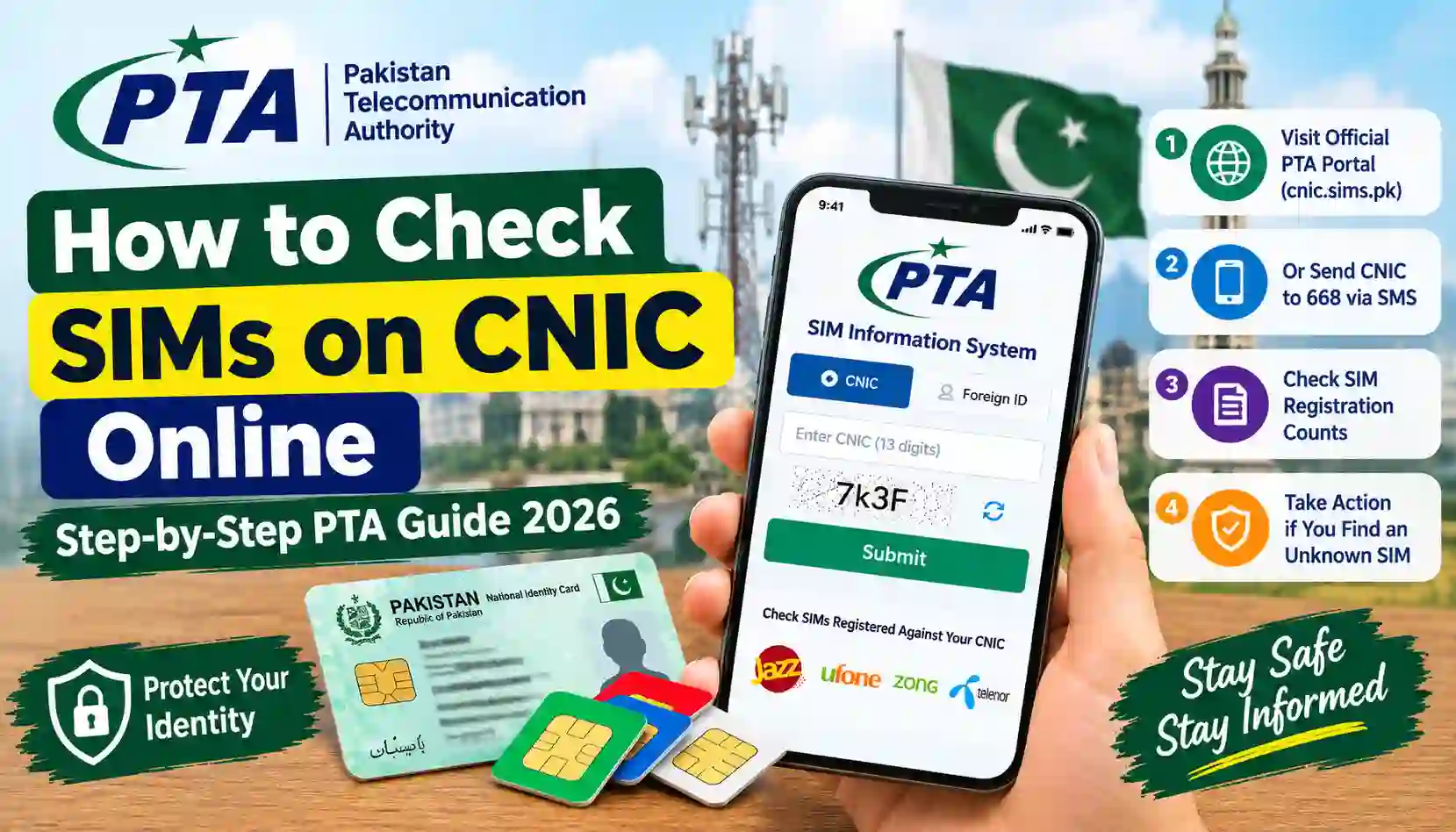
Learn how to check SIMs on your CNIC online in Pakistan using the official PTA SIM Information System and SMS 668. Follow these easy steps.
Do you want to know how many SIM cards are registered against your CNIC in Pakistan? Checking your SIM registration details is an important step toward protecting your identity and preventing unauthorized use of your personal information.
The Pakistan Telecommunication Authority (PTA) provides an official online service that allows citizens to check the number of SIMs registered against their own Computerized National Identity Card (CNIC). You can also use the SMS 668 service to check SIM registration counts without needing an internet connection.
In this guide, we will explain how to check SIMs on CNIC online step by step, how to use the official SMS method, how to understand your results, and what to do if you discover an unfamiliar SIM.
For accurate information, use official services instead of websites that promise private SIM owner details.
What Does Checking SIMs on CNIC Mean?
Checking SIMs on CNIC means finding out how many mobile SIM cards are registered against your own identity document.
In Pakistan, mobile SIM registration is linked to the identity information provided during registration. Checking your SIM count helps you understand how many connections are associated with your CNIC across participating mobile networks.
The official PTA SIM Information System is available at:
Official website: https://cnic.sims.pk/
According to the official portal, users can enter their CNIC and submit it to find the total number of SIMs registered against it. Foreign nationals are directed to use the Foreign ID option.
There are several reasons to check your SIM registration information regularly:
- Protect your identity: Identify a potentially unexpected SIM registration.
- Monitor your connections: Understand how many SIMs are registered against your CNIC.
- Reduce misuse risks: Take action if you suspect that someone has registered a SIM using your identity.
- Manage unused connections: Review SIMs you no longer need and ask the relevant operator about proper disowning procedures.
- Improve account security: Keep your identity and mobile connections under your control.
PTA has advised consumers to ensure that SIMs are registered in the user’s own name and to contact the relevant service provider if a SIM was issued without their knowledge or consent.
How to Check SIMs on CNIC Online in Pakistan
The easiest online method is to use the official PTA SIM Information System. You do not need to install a separate application to access the website.
Follow these steps carefully.
Step 1: Open the Official PTA SIM Information System
Open your preferred browser on your mobile phone, laptop, or desktop computer.
Visit:
Check the website address before entering any personal information. Avoid unofficial websites that imitate government services or promise access to private subscriber records.
Step 2: Select the CNIC Option
When the website opens, look for the CNIC option.
The portal also displays a Foreign ID option for foreign nationals. Select the appropriate option according to your identification document.
If you are checking your Pakistani CNIC, continue with the CNIC option.
Step 3: Enter Your 13-Digit CNIC Number
Enter your own 13-digit CNIC number in the required field.
Make sure the number is correct. Follow the format requested by the website, and do not include unnecessary spaces or punctuation.
Before submitting, check every digit carefully to avoid an incorrect result.
Important: Only enter your CNIC on the official service or another trusted service when you understand why the information is required. Never share your CNIC number, OTP, or identity documents with an unknown website or person.
Step 4: Complete the Verification Check
The website may ask you to complete a CAPTCHA or another verification step.
Follow the instructions displayed on the page. This step helps distinguish genuine user activity from automated requests.
If the verification fails, try again and make sure you have completed all the required fields.
Step 5: Click the Submit Button
After entering your CNIC and completing the verification, click Submit.
Wait for the website to process your request. If the service is temporarily unavailable, try again later rather than submitting your identity information to an unofficial alternative.
Step 6: Review Your SIM Registration Result
The official system displays information about the SIMs registered against your CNIC, including counts associated with mobile networks.
Review the result carefully and compare it with the connections you know you have.
Remember that the official online check is a SIM-count service, not a public database for finding the name, address, or complete phone-number list of another person’s SIMs.
If the count looks higher than expected, contact the relevant mobile operator to investigate.
How to Check SIMs on CNIC Through SMS 668
If you do not have internet access, you can use the SMS method.
PTA advises consumers to send their CNIC number without dashes to 668 to check SIM registration counts. Charges may apply.
Step-by-Step SMS Method
- Open the messaging application on your mobile phone.
- Type your 13-digit CNIC number without dashes or spaces.
- Send the message to 668.
- Wait for the reply.
- Review the SIM registration counts provided for the relevant mobile networks.
For example, enter your own CNIC in the format requested by the service, then send it to 668.
Do not send a sample or someone else’s CNIC as a substitute for your own identity information.
Is the SMS 668 Service Free?
SMS charges may apply when you use 668. The exact amount can depend on the applicable service charges and your mobile operator.
Check your current balance or operator’s SMS rates before sending the message.
Online Method vs. SMS 668
| Feature | Online PTA portal | SMS 668 |
|---|---|---|
| Official service | Yes | Yes |
| Internet required | Yes | No |
| What you need | Browser and your CNIC | Phone with SMS service |
| Main purpose | Check SIM registration counts | Check SIM registration counts |
| Charges | No fee is displayed on the portal | SMS charges may apply |
| Can it reveal another person’s private subscriber details? | No | No |
Both methods help you check SIM registration information associated with your own identity. Choose the option that is more convenient for you.
Which Mobile Networks Can You Check?
The PTA SIM Information System is intended to show SIM counts associated with your CNIC across supported mobile networks.
Depending on the service’s current display and operator arrangements, you may see entries associated with networks such as:
- Jazz
- Zong
- Ufone
- Telenor
- Other supported services or network categories displayed by the official system
Telecom brands and company arrangements can change. Always rely on the network names and results shown by the official portal rather than an outdated screenshot or unofficial list.
Does the Online Portal Show Every Mobile Number?
The official SIM-count check should not be confused with a detailed subscriber database.
It is designed to show the number of SIMs registered against your CNIC, rather than publicly listing every associated mobile number, subscriber name, or address.
If you need to identify a specific connection registered under your own identity, contact the relevant operator through its official customer support channel or visit an authorized service centre. You may be asked to verify your identity.
What Should You Do If You Find an Unknown SIM on Your CNIC?
Finding a SIM count you do not recognize does not automatically prove fraud. You may have forgotten an old connection, or the result may need clarification from the operator.
However, it is important to investigate any unexpected registration.
Step 1: Identify the Relevant Mobile Network
Review the result from the PTA portal or the reply received through 668.
Identify which network’s SIM count appears higher than expected.
Step 2: Contact the Mobile Operator
Contact the customer support department of the relevant network or visit its authorized franchise or service centre.
Explain that you have checked your CNIC and want to verify the connections registered against it.
Use the operator’s official website to find current contact details and service-centre locations.
Step 3: Verify Your Identity
Take your original CNIC when visiting an authorized service centre. The operator may require identity checks, including biometric verification, before disclosing account information or processing a request.
Do not provide your fingerprints, OTP, or identity documents to an unknown person claiming they can remove a SIM for you.
Step 4: Request an Investigation
If the operator confirms that a connection may have been registered without your knowledge or consent, request an investigation.
Ask the operator to explain the appropriate process for blocking the connection and formally disowning it if necessary.
Blocking and disowning are not necessarily the same process. Ask whether additional steps are required to remove the connection from your CNIC.
Step 5: Keep Your Complaint Reference
Ask for a complaint or service request number and keep any relevant messages or documents.
This reference may help you follow up if the matter is not resolved.
Step 6: Escalate an Unresolved Complaint
If the operator does not resolve the issue, you can submit a complaint through the official PTA complaint portal:
Explain the issue clearly and include your operator’s complaint reference and any relevant evidence. Avoid posting your full CNIC or other sensitive information publicly.
How to Protect Your CNIC From Unauthorized SIM Registration
Checking your SIM count is useful, but protecting your personal information is equally important.
Follow these precautions:
- Keep your original CNIC secure.
- Do not send photographs of your identity card to unknown people.
- Never share OTPs or verification codes with callers who claim to represent a mobile operator.
- Use official operator service centres for SIM registration, replacement, transfer, and disowning.
- Avoid websites that promise private SIM owner names or CNIC details through an ordinary phone-number search.
- Review your SIM registration count periodically.
- Report suspected unauthorized registrations to the relevant operator.
- Keep complaint numbers and relevant evidence until the issue is resolved.
If you suspect a scam or misuse of your identity, act promptly and use official complaint channels.
Is It Safe to Use Third-Party SIM Information Websites?
Not every website that discusses SIM verification is an official PTA service.
Some websites may provide educational guidance, while others may ask visitors for personal information or make unsupported claims about accessing private subscriber databases.
Be careful if a website promises to reveal all of the following simply by entering a mobile number:
- Full subscriber name
- CNIC number
- Home address
- Private call records
- Live location
- Complete SIM ownership history
A claim like this does not mean the website has legitimate or authorized access to the information.
Never assume a service is official just because it uses the words “SIM database,” “PTA,” or “SIM owner details” in its name.
For your own SIM-count check, start with the official PTA SIM Information System.
Frequently Asked Questions (FAQs)
1. How can I check SIMs on CNIC online in Pakistan?
Visit cnic.sims.pk, select the CNIC option, enter your own 13-digit CNIC number, complete the verification step, and click Submit. Review the SIM registration counts shown by the system.
2. Can I check SIMs on my CNIC without internet?
Yes. Send your 13-digit CNIC number without dashes or spaces to 668 by SMS. Charges may apply, and you should use your own CNIC.
3. Is cnic.sims.pk an official PTA website?
It is the SIM Information System website identified for checking SIM counts against a CNIC. You can open the portal directly at https://cnic.sims.pk/.
4. Can I check the SIMs registered against another person’s CNIC?
You should not use another person’s identity information without proper authorization. The public PTA SIM Information System is intended for checking SIM counts against your own CNIC; it is not a public tool for looking up another person’s private subscriber details.
5. Can I see all phone numbers registered against my CNIC online?
The public online check primarily provides SIM counts by network. It does not serve as a public list of every phone number registered against a CNIC. To identify a connection registered under your own identity, contact the relevant mobile operator and follow its verification procedure.
6. What should I do if an unknown SIM is registered on my CNIC?
Contact the relevant mobile operator, verify your identity, and ask it to investigate the connection. If the SIM is unauthorized, request the appropriate blocking or disowning process. If the issue remains unresolved, submit a complaint through the PTA complaint portal.
7. Does checking SIMs on CNIC require an application?
No separate application is required to use the official web portal. You can access it through a browser. The SMS 668 method is another option if you do not want to use the internet.
8. How often should I check SIMs registered against my CNIC?
There is no need to check every day. You can review your SIM count periodically and whenever you suspect unauthorized registration, lose control of a connection, or notice unusual activity related to your identity.
9. Does NADRA provide the online SIM-count service?
The public SIM-count service discussed in this guide is provided through the PTA SIM Information System. For SIM registration concerns, use the PTA portal or contact your mobile operator.
10. What if the PTA website does not work?
Check your internet connection, reload the official website, and try again later. If the issue continues, avoid entering your CNIC on unknown alternatives. You can try the SMS 668 method, subject to applicable charges.
Final Words
Checking SIMs on your CNIC online is a simple way to stay informed about the mobile connections registered against your identity. In Pakistan, you can use the official PTA SIM Information System at cnic.sims.pk or send your CNIC number without dashes to 668 by SMS.
If you find a registration you do not recognize, contact the relevant mobile operator and request an investigation. If the issue is not resolved, use the official PTA complaint system.
At Sims Owners Details, our goal is to help readers understand SIM verification procedures, protect personal information, and use official channels for registration-related concerns.
Important Disclaimer: This article is for general educational purposes. Sim Owners Details is an independent informational website and is not affiliated with PTA, NADRA, or any mobile network operator. Always verify current procedures through official sources.