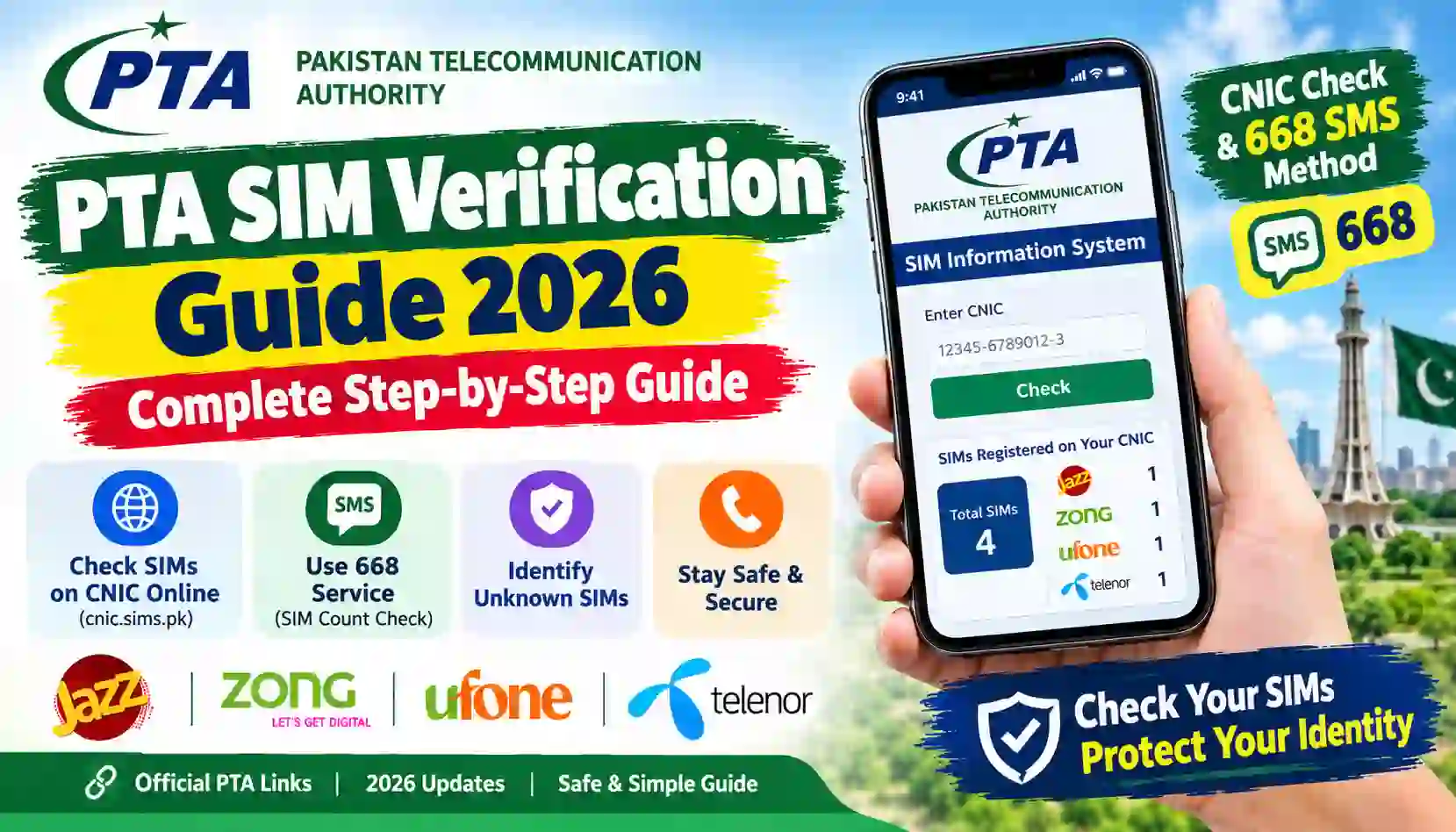
Learn how to verify SIMs in Pakistan in 2026 using PTA’s official portal and 668 SMS service. Check your CNIC, identify unknown registrations, and stay safe.
SIM verification is an important part of mobile security in Pakistan. Mobile numbers are used for phone calls, internet services, online banking, account recovery, business communication, and verification codes. If a SIM is registered incorrectly or used without your knowledge, it can create problems with your identity and mobile accounts.
The PTA SIM Verification Guide 2026 explains how to check SIM registrations associated with your own Computerized National Identity Card (CNIC) using official methods.
The Pakistan Telecommunication Authority (PTA) provides an online SIM Information System that allows users to check the number of SIMs registered against their CNIC. You can also use the SMS method by sending your 13-digit CNIC number without dashes to 668. SMS charges may apply.
Official portal: PTA SIM Information System.
In this guide, you will learn how to verify SIM registrations online, use the 668 SMS service, understand the difference between SIM verification and mobile number portability, and take action if the displayed count is unexpected.
At SimsOwnersDetails.com, we publish educational information about SIM registration, verification procedures, telecom services, and online safety in Pakistan.
What Is PTA SIM Verification?
PTA SIM verification refers to checking SIM registration information through official telecommunications procedures.
For an ordinary mobile user, one of the most useful checks is finding out how many SIM cards are registered against their own CNIC and how those registrations are distributed across mobile operators.
This can help you review your registrations and identify discrepancies that need further investigation.
Why is SIM verification important?
SIM verification can help you:
- Review the SIM registration count associated with your CNIC.
- Identify an unexpected registration count.
- Check whether your mobile registrations need attention.
- Contact the correct operator if a registration appears unfamiliar.
- Protect your identity from potential misuse.
- Understand the official procedures for resolving SIM registration issues.
PTA has advised consumers to ensure that SIMs are registered in the actual user’s name. It has also warned that the registered user may remain responsible for the use or misuse of a SIM. For this reason, checking your registrations and correcting discrepancies is important.
How to Check SIMs on Your CNIC Online in 2026
The easiest online method is to use PTA’s official SIM Information System.
You can perform this check through a web browser on a mobile phone, tablet, or computer.
Step 1: Visit the official PTA SIM portal
Open this website:
Check the domain carefully. Avoid look-alike websites that claim to provide private SIM owner records or request unnecessary personal information.
Step 2: Choose the appropriate identity option
The portal provides options for Pakistani CNIC holders and foreign nationals using the relevant Foreign ID option.
Select the option that applies to your identity document.
Step 3: Enter your CNIC number
Enter your own 13-digit CNIC number in the field provided.
Follow the current instructions on the portal and complete any verification challenge displayed on the page.
Step 4: Submit the form
Submit the information and wait for the result.
The system is designed to show the total number of SIMs registered against your CNIC, with an operator-wise breakdown.
Step 5: Review the result
Compare the displayed counts with your known mobile registrations.
If a count appears higher than expected, do not immediately assume that fraud has occurred. You may have an old registration or another issue that needs clarification.
Contact the relevant mobile operator and ask it to investigate the discrepancy.
Official resource: Open PTA SIM Information System.
What information does the online portal show?
The public portal is intended to show SIM registration counts associated with the CNIC you enter.
It is not a public search engine for obtaining another person’s mobile number, full name, home address, or complete CNIC details.
How to Verify SIMs Through SMS 668
If you do not have internet access, you can use PTA’s SMS-based SIM count check.
This method is useful when you have access to a mobile phone and want to check the registrations associated with your own CNIC.
Step-by-step SMS verification
Step 1: Open the Messages application on your phone.
Step 2: Create a new SMS.
Step 3: Type your own 13-digit CNIC number without dashes or spaces.
Step 4: Enter 668 as the recipient.
Step 5: Send the message and wait for the reply.
Step 6: Review the operator-wise SIM count provided in the response.
SMS charges may apply, so check your mobile operator’s current tariff before using the service.
Example of the CNIC format
Enter the CNIC as a continuous sequence of 13 digits rather than including hyphens.
Do not post your CNIC on social media or send it to an unfamiliar website that promises to reveal private subscriber information.
What does 668 tell you?
The service is intended to show the number of SIMs registered against your CNIC, with the relevant mobile company information.
It does not replace the operator’s process for investigating a specific SIM registration, and it is not a public service for retrieving someone else’s private subscriber records.
For official instructions, visit PTA’s SIM Information System.
Difference Between PTA Online Verification and SMS 668
Both methods help you check SIM registration counts against your own CNIC, but they use different channels.
| Feature | Online portal | SMS 668 |
|---|---|---|
| Official service | PTA SIM Information System | PTA SMS service |
| Website or shortcode | cnic.sims.pk | 668 |
| Internet required | Yes | No |
| Information needed | Your own CNIC | Your own CNIC |
| Main purpose | Check SIM counts by operator | Check SIM counts by operator |
| Charges | No fee is indicated on the portal | SMS charges may apply |
| Shows another person’s private details | No | No |
Choose the method that suits your situation. If the result suggests a registration problem, contact the relevant operator for the next step.
How to Check SIM Registration on Jazz, Zong, Ufone, and Telenor
Pakistan has several mobile network operators. The PTA SIM Information System can help you review the number of SIMs registered against your CNIC across the operators shown in its results.
If you want to investigate a registration issue, use the official support channels of the relevant network.
Jazz SIM verification
If the result shows an unexpected count for Jazz, review your known Jazz registrations and contact Jazz customer support if you need clarification.
For a suspected unauthorized registration, ask the operator how to verify the SIMs associated with your identity and what steps are required to resolve the issue.
Official website: Jazz.
Zong SIM verification
Zong users can check their overall CNIC registration count through the PTA portal or 668.
If the result appears incorrect, contact Zong through its official support channels and request guidance on investigating the registration.
Official website: Zong.
Ufone SIM verification
Ufone customers can use the same PTA SIM count check to review their registrations.
For ownership concerns, registration corrections, or other account-specific questions, contact Ufone directly.
Official website: Ufone.
Telenor SIM verification
Telenor customers can review their CNIC-linked SIM count using the official PTA service.
If you identify a discrepancy, ask Telenor’s customer support team how to investigate the registration and whether you need to visit an authorized service centre.
Official website: Telenor Pakistan.
Important: The public PTA portal provides an operator-wise count. It may not show the specific phone number responsible for an unexpected count. The relevant operator can explain the available verification and complaint procedures.
What Should You Do If You Find an Unknown SIM Registration?
An unexpected SIM count can be concerning, but it does not automatically prove that someone has misused your identity.
The correct approach is to verify the result and contact the appropriate operator.
Step 1: Repeat the check
Check your CNIC again through cnic.sims.pk or use the 668 SMS service.
Make sure you entered the correct CNIC and understand the operator-wise count shown in the result.
Step 2: Identify the relevant network
Review the operator information displayed by the service.
This can help you determine which operator to contact about the discrepancy.
Step 3: Contact the operator
Use the operator’s official website, customer support channel, or authorized franchise.
Explain that the SIM count associated with your CNIC appears incorrect and ask for an investigation.
Step 4: Take your original CNIC if required
The operator may ask you to visit an authorized service centre and complete identity verification.
Follow the operator’s instructions and do not give your original identity documents or fingerprints to an unverified person.
Step 5: Request corrective action
If the operator confirms that a SIM is registered incorrectly, ask about the applicable blocking, disowning, or registration-correction procedure.
Keep any complaint reference number or confirmation you receive.
Step 6: Escalate an unresolved complaint
If you cannot resolve the issue through the operator, you can review the complaint options available through PTA.
Official complaint portal: PTA Complaint Management System.
Provide accurate information and submit only the documents requested through official channels.
What Is the Difference Between SIM Verification and SIM Ownership Verification?
These terms are sometimes used interchangeably, but they do not always mean the same thing.
SIM count verification
This is the check performed through the PTA SIM Information System or 668. It shows the number of SIMs registered against your CNIC, with an operator-wise breakdown.
Verification of the SIM you use
If you want to verify the registration information of a SIM in your possession, an operator may provide an appropriate procedure. The 667 MNP service is also associated with obtaining registration information for the SIM that sends the request as part of the mobile number portability process.
For the 667 service, follow the current instructions from your operator. It is not a public lookup tool for arbitrary mobile numbers.
Ownership transfer
Ownership transfer is a separate process. It changes the registered holder of a SIM and may require identity documents and biometric verification.
If you are using a SIM registered under someone else’s name, contact the operator to ask how to transfer ownership properly.
Is PTA SIM Verification Free?
The cost depends on the method used.
The online PTA SIM Information System does not display a fee for its public CNIC count check. The 668 SMS method may involve charges.
Before sending an SMS, check the current tariff with your mobile operator.
Be careful with third-party websites that advertise paid SIM verification services. Paying a website does not prove that it has official access to subscriber records or that the information it provides is accurate.
For your own SIM count, start with the official portal:
How to Avoid Fake SIM Verification Websites
Some websites and applications claim to provide complete SIM owner details, CNIC information, addresses, and private subscriber records.
These claims should be treated cautiously, especially when the service is not operated by an official authority or mobile network.
Warning signs
1. Guaranteed private information
Be suspicious of services that promise another person’s complete private subscriber information from a phone number alone.
2. Unnecessary identity requests
Avoid entering your CNIC, passwords, banking details, or verification codes into unfamiliar websites.
3. Suspicious payment demands
A payment request does not establish that a service is legitimate or authorized.
4. Unfamiliar downloads
Do not install unknown applications or files advertised as SIM database tools.
5. Fake official links
Check the domain carefully before entering personal information. The official public SIM count portal is cnic.sims.pk.
PTA has also cautioned the public about deceptive links and fraudulent messages that impersonate official services. For example, you can read this Associated Press of Pakistan report on PTA’s warning about deceptive links.
For safer browsing, use official portals and avoid clicking unfamiliar links sent through SMS, WhatsApp, or social media.
Why SIM Registration in Your Own Name Matters
A mobile number may be connected to financial accounts, online services, personal contacts, and account recovery systems.
If a SIM is registered under another person’s identity, you may face difficulties with ownership verification, replacement of a lost SIM, or resolving disputes about the connection.
PTA advises consumers to ensure that SIMs are registered in the actual user’s name. The registered person may remain responsible for the use or misuse of the connection.
Good SIM security practices
- Use SIMs registered in your own name.
- Check your CNIC-linked SIM count periodically.
- Report unexpected registrations to the relevant operator.
- Keep your CNIC and other identity documents secure.
- Do not share one-time passwords or banking verification codes.
- Avoid using unofficial SIM database websites.
- Follow authorized identity-verification procedures when purchasing or transferring a SIM.
- Keep records of complaints and operator responses.
These habits can help you manage your mobile registrations and respond more quickly if a problem occurs.
Official Websites for PTA SIM Verification
Use the following resources for SIM verification and related issues.
| Resource | Purpose | Official link |
|---|---|---|
| PTA SIM Information System | Check SIM counts against your CNIC | cnic.sims.pk |
| Pakistan Telecommunication Authority | Official telecom information and guidance | pta.gov.pk |
| PTA Complaint Management System | Submit eligible telecom complaints | complaint.pta.gov.pk |
| PTA NTCERT | Telecom and cybersecurity awareness | ntcert.pta.gov.pk |
| NADRA | Identity-document services and guidance | nadra.gov.pk |
| Jazz | Mobile operator support | jazz.com.pk |
| Zong | Mobile operator support | zong.com.pk |
| Ufone | Mobile operator support | ufone.com |
| Telenor Pakistan | Mobile operator support | telenor.com.pk |
Always confirm the current requirements on the relevant official website before taking action.
Frequently Asked Questions (FAQs)
1. How can I verify my SIM through PTA in 2026?
Visit cnic.sims.pk, enter your own CNIC as instructed, and submit the form. Alternatively, send your 13-digit CNIC number without dashes to 668. SMS charges may apply.
2. How can I check how many SIMs are registered against my CNIC?
Use the official PTA SIM Information System or the 668 SMS service. Both methods are intended to show the SIM count associated with your own CNIC.
3. Can I check SIM owner details using a mobile number?
The public PTA SIM Information System does not provide a general phone-number search for another person’s private name, CNIC, or address. Use official reporting channels if you have a legitimate concern about a number.
4. Is the PTA SIM verification portal official?
Yes. The public SIM Information System is available at cnic.sims.pk. Check the exact domain before entering your identity information.
5. Is the 668 SMS service free?
SMS charges may apply. Check the current tariff with your mobile operator before sending the message.
6. What should I do if an unknown SIM appears against my CNIC?
Repeat the check, identify the relevant operator, and contact its official customer support team. Request an investigation and follow the operator’s instructions for any corrective action.
7. Can I check Jazz, Zong, Ufone, and Telenor SIMs using one CNIC?
The PTA SIM Information System provides an operator-wise count of SIMs registered against your CNIC for the networks included in its results.
8. Does SIM verification show all registered phone numbers?
The public PTA portal is designed to show SIM counts by operator, not a complete list of private subscriber records or a public directory of phone numbers.
9. What is the difference between 667 and 668?
668 is used to check SIM registration counts associated with your CNIC. The 667 service is associated with the MNP process and information about the SIM sending the request.
10. Can I check someone else’s CNIC-linked SIMs?
You should not attempt to access another person’s private identity information without appropriate authorization. The public SIM Information System is intended for checking registrations associated with your own CNIC.
11. Do I need to visit a franchise for SIM verification?
You can check the SIM count online or through SMS. If you need to investigate a specific registration, correct ownership, or complete biometric verification, the operator may require you to visit an authorized service centre.
12. How often should I verify my SIM registrations?
Consider checking periodically and whenever you suspect unauthorized use of your identity. If you find an unexpected count, contact the relevant operator to investigate.
Conclusion
The PTA SIM Verification Guide 2026 explains how to check the SIM registrations associated with your CNIC using official methods.
You can visit the PTA SIM Information System or send your own 13-digit CNIC number without dashes to 668. The result helps you review the number of SIMs registered against your identity and identify discrepancies that may need investigation.
If you find an unexpected registration count, contact the relevant mobile operator and follow its official verification procedure. If the issue remains unresolved, consider using PTA’s Complaint Management System.
Avoid unofficial websites promising private subscriber records, and never share sensitive identity information with unverified services.
Disclaimer: Sims Owners Details is an independent informational website and is not affiliated with PTA, NADRA, or any mobile network operator. This guide is for educational and public-awareness purposes. Confirm current procedures and requirements through official sources.
Suggested featured image alt text: PTA SIM verification guide 2026 showing how to check SIMs registered against your CNIC in Pakistan.