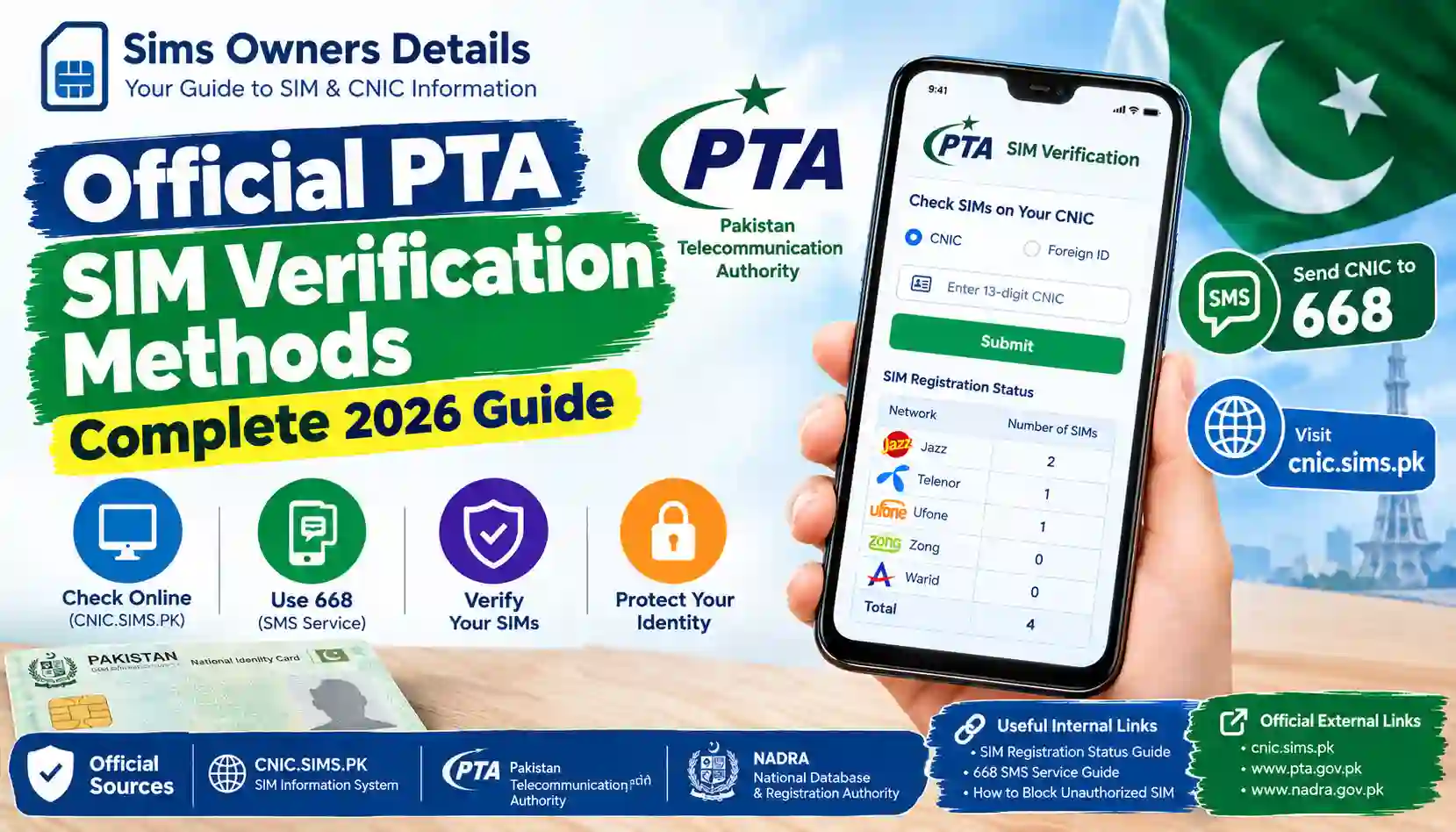
Learn the official PTA SIM verification methods in Pakistan for 2026. Check SIMs on your CNIC through CNIC.SIMS.PK and 668 SMS, identify unknown registrations, and protect your identity.
If you want to check how many SIMs are registered against your CNIC in Pakistan, the safest approach is to use official PTA SIM verification methods rather than relying on private databases, random lookup websites, or social-media services.
SIM registration is an important part of Pakistan’s telecommunications system because a mobile SIM is associated with subscriber identification and verification requirements.
For ordinary users, the most useful official verification options include:
- CNIC.SIMS.PK SIM Information System
- 668 SMS service
- Mobile network customer service and service centres
- Official PTA complaint channels when a telecom issue cannot be resolved
- Applicable biometric verification procedures when registering or re-verifying a SIM
The purpose of these methods is primarily to help you check SIMs associated with your own identity and resolve registration problems.
This guide explains the process step by step and also covers an important distinction: checking SIMs registered on your own CNIC is very different from attempting to obtain another person’s private subscriber information.
Quick Answer: What Are the Official PTA SIM Verification Methods?
For most Pakistani CNIC holders, the two most useful methods for checking registrations are:
1. CNIC.SIMS.PK
The SIM Information System allows you to enter your CNIC and check the number of SIMs associated with your identity across the available network categories.
2. 668 SMS
You can send your CNIC number to 668 to check the number of SIMs issued in your name.
Official PTA National Telecom CERT guidance specifically recommends periodically checking the number of SIMs issued in your name through 668 and taking action against illegally issued SIMs.
3. Your Mobile Operator
If the result shows a SIM you do not recognize, the relevant mobile operator is normally the appropriate place to start the resolution process.
4. PTA Complaint System
If you have a telecom-related complaint that cannot be resolved directly with the operator, PTA’s complaint system can be used for the applicable complaint process.
Why SIM Verification Matters in Pakistan
A mobile number is no longer just a way to make calls.
It may be connected to:
- Banking services
- Mobile wallets
- Email accounts
- Social-media accounts
- Authentication codes
- Government services
- Business accounts
- Personal contacts
This makes unauthorized SIM registration or SIM misuse a serious concern.
The purpose of checking your registration is not to investigate other people. It is to understand what SIM registrations are associated with your own identity.
If you discover something you do not recognize, you can investigate it through the relevant official channel.
Official PTA SIM Verification Methods at a Glance
| Verification Method | What It Is Used For | Internet Required? | Best Use |
|---|---|---|---|
| CNIC.SIMS.PK | Check SIMs associated with CNIC | Yes | Detailed online check |
| 668 SMS | Check SIM count associated with CNIC | No | Quick verification |
| Operator Service Centre | Resolve individual SIM issues | No | Unknown/unauthorized SIM |
| Operator Helpline | Customer support | No | Account or SIM questions |
| PTA Complaint System | Escalate applicable telecom complaints | Yes | Unresolved telecom issue |
The first two methods are particularly useful when your main question is:
“How many SIMs are registered on my CNIC?”
Method 1: Verify SIMs Online Through CNIC.SIMS.PK
The SIM Information System provides an online method for checking SIM registrations associated with a CNIC.
The current interface instructs users to enter their CNIC and submit it to find the total number of SIMs registered against that CNIC. It also provides a Foreign ID option for foreign nationals.
Step 1: Open the SIM Information System
Open:
CNIC.SIMS.PK
Make sure you are using the correct website and not a similarly named third-party website.
This is especially important because many websites online use terms such as:
- SIM owner
- SIM database
- SIM tracker
- SIM information
- SIM details
in their titles.
A website using these words does not automatically make it an official service.
Step 2: Select CNIC
If you are a Pakistani citizen checking your own registration, use the CNIC option.
The system also displays a separate Foreign ID option for foreign nationals.
Step 3: Enter Your CNIC
Enter your 13-digit CNIC number.
For example:
3520212345671
The example above is only for explaining the format.
When performing an actual check, enter your own CNIC.
Never publish your complete CNIC in:
- Facebook comments
- YouTube comments
- Public forums
- WhatsApp groups
- Website comments
- Untrusted SIM lookup websites
Step 4: Complete Verification
The website may display a verification/image-code step.
Complete the verification as requested.
If the verification fails, try again carefully.
Step 5: Submit the Request
Submit your CNIC information.
The system can then display SIM registration information associated with the identity number.
The current result interface presents network-wise SIM counts.
What Does CNIC.SIMS.PK Show?
The SIM Information System result can display network categories and the number of SIMs associated with the entered identity.
The current interface includes categories such as:
| Network | SIM Information |
|---|---|
| Jazz | Number of SIMs |
| Telenor | Number of SIMs |
| Ufone | Number of SIMs |
| Zong | Number of SIMs |
| Warid | Number of SIMs |
| Total | Total SIM count |
The actual result depends on the CNIC being checked.
Do not copy the numbers from an example and assume they represent your own account.
Important: SIM Count Is Not the Same as Private Owner Data
This is one of the most important points in this entire guide.
An official SIM registration check should not be confused with a public database containing everyone’s private information.
The purpose of checking your CNIC is to verify registrations associated with your identity.
You should not expect an official public service to provide unrestricted access to another person’s:
- Full name
- CNIC number
- Home address
- Family information
- Call history
- SMS history
- Private account information
- Banking details
- Other confidential data
If a website promises all of this simply by entering a mobile number, you should be extremely cautious.
Method 2: Check Your SIM Registration Through 668
The second major verification method is the 668 SMS service.
PTA National Telecom CERT guidance tells users to periodically check the number of SIMs issued in their name by sending their CNIC number to 668.
This makes 668 particularly useful if you do not want to use the online portal.
How to Check SIMs Through 668
Follow these steps:
Step 1: Open Messages
Open the SMS or Messages application on your phone.
Step 2: Create a New SMS
Start a new text message.
Step 3: Enter Your CNIC
Enter your 13-digit CNIC number in the format required by the service.
For example:
3520212345671
Step 4: Send the SMS to 668
Send the CNIC information to:
668
Step 5: Wait for the Response
You should receive a response containing SIM registration information.
The response can help you understand how many SIMs are associated with your identity.
CNIC.SIMS.PK vs 668: Which Method Is Better?
Both methods serve the same general purpose, but each has practical advantages.
| Feature | CNIC.SIMS.PK | 668 SMS |
|---|---|---|
| Internet | Required | Not required |
| Device | Phone/computer | Any SMS-capable phone |
| Input | CNIC online | CNIC by SMS |
| Convenience | Good for detailed checking | Good for quick checking |
| Network information | Online result | SMS response |
| Best for | Visual verification | Quick confirmation |
Use CNIC.SIMS.PK When:
- You have internet access.
- You want a website-based result.
- You want to review network-wise information.
- You prefer an online interface.
Use 668 When:
- You do not have internet access.
- You want a quick SMS-based check.
- You are using a basic phone.
- You want another official verification route.
Official PTA SIM Verification Is About Your Own CNIC
When people search for SIM verification online, they sometimes use phrases such as:
“SIM owner details by number.”
This can create confusion.
There is an important difference between:
Checking Your Own SIM Registrations
and
Searching for Another Person’s Private Information
The first is a legitimate account/registration verification activity.
The second can involve privacy and legal concerns.
The safest rule is simple:
Use official verification services to check SIMs associated with your own identity.
Do not attempt to obtain confidential information about another subscriber through leaked databases or unofficial websites.
What to Do If You Find an Unknown SIM
Suppose you check your CNIC and discover that the total number of SIMs is higher than expected.
What should you do?
Don’t immediately assume that your CNIC has been stolen.
There are several possibilities.
Possibility 1: You Forgot an Old SIM
You may have purchased a SIM several years ago and stopped using it.
The registration may still require action.
Possibility 2: A Previous Number Is Still Associated With You
Changing your mobile number does not necessarily mean every historical registration has automatically disappeared.
Check with the relevant operator if necessary.
Possibility 3: You Have Multiple SIMs
You may have more registrations than you remember, especially if you have used separate numbers for:
- Personal use
- Business
- Internet/data
- Secondary phone
- Family-related use
Possibility 4: Unauthorized Registration
If you have confirmed that a registration genuinely does not belong to you, contact the relevant telecom operator.
Do not use a third-party website to investigate the person supposedly using the number.
Step-by-Step Response to an Unauthorized SIM
If you find an unfamiliar SIM on your CNIC, use this process:
1. Check Again
Run the official verification again.
This helps eliminate simple mistakes.
2. Identify the Network
Determine which operator’s registration is involved.
3. Contact the Operator
Use the operator’s official customer service channel or visit an authorized service centre.
4. Explain the Problem
Tell the operator that the SIM registration is not recognized by you.
5. Follow the Required Verification Process
The operator may require identity verification before taking action.
6. Request the Appropriate Resolution
Ask about blocking, disowning, or correcting the unauthorized registration according to the operator’s current procedure.
7. Escalate if Necessary
If the issue is not resolved through the operator, consider using the PTA complaint process applicable to your case.
Why You Should Not Ignore an Unknown SIM
An unfamiliar SIM registration should not automatically be treated as proof of fraud.
However, it should not simply be ignored either.
Official PTA cybersecurity guidance specifically recommends periodically checking the number of SIMs issued in your name and blocking illegally issued SIMs.
The reason is straightforward:
A SIM associated with your identity should be something you understand and can account for.
Biometric Verification and SIM Registration
Biometric verification is an important part of Pakistan’s SIM-registration environment.
The objective is to verify the subscriber’s identity before applicable SIM-related actions are completed.
NADRA’s verification services include biometric verification processes that match biometric information with identity records.
This is one reason you should be careful about where and why you provide your fingerprint or other identity information.
Never Give Your Fingerprint to an Unknown Person
One of the security warnings in PTA’s National Telecom CERT material concerns misuse of biometric information for illegal SIM issuance.
For example, criminals may attempt to obtain biometric information under false pretenses.
Therefore:
- Use authorized SIM outlets.
- Know why biometric verification is being performed.
- Do not allow unknown individuals to use your fingerprint.
- Avoid unofficial door-to-door SIM offers.
- Do not provide your CNIC and biometric information casually.
- Ask questions if the purpose of verification is unclear.
Your fingerprint is not something that should be treated like an ordinary piece of information.
Official PTA SIM Verification vs Third-Party SIM Lookup Websites
This is another major area where users can make mistakes.
| Feature | Official Verification | Third-Party Lookup |
|---|---|---|
| Purpose | Verify your own registration | Often advertises broader searches |
| CNIC safety | Controlled official process | Depends on website |
| Subscriber privacy | Designed around authorized access | May involve questionable data |
| Reliability | Official system/process | Unknown |
| Recommended | Yes | No for sensitive verification |
| Risk of data harvesting | Lower when using official service | Potentially higher |
If your goal is to check your own SIM registrations, there is little reason to provide your CNIC to an unknown website.
Warning Signs of a Fake SIM Verification Website
Be careful if a website:
Claims to Show Every Person’s SIM Owner Name
A legitimate verification service should not be treated as a public directory of private subscribers.
Requests Your OTP
Do not provide an OTP to a website simply because it claims to offer SIM information.
Requests Payment for Secret Database Access
Be suspicious of claims such as:
- “100% live SIM database”
- “Get any person’s CNIC”
- “Complete SIM owner profile”
- “Private telecom database”
- “Search any number secretly”
Requests Your Full CNIC Without a Clear Official Purpose
Think carefully before entering sensitive identity information.
Claims to Have Hacked PTA or Telecom Databases
Leave immediately.
A claim of unauthorized database access is not evidence of legitimacy.
How to Protect Your CNIC From Unauthorized SIM Registration
SIM verification should be part of a broader identity-security routine.
Keep Your CNIC Private
Do not upload your CNIC unnecessarily.
Use Official Channels
Use recognized telecom and government channels whenever possible.
Verify Before Providing Biometric Data
Understand what service you are requesting.
Avoid Unknown SIM Sellers
Purchase SIMs through authorized channels.
Check Your Registrations Periodically
Use the available official verification methods.
Deal With Old SIMs
If you no longer need a number, ask the operator about the correct disowning or closure process.
What Is the Role of PTA?
The Pakistan Telecommunication Authority (PTA) is Pakistan’s telecom regulator.
Its responsibilities include regulatory oversight of the telecommunications sector and consumer protection within the applicable regulatory framework.
PTA’s National Telecom CERT also provides cybersecurity awareness and guidance related to telecom-sector risks.
For users, this means PTA is an important source when you need to understand:
- SIM registration rules
- Telecom consumer issues
- Cybersecurity advisories
- Telecom complaints
- SIM-related awareness guidance
However, remember that Sims Owners Details is an independent educational website. We explain official processes but do not operate PTA systems or access private SIM databases.
What Is the Role of NADRA?
NADRA manages Pakistan’s national identity system.
A CNIC is an identity document issued by NADRA.
NADRA also provides identity verification services, including biometric verification.
This creates an important distinction:
| Organization/System | General Role |
|---|---|
| NADRA | National identity and identity verification |
| PTA | Telecom regulation and consumer protection |
| Mobile Operator | SIM/account services |
| SIM Information System | SIM registration checking |
| 668 | SMS-based SIM registration check |
Understanding these roles can prevent confusion when trying to resolve a SIM problem.
What Is the Role of Mobile Operators?
Telecom operators are important when a specific SIM registration needs action.
For example, if you discover an unfamiliar registration associated with a particular network, the operator may be the first organization you should contact.
Depending on the issue, you may need to:
- Visit a service centre.
- Complete identity verification.
- Request SIM blocking.
- Request disowning.
- Correct registration information.
- Ask about an old number.
- Resolve an account-related issue.
Always use the operator’s current official customer-service channels.
PTA Complaint System for Unresolved Issues
Sometimes a consumer contacts a telecom operator but the issue is not resolved.
In applicable cases, the PTA Complaint Management System can be used to register and manage a telecom complaint.
The current PTA complaint-system documentation explains account login and complaint-management procedures.
Before escalating a complaint, keep useful information such as:
- Your complaint/reference number
- Operator name
- Date of contact
- Service centre details
- Relevant screenshots
- Description of the problem
- Any available correspondence
Do not publish your complete CNIC or sensitive account information publicly when asking for help online.
SIM Verification for Foreign Nationals
The online SIM Information System also provides a Foreign ID option.
Therefore, foreign nationals should not simply assume that the Pakistani CNIC process is the only available route.
If you are using a foreign identity document, follow the identification option provided by the official system and use the applicable telecom/operator process if additional assistance is needed.
Common Problems During PTA SIM Verification
“Verification Failed”
If the online system rejects the verification code, try again carefully.
The problem may be related to the verification step rather than your CNIC.
CNIC Format Error
Check that you entered the required 13-digit CNIC correctly.
Website Not Loading
Try again later if the service is temporarily unavailable.
Avoid immediately switching to a random SIM database website.
SIM Count Seems Wrong
Compare the result with:
- Current SIMs
- Old SIMs
- Secondary numbers
- Data SIMs
- Previous operator registrations
If the difference remains unexplained, contact the relevant operator.
668 Response Is Not What You Expected
Check that the CNIC was entered correctly and that you are using the service according to the current instructions.
If necessary, use the online SIM Information System as another verification route.
Is There a Difference Between SIM Verification and SIM Ownership Transfer?
Yes.
SIM Verification
This is checking registration information associated with an identity or a SIM.
SIM Ownership Transfer
This is a formal process where a SIM registration is changed from one person to another through the applicable operator procedure.
You should never assume that simply giving your SIM to another person automatically transfers legal registration.
If you want to transfer a SIM formally, follow the operator’s current ownership-transfer process.
SIM Verification and SIM Disowning
If you have an old SIM that you no longer use, you may need to deal with its registration rather than simply leaving it unused.
This is where SIM disowning becomes relevant.
If you no longer want a SIM associated with your identity, contact the relevant operator and ask about its current disowning procedure.
For a detailed explanation, see:
SIM Disowning in Pakistan: How to Remove a SIM From Your CNIC
PTA SIM Verification Methods You Should Remember
For most users, remember this simple sequence:
Check → Compare → Confirm → Correct
Check:
Use CNIC.SIMS.PK or 668.
Compare:
Compare the result with your known SIMs.
Confirm:
Investigate anything you do not recognize.
Correct:
Contact the operator and follow the applicable official process.
This is much safer than searching for a private SIM database.
Official PTA SIM Verification Checklist
Before you finish your verification, make sure you have:
- Used an official verification channel.
- Entered your own CNIC.
- Checked the SIM count.
- Reviewed network-wise information.
- Compared the result with your known SIMs.
- Investigated unexpected registrations.
- Contacted the relevant operator if necessary.
- Protected your CNIC from public exposure.
- Avoided unofficial SIM databases.
- Never shared OTPs with strangers.
- Used authorized outlets for biometric verification.
- Escalated unresolved telecom complaints through the appropriate channel.
Frequently Asked Questions
What are the official PTA SIM verification methods in 2026?
The main methods for checking SIMs associated with your own identity include the SIM Information System at CNIC.SIMS.PK and the 668 SMS service. For specific registration problems, the relevant mobile operator and, where applicable, PTA’s complaint system are also important.
How can I check SIMs registered on my CNIC?
Use the SIM Information System and enter your CNIC, or use the 668 SMS method according to the current service instructions.
Is 668 still used for SIM verification?
Official PTA National Telecom CERT guidance recommends sending your CNIC number to 668 to periodically check the number of SIMs issued in your name.
Is CNIC.SIMS.PK safe to use?
Use the official SIM Information System rather than similarly named third-party websites. Always verify the domain before entering sensitive information.
Can I check someone else’s SIM registration?
You should use SIM verification services to check your own registrations. Do not attempt to access another person’s confidential subscriber information through unauthorized databases.
Does SIM verification reveal the owner’s full address?
You should not treat the official SIM registration check as a public address database. The SIM Information System is primarily used to show SIM registration information associated with an identity.
What should I do if an unknown SIM appears on my CNIC?
Confirm the result, identify the relevant network, and contact that telecom operator. Ask about the applicable blocking, disowning, or correction procedure.
Can I remove an unauthorized SIM from my CNIC?
If you confirm that a SIM does not belong to you, contact the relevant operator and follow its current process for resolving an unauthorized registration.
Does PTA directly remove every SIM?
For an individual SIM registration issue, the relevant mobile operator is generally the first point of contact. PTA’s complaint mechanism can be used for applicable unresolved telecom complaints.
Is biometric verification required for SIM-related processes?
Applicable SIM registration and re-verification processes can involve biometric verification. Always use authorized channels and understand why your biometric information is being collected.
Should I use a third-party SIM owner database?
No. For your own SIM registrations, use official verification channels instead of unknown databases that claim to reveal private subscriber information.
What is the difference between PTA and NADRA?
NADRA manages Pakistan’s national identity system and identity verification services, while PTA regulates the telecommunications sector. SIM registration involves telecom operators and the applicable regulatory/verification systems.
Final Thoughts
The safest way to verify SIM registrations in Pakistan is to stay with recognized official channels.
The Official PTA SIM Verification Methods discussed in this guide are designed to help users understand registrations associated with their own identity rather than provide unrestricted access to another person’s private information.
Start with the SIM Information System if you want to check online. If you prefer SMS, use the 668 service according to the current instructions.
If the result contains a registration you do not recognize, do not panic and do not search for the subscriber through a leaked database. Instead, identify the relevant network and contact the operator through its official channel.
If an operator-related issue remains unresolved, use the applicable PTA complaint process.
Most importantly, protect your CNIC, biometric information and OTPs. Never give sensitive information to an unknown person simply because they claim to provide SIM verification services.
Sims Owners Details is an independent educational website. We explain how official SIM verification processes work, but we do not access PTA databases, retrieve private subscriber information, or verify SIM details on behalf of users.
Always confirm important information through the relevant official authority, telecom operator, or official verification system.