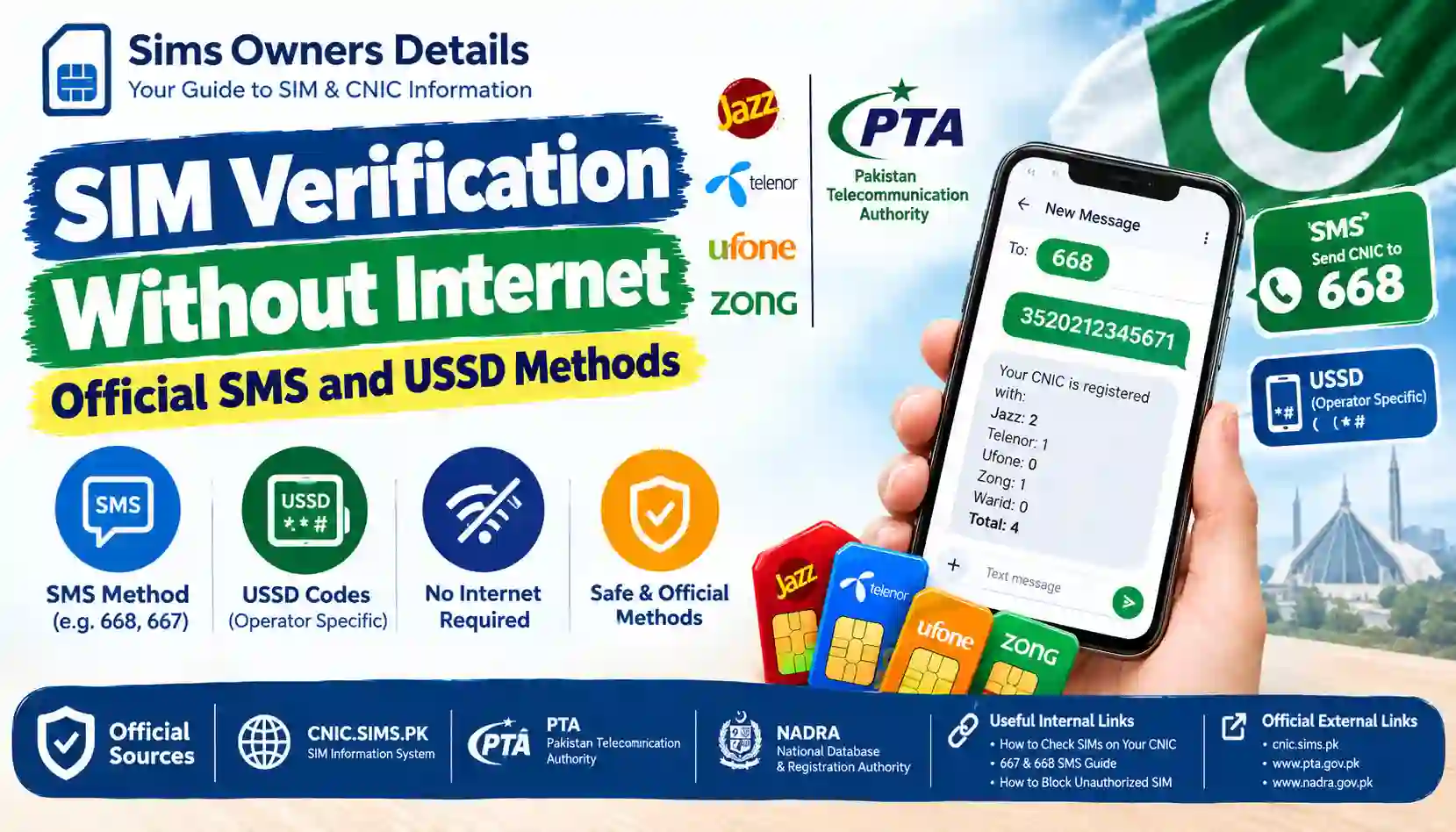
Learn how to verify SIMs without internet in Pakistan using official SMS methods such as 668 and 667, plus understand what USSD codes can and cannot verify.
Not everyone has reliable internet access all the time. Your mobile data may be unavailable, your Wi-Fi may be down, or you may simply be using a basic phone without internet.
The good news is that some important SIM-related checks can be performed through SMS without opening a website or installing an app.
For Pakistani mobile users, the most important service for checking SIMs registered against your own CNIC is the 668 SMS service. The 667 SMS service is different and is associated with SIM identity and Mobile Number Portability (MNP) processes.
There is an important distinction between these services:
- 668: Used to check the number of SIMs registered against your CNIC.
- 667: Used for SIM identity/MNP-related information for a particular SIM.
- USSD: Operator-specific short codes can provide account or service information, but you should not assume that a random USSD code provides a complete CNIC-wide SIM ownership record.
- Internet portal: The online SIM Information System is useful when internet access is available, but it is not required for the basic 668 SMS check.
This guide explains the official offline options in simple terms.
Quick Answer: Which Method Should You Use?
If you have no internet connection and want to check SIM registration information, start with the method that matches your purpose.
| What you want to check | Recommended method | Internet required? |
|---|---|---|
| SIMs registered against your own CNIC | SMS to 668 | No |
| SIM identity/MNP-related information | SMS “MNP” to 667 | No |
| Operator account/service information | Operator USSD where officially supported | No |
| Complete online SIM count | SIM Information System | Yes |
| Resolve an unknown SIM | Operator franchise/service centre | No |
| Biometric SIM verification | Authorized operator channel | No personal internet required |
| Port a number to another network | 667 + operator MNP process | No for SMS step |
The key point is that SMS and USSD are not interchangeable.
1. What Is SIM Verification Without Internet?
SIM verification without internet means using your mobile phone’s normal cellular network instead of an online website.
You may use:
- SMS
- USSD
- Operator customer service
- Authorized franchise/service centre
- Biometric verification
These options are particularly useful when:
- Mobile data is unavailable
- Wi-Fi is not working
- You have a basic keypad phone
- You are travelling
- Your smartphone is having internet problems
- You need a quick SIM-related check
However, different methods provide different types of information.
For example, sending your CNIC to 668 is not the same thing as checking the identity of one specific mobile number through 667.
Understanding this difference can prevent confusion and help you avoid unofficial SIM lookup websites.
2. Official SMS Method: Send Your CNIC to 668
The 668 SMS method is one of the most useful ways to check SIM registration information without internet.
The process does not require:
- A browser
- Wi-Fi
- Mobile data
- A third-party application
- An online account
How to Check SIMs on Your CNIC Through 668
Follow these steps:
Step 1: Open the SMS application
Open the normal messaging application on your mobile phone.
This works with a traditional SMS-capable phone; you do not need a smartphone.
Step 2: Enter your CNIC number
Type your 13-digit CNIC number.
Normally, the CNIC should be entered without dashes or spaces.
For example:
3520212345678
Use your own CNIC when checking your own registration information.
Step 3: Send the SMS to 668
Send the CNIC number to:
668
Step 4: Wait for the response
You should receive a response containing SIM-registration information associated with the CNIC.
The important purpose of this service is to help you determine how many SIMs are registered against your CNIC across mobile operators.
Step 5: Review the result
Compare the returned information with the SIMs you actually use or have authorized.
If the result appears inconsistent with your records, contact the relevant mobile operator through an official channel.
3. What Does 668 Actually Tell You?
One of the biggest mistakes people make is assuming that 668 is a complete public SIM-owner database.
It is not.
The 668 service is primarily useful for checking SIM registration counts associated with your own CNIC.
It should not be treated as a tool for obtaining another person’s private subscriber information.
668 is useful for:
- Checking SIM registration against your CNIC
- Identifying whether your CNIC has unexpected SIM registrations
- Reviewing operator-wise SIM counts
- Monitoring your identity-linked mobile connections
- Detecting possible unauthorized registrations
668 is not a public tool for:
- Finding another person’s private CNIC
- Getting someone’s home address
- Obtaining call history
- Tracking another person’s location
- Accessing private subscriber records
- Performing unrestricted “SIM owner lookup” searches
If a website claims that you can enter somebody else’s phone number and instantly obtain their complete CNIC, address and private information, be extremely cautious.
4. Why 668 Is Important for SIM Security
Your mobile number can be connected with important accounts and services.
An unauthorized SIM registration against your CNIC can therefore become a privacy and security concern.
The Pakistan Telecommunication Authority’s cybercrime guidance advises consumers to periodically check the number of SIMs issued in their name through 668 and to block illegally issued SIMs.
This makes regular checking a useful part of personal SIM-security awareness.
A simple routine can be:
- Check your SIM registration periodically.
- Compare the result with the SIMs you actually use.
- Investigate anything you do not recognize.
- Contact the relevant operator.
- Request blocking/disowning where appropriate.
- Escalate through official complaint channels if the matter is not resolved.
5. What Is the 667 SMS Method?
The 667 service is different from 668.
The 667 shortcode is associated with SIM identity information and Mobile Number Portability (MNP) processes.
A commonly supported process is:
Send “MNP” to 667 from the SIM you are dealing with.
Operator documentation confirms that this SMS can be used as part of the MNP process and can return subscriber/SIM information needed for that process.
For example, Ufone’s official MNP documentation says that customers can send MNP to 667 and receive information including the mobile number, name, CNIC and SIM number before forwarding the response for an MNP request.
Telenor’s published self-service material similarly lists SMS to 667 for checking SIM ownership details.
Important distinction
668 and 667 serve different purposes.
| Service | Main purpose |
|---|---|
| 668 | Check SIM count associated with your CNIC |
| 667 | SIM identity/MNP-related information |
| 763xx/763xx-series MNP destination | Used by operators as part of portability procedures |
| USSD codes | Operator-specific account/service functions |
Do not confuse the two shortcodes.
6. How to Use 667 Without Internet
If you need to use the 667 service for a SIM/MNP-related check:
Step 1
Insert the SIM you want to check into your phone.
Step 2
Open your SMS application.
Step 3
Write:
MNP
Step 4
Send the message to:
667
Step 5
Read the response carefully.
The information returned can be used as part of the SIM/MNP verification process.
Remember that the exact response and subsequent process can depend on the operator and the reason for the request.
7. 668 vs 667 – Which One Should You Use?
This is one of the most important sections of this guide.
Many users search for a single “SIM verification code,” but there are different services for different purposes.
| Feature | 668 | 667 |
|---|---|---|
| Internet required | No | No |
| Uses SMS | Yes | Yes |
| Main purpose | CNIC SIM-count check | SIM identity/MNP process |
| Checks your CNIC-wide SIM count | Yes | No |
| Designed for MNP | No | Yes |
| Can be used from a basic phone | Yes | Yes |
| Should be used for another person’s private lookup | No | No |
| Suitable for checking unauthorized CNIC registrations | Yes | Not as the primary method |
Simple rule
Want to know how many SIMs are registered against your CNIC? Use 668.
Want SIM identity information for an MNP-related process? Use 667.
8. Can You Verify SIMs Through USSD Without Internet?
This is where many online SIM guides become misleading.
USSD works without internet, but that does not mean every USSD code is a SIM-ownership verification service.
USSD is normally used by mobile operators for services such as:
- Balance checking
- Package information
- Service activation
- Usage information
- Account-related menus
- Number portability status
- Other operator-specific self-service options
The available codes can vary by network and can change over time.
Therefore, you should use a USSD code only when it is currently published or confirmed by the relevant operator.
9. Is There an Official Universal USSD Code to Check All SIMs on a CNIC?
You may see websites claiming that a particular USSD code can display all SIMs registered against your CNIC.
Do not automatically trust these claims.
For this guide, the safest verified offline route for the CNIC-wide SIM count is SMS 668, not an unverified universal USSD code.
A USSD menu provided by one mobile operator should not be confused with the national CNIC SIM Information System.
Why this matters
A USSD code can belong to:
- Jazz
- Zong
- Telenor
- Ufone
- Another telecom service
It may therefore show information related to that particular operator or service, rather than providing a complete cross-network CNIC audit.
10. USSD vs SMS for SIM Verification
Here is the practical difference:
| Point | SMS | USSD |
|---|---|---|
| Internet required | No | No |
| Works on basic phones | Usually yes | Usually yes |
| 668 CNIC check | Yes | No |
| 667 MNP/SIM identity process | Yes | No |
| Operator-specific services | Sometimes | Common |
| Cross-network CNIC SIM count | 668 | Do not assume |
| Requires remembering a shortcode | Yes | Yes |
| Information format | SMS response | On-screen menu/response |
The safest approach is to use the specific service designed for the information you need.
11. What If You Only Have a Basic Keypad Phone?
You do not necessarily need a smartphone to perform an important SIM-registration check.
If your phone supports normal SMS, you can use the 668 method.
Basic-phone procedure
Messages → New SMS → Enter CNIC → Send to 668
You can then review the reply.
For MNP/SIM identity-related procedures, you can similarly use the appropriate 667 SMS process where supported.
This is one reason SMS-based services remain useful even when online services are unavailable.
12. What If Mobile Data Is Not Working?
If mobile data is unavailable, do not immediately assume that SIM verification is impossible.
Try the following:
Option 1: Use SMS 668
This is the primary option for checking the SIM count associated with your own CNIC.
Option 2: Use 667 when your purpose is SIM/MNP identity information
This is a different service and should not be used as a replacement for the CNIC-wide 668 check.
Option 3: Contact your operator
If you are dealing with a specific SIM, contact the operator through its official customer-service channels.
Option 4: Visit an authorized franchise
If you suspect an ownership or registration problem, take your original identity document to the relevant operator’s authorized service location.
13. What If You Find an Unknown SIM?
Finding an unexpected SIM registration on your CNIC does not mean you should ignore it.
It is better to investigate the issue promptly.
Recommended steps
1. Record the 668 result
Keep the SMS response for your records.
2. Identify the relevant operator
Determine which operator’s count appears inconsistent.
3. Contact that operator
Use the operator’s official customer-care channel or visit an authorized service centre.
4. Take your original CNIC
The operator may require identity verification before discussing or processing a SIM-related ownership issue.
5. Request the appropriate action
Depending on the situation, this may involve blocking, disowning, re-verification or another formal operator procedure.
6. Escalate if necessary
If the issue cannot be resolved through the operator, use the appropriate official PTA complaint channel.
For a detailed process, see our related guide How to Block an Unauthorized SIM Registered on Your CNIC.
14. Can SMS Verification Show Someone Else’s SIM Owner Details?
No legitimate public verification method should be treated as a way to freely obtain another person’s confidential subscriber information.
There is an important difference between:
Checking your own CNIC-linked SIM registration
and
Trying to identify the private owner of somebody else’s mobile number.
The first is a legitimate account/security check.
The second can involve private subscriber information.
This is why Sims Owners Details does not provide or claim to provide private leaked SIM databases.
For legitimate verification, use official telecom and government channels.
15. Why You Should Avoid Third-Party “SIM Owner” Codes
You may find social media posts claiming:
“Dial this code to get complete SIM owner details.”
or:
“Send this number to this unofficial shortcode to get CNIC and address.”
Be careful.
Unofficial services may:
- Ask for your CNIC
- Ask for OTPs
- Request personal information
- Redirect you to suspicious websites
- Claim access to private databases
- Provide outdated or inaccurate information
You should never share an OTP, banking PIN, mobile-wallet PIN or other sensitive authentication information simply because a website claims to offer SIM verification.
16. SIM Verification and Biometric Verification Are Different
SMS verification and biometric verification should not be confused.
SMS verification
Examples include:
- 668
- 667
These allow you to request certain information or initiate telecom-related processes through SMS.
Biometric verification
Biometric verification involves identity authentication through an authorized operator process.
For SIM issuance and other relevant transactions, operators use biometric procedures linked with identity verification. For example, Zong’s current terms explain that SIM activation involves CNIC information and fingerprint/thumb scanning through a designated biometric scanner, with verification against NADRA.
This means you cannot replace every physical biometric transaction with an SMS or USSD command.
17. What You Can Do Completely Without Internet
If your goal is simply to protect your own mobile identity, a surprisingly large part of the basic process can be handled without internet.
Without internet, you can:
- Send your CNIC to 668
- Use 667 for supported SIM/MNP identity processes
- Receive SMS responses
- Contact your mobile operator by phone
- Visit an authorized franchise
- Complete required biometric verification
- Request assistance for an unauthorized SIM
You cannot rely on SMS/USSD alone for:
- Every SIM ownership transaction
- Every ownership transfer
- Every biometric requirement
- Every complaint procedure
- Accessing private subscriber databases
- Obtaining another person’s confidential CNIC information
18. What Documents May Be Needed at a Franchise?
If SMS verification identifies a problem and you need to visit an operator, carry your original CNIC.
Depending on the service, the operator may require additional verification.
For example, SIM activation procedures involve identity documentation and biometric verification. Zong’s current terms specify valid identity documentation and biometric scanning for applicable SIM activation procedures.
Basic checklist
| Item | Why it may be needed |
|---|---|
| Original CNIC | Identity verification |
| SIM/phone | Helps identify the relevant connection |
| 668 SMS result | Useful supporting information |
| Mobile number | Helps the operator locate the connection |
| Supporting documents | May be required depending on the case |
Requirements can vary according to the specific transaction.
19. SIM Verification Without Internet for Different Situations
Situation 1: “How many SIMs are on my CNIC?”
Use:
668 SMS
Situation 2: “I need SIM identity information for an MNP process.”
Use:
MNP → 667
Situation 3: “My mobile package or account needs checking.”
Use your operator’s currently published USSD/self-service option.
Situation 4: “I found an unauthorized SIM.”
Use:
668 → identify the operator → contact operator → request appropriate action
Situation 5: “My SIM requires biometric verification.”
Visit an authorized operator service channel.
Situation 6: “I don’t have internet but need help.”
Use SMS, telephone customer care or an authorized service centre.
20. Common Problems With SMS SIM Verification
CNIC SMS Does Not Work
Check that:
- Your CNIC contains 13 digits.
- You did not accidentally add unnecessary spaces or punctuation.
- You sent the message to the correct shortcode.
- Your SIM has SMS service available.
- Your mobile network is functioning.
Try again after confirming the details.
No Reply From 668
A delayed response can have several possible causes, including network or service issues.
You can:
- Wait briefly.
- Try again.
- Check whether normal SMS services are working.
- Try from another active Pakistani mobile connection if appropriate.
- Contact the relevant official support channel if the problem continues.
Do not immediately switch to an unofficial website offering the same service.
667 Response Is Different From What You Expected
Remember that 667 is not the same as 668.
667 is associated with SIM identity/MNP-related processes.
If your goal is to check the number of SIMs associated with your CNIC, use 668.
21. SMS vs Online SIM Verification
Internet-based verification can be more convenient when you want to see information on a larger screen.
But SMS has a major advantage: it does not require internet access.
| Feature | SMS 668 | Online SIM Information System |
|---|---|---|
| Internet | Not required | Required |
| Phone needed | Yes | Phone/computer |
| Basic phone | Yes | No |
| CNIC SIM-count check | Yes | Yes |
| Convenient during internet outage | Excellent | No |
| Visual interface | No | Yes |
| Best for quick offline check | Yes | No |
If you’re interested in the online method, read our CNIC.SIMS.PK Guide – How to Check Registered SIMs Online.
22. How Often Should You Check Your SIM Registration?
There is no need to obsessively check every day.
A sensible approach is to check whenever you have a reason to be concerned, such as:
- You recently purchased or transferred a SIM.
- You gave biometric information at a telecom outlet.
- You lost a SIM.
- You stopped using a SIM.
- You suspect an unauthorized registration.
- You received suspicious telecom messages.
- You have recently dealt with a SIM-related fraud attempt.
You can also periodically check your CNIC registration as a general identity-security measure.
23. Protect Your CNIC and SIM From Fraud
SIM security begins before the verification stage.
Follow these basic practices:
- Buy SIMs through authorized channels.
- Do not give your biometric information for an unexplained purpose.
- Do not share OTPs.
- Do not share mobile-wallet PINs.
- Do not provide your CNIC photo to unknown websites.
- Be suspicious of “free SIM” offers from unofficial sellers.
- Check your SIM registration periodically.
- Report unauthorized registrations promptly.
- Keep your phone and SIM secure.
PTA’s cybercrime guidance specifically warns about illegal SIM issuance and misuse of biometric/thumb data and recommends purchasing SIMs through cellular franchises rather than informal sales channels.
24. Don’t Confuse SIM Verification With Phone Verification
Another common mistake is confusing a SIM with a mobile device.
A SIM verification check relates to the subscriber connection.
An IMEI/DIRBS check relates to the mobile device itself.
For example:
- SIM → subscriber/mobile connection
- CNIC → identity document
- BVS → biometric identity verification
- IMEI → device identifier
- DIRBS → device registration/status system
If you want to check whether a phone is properly registered, that is a different process from checking SIMs against a CNIC.
25. Official Methods vs Unofficial Methods
| Method | Official route? | Internet required? | Recommended? |
|---|---|---|---|
| SMS CNIC to 668 | Yes | No | Yes |
| MNP to 667 | Yes for supported MNP/SIM processes | No | Yes |
| Authorized operator service centre | Yes | No personal internet required | Yes |
| Operator’s official USSD | Depends on service | No | Yes, when officially published |
| Random USSD code from social media | Unverified | No | No |
| Third-party SIM database | Not an official verification route | Varies | No |
| Random “SIM owner” website | Unverified | Usually yes | No |
| Official SIM Information System | Yes | Yes | Yes |
26. Frequently Asked Questions
Can I check SIMs registered on my CNIC without internet?
Yes. The 668 SMS method allows you to check SIM-registration information associated with your CNIC without using an internet connection.
What code do I send my CNIC to?
Send your 13-digit CNIC number to 668 by SMS.
Is 667 the same as 668?
No. 668 is used for the CNIC-linked SIM-count check, while 667 is associated with SIM identity/MNP-related processes.
Can I check SIM verification through USSD?
USSD works without internet, but you should not assume that a generic USSD code provides a nationwide CNIC SIM-registration check. Use operator-published USSD services only for the specific services they officially support.
Can I check another person’s SIM owner details?
You should not use unofficial services to obtain another person’s private subscriber information. Official verification should focus on your own CNIC or legitimate operator processes.
Do I need a smartphone for 668?
No. A normal SMS-capable mobile phone can be used.
What should I do if I find an unknown SIM on my CNIC?
Contact the relevant mobile operator through an official channel and request the appropriate investigation, blocking, disowning or verification procedure. If necessary, escalate through official PTA complaint channels.
Does SIM verification reveal call history?
No. SIM-registration checking is not a method for obtaining private call records or location information.
Does 668 require internet?
No. It is an SMS-based method.
Is biometric verification the same as SMS verification?
No. SMS checks provide certain registration information, while biometric verification is an identity-authentication process used for applicable telecom transactions.
Useful SIM Verification Checklist
Before starting, keep this checklist handy:
- I am checking my own CNIC.
- I have my 13-digit CNIC number.
- I know that 668 and 667 have different purposes.
- I am using official shortcodes rather than random numbers.
- I will not share OTPs or PINs.
- I will not use leaked SIM databases.
- I will contact the operator if I find something unexpected.
- I will use PTA’s official complaint channel when escalation is necessary.
- I will use an authorized franchise for transactions requiring biometric verification.
Final Takeaway
If you have no internet connection, you can still perform important SIM-related verification in Pakistan.
For a CNIC-wide SIM registration check, the key offline method is:
Send your 13-digit CNIC to 668 by SMS.
For SIM identity/MNP-related information, the relevant SMS process is:
Send “MNP” to 667, where supported by the operator/process.
USSD is also an offline technology, but it should not be confused with a universal CNIC SIM checker. Operator USSD codes can provide specific account or service information, while 668 remains the important SMS route for checking SIM registration against your own CNIC.
If you discover an unauthorized SIM, do not rely on third-party “SIM owner” websites. Contact the relevant mobile operator through an official channel, and use PTA’s official complaint mechanisms if escalation is required.
The safest rule is simple:
Use official telecom and government channels, protect your CNIC and biometric information, and never trust a website merely because it claims to have a private SIM database.
Disclaimer
Sims Owners Details is an independently operated informational website. It is not affiliated with PTA, NADRA, Jazz, Zong, Telenor, Ufone, SCOM or ONIC. We do not provide private SIM databases, confidential CNIC records, call records or private subscriber information. Information on this page is provided for educational and public-awareness purposes. Telecom procedures and shortcodes can change, so users should confirm important transactions through the relevant operator or official government source.