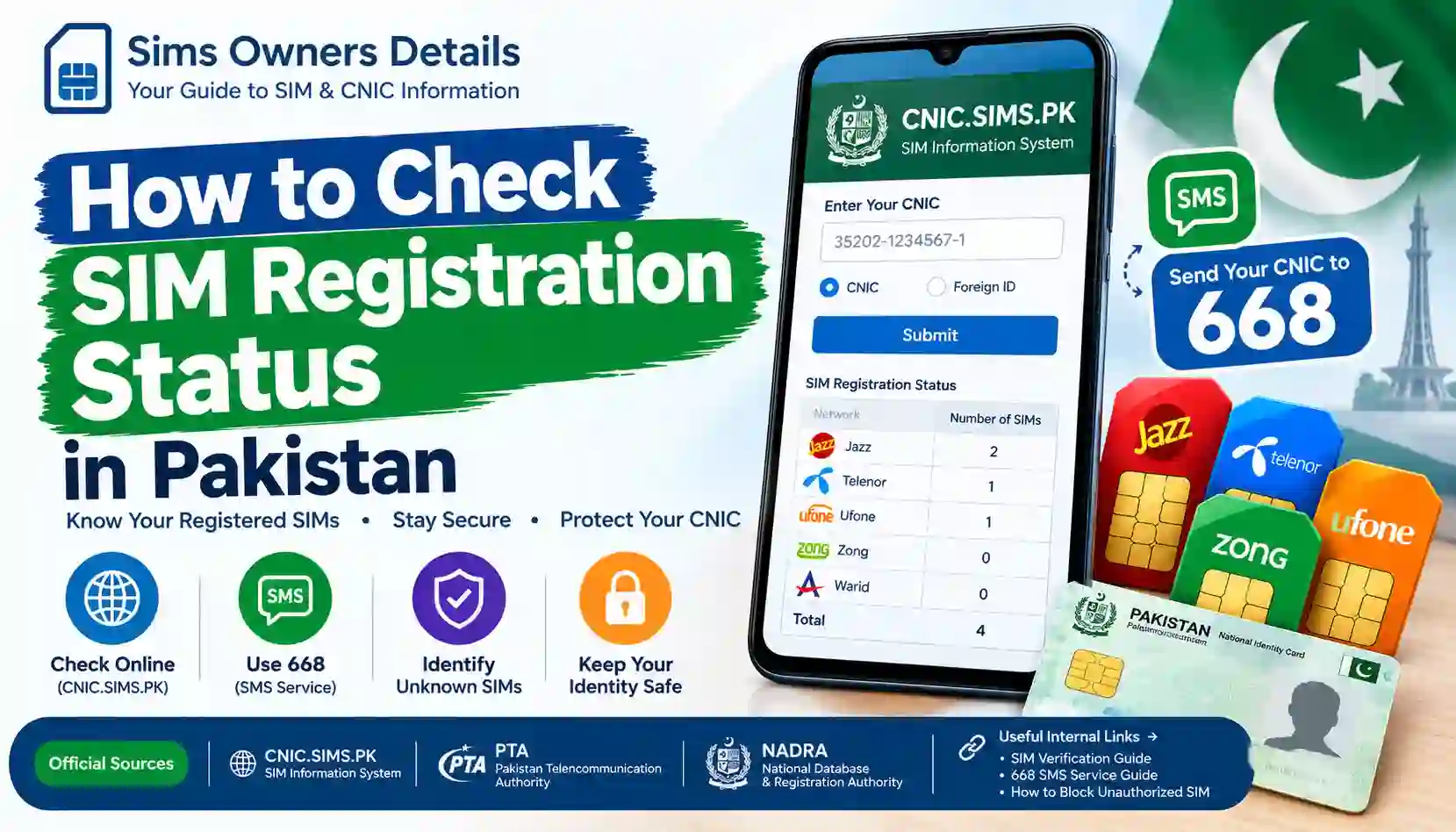
Learn how to check SIM registration status in Pakistan using CNIC.SIMS.PK and the 668 SMS service. Verify registered SIMs, identify unknown numbers, and protect your CNIC.
If you want to know how many mobile SIMs are registered against your CNIC in Pakistan, you can use official SIM verification methods instead of relying on random third-party websites.
The SIM registration status of your CNIC can help you identify how many SIMs are associated with your identity record and whether the information appears consistent with the SIMs you actually use.
For most users, the two important methods are:
- Online verification through the SIM Information System
- SMS verification by sending your CNIC number to 668
The official SIM Information System provides a network-wise count of SIMs associated with the entered identity number. The current system displays network categories such as Jazz, Telenor, Ufone, Zong and Warid, along with a total count.
This guide explains the complete process in simple English, including what the result means, what to do if you find an unfamiliar SIM, and how to avoid unsafe SIM-owner lookup websites.
SIM Registration Status: Quick Answer
SIM registration status generally refers to information about SIMs associated with your identity record.
If you are checking your own CNIC, the official process can help you determine:
- How many SIMs are associated with your CNIC
- Which mobile networks have SIMs associated with your CNIC
- Whether the total appears consistent with your own SIM usage
- Whether you need to investigate an unfamiliar registration
- Whether you should contact the relevant mobile operator
The official SIM Information System asks you to enter your CNIC and submit it to check the total number of SIMs registered against it. The system also provides a separate option for foreign nationals using a Foreign ID.
Important: SIM registration verification is not the same thing as searching for another person’s private SIM owner details. You should use these systems to check information associated with your own identity.
What Does SIM Registration Mean in Pakistan?
When a mobile SIM is issued, subscriber information has to be associated with the customer’s identity and verified through the applicable registration process.
This is why your CNIC is important when purchasing or registering a SIM.
A properly registered SIM creates an association between:
Subscriber Identity → CNIC/Identity Record → Mobile Number → Network
This registration system is intended to help establish the identity of the subscriber using the applicable verification procedures.
Official cybersecurity guidance published through PTA’s National Telecom CERT explains that SIMs should not be issued without proper verification/authentication of subscriber credentials. It also advises users to periodically check the number of SIMs issued in their name and block illegally issued SIMs.
Why Should You Check Your SIM Registration Status?
Many people only think about SIM registration when buying a new number.
However, checking your own registration information from time to time can be useful for several reasons.
1. To Know How Many SIMs Are Registered
You may have purchased SIMs over several years and forgotten about an older number.
A CNIC-based check can give you a clearer picture of the SIM registrations associated with your identity.
2. To Find Unexpected Registrations
If the number of SIMs shown by the official system does not match your records, you should investigate.
An unexpected registration does not automatically prove fraud. It may require confirmation with the relevant telecom operator.
3. To Improve CNIC Security
Your CNIC is an important identity document. NADRA describes the CNIC as an official identity document and proof of identity, nationality and legal status in Pakistan.
Keeping track of registrations associated with your identity is therefore a sensible digital-security habit.
4. To Review Old SIMs
People sometimes stop using a SIM without formally dealing with its registration.
A periodic review can help you identify registrations that you no longer recognize.
5. To Respond to Suspicious Activity
If you believe a SIM was registered without your authorization, checking your registration status is an important first step before contacting the relevant operator or authority.
Method 1: Check SIM Registration Status Online
The easiest method for many users is the SIM Information System.
The current CNIC.SIMS.PK interface states that users can enter their CNIC to find the total number of SIMs registered against it.
Step-by-Step Process
Step 1: Open the SIM Information System
Open the official SIM Information System website.
You will see an option for CNIC and another option for Foreign ID.
For Pakistani CNIC holders, select the CNIC option.
Step 2: Enter Your 13-Digit CNIC
Enter your CNIC number in the required field.
For example:
3520212345671
Use your own valid CNIC number when performing the real check.
Do not publish your CNIC publicly or share it with an unknown person.
Step 3: Complete the Verification
The website may require a verification step before processing your request.
Complete the displayed verification and continue.
Step 4: Submit the Request
Click the submit button.
The system processes the request and displays the SIM registration information available through its interface.
Step 5: Review the Network-Wise Result
The result can display the number of SIMs associated with different networks.
A current result page includes categories such as:
| Network | SIM Count |
|---|---|
| Jazz | Displayed by system |
| Telenor | Displayed by system |
| Ufone | Displayed by system |
| Zong | Displayed by system |
| Warid | Displayed by system |
| Total | Displayed by system |
The exact numbers depend on the CNIC being checked and the information returned by the system.
Method 2: Check SIM Registration Through 668 SMS
Another recognized method is the 668 SMS service.
Official cybersecurity guidance available through PTA’s National Telecom CERT advises users to periodically check the number of SIMs issued in their name by sending their CNIC number to 668.
How to Use 668
Follow these basic steps:
- Open the SMS/Messages application on your mobile phone.
- Create a new SMS.
- Enter your 13-digit CNIC number.
- Send it to 668.
- Wait for the response.
- Review the SIM registration information returned to you.
Example
If your CNIC is:
3520212345671
You would enter the CNIC number according to the service’s required format and send it to:
668
Do not add spaces, unnecessary symbols, or extra personal information unless the service specifically asks for them.
Online Method vs 668 SMS
Both methods can be useful, but they work differently.
| Feature | Online SIM Information System | 668 SMS |
|---|---|---|
| Method | Website | SMS |
| Main purpose | Check SIM registrations | Check SIM registrations |
| Requires internet | Yes | No |
| Requires CNIC | Yes | Yes |
| Useful on smartphone | Yes | Yes |
| Useful without mobile data | No | Yes |
| Network-wise information | Available through system interface | Depends on returned SMS |
| Best for | Visual checking | Quick mobile verification |
The online system is particularly convenient if you want to see the information in a structured format, while 668 is useful when you prefer an SMS-based method.
What Information Can the SIM Information System Show?
One of the most important things to understand is the difference between registration information and private subscriber information.
The current SIM Information System displays network-wise SIM counts. Its result interface lists networks and the number of SIMs associated with the entered identity record.
For example, a result might conceptually look like:
| Network | Number of SIMs |
|---|---|
| Jazz | 2 |
| Telenor | 1 |
| Ufone | 0 |
| Zong | 1 |
| Warid | 0 |
| Total | 4 |
This example is only for explanation. Your actual result will depend on the information associated with your CNIC.
What the SIM Registration Check Does Not Mean
A common misunderstanding is that entering a CNIC automatically provides access to a complete private database of mobile subscribers.
That is not how you should interpret the service.
A CNIC-based SIM check is primarily useful for verifying your own registrations.
It should not be treated as a public tool for obtaining:
- Another person’s private CNIC information
- Someone else’s complete personal profile
- Private residential address
- Confidential subscriber records
- Private call history
- Private SMS records
- Other restricted telecom information
If a website claims that it can reveal extensive private information about any mobile number simply by entering the number, treat that claim with caution.
SIM Registration Status vs SIM Owner Details
These terms are often mixed together online, but they are not necessarily the same.
SIM Registration Status
This concerns whether a SIM is associated with an identity record and, through official systems, may provide registration counts or related status information.
SIM Owner Details
This phrase is frequently used by third-party websites to advertise name, address, CNIC or other personal information.
You should not assume that every website using the phrase SIM Owner Details is an official telecom or government service.
For your own protection, use official channels for verification.
How to Check If a SIM Is Registered on Your CNIC
The safest approach is to follow this sequence:
Step 1 — Check Online
Use the official SIM Information System and enter your own CNIC.
Step 2 — Record the Results
Write down or note the number of SIMs shown under each network.
Step 3 — Compare With Your SIMs
Think about the mobile numbers you currently use and any old SIMs you may have previously owned.
Step 4 — Investigate Differences
If the displayed total appears higher than expected, do not immediately assume that your CNIC has been compromised.
First determine whether an old or forgotten registration explains the difference.
Step 5 — Contact the Operator
If you identify a registration you do not recognize, contact the relevant telecom operator through its official customer-service channels.
Step 6 — Escalate When Necessary
If the issue cannot be resolved through the operator or you believe there has been unauthorized activity, use the appropriate official complaint or legal channel.
What If You Find an Unknown SIM on Your CNIC?
Finding an unfamiliar SIM registration can be concerning, but the correct response is important.
Do not panic and do not use an unofficial website to investigate the number.
Instead:
1. Confirm the Result
Run the check again or use another official verification method such as 668.
2. Think About Old Numbers
Consider whether you previously purchased a SIM that you stopped using.
3. Identify the Network
Note which network is showing the unexpected registration.
4. Contact the Network
Speak directly with the relevant operator and ask about the registration associated with your identity.
5. Request Appropriate Action
If the SIM genuinely does not belong to you, ask the operator about the process for blocking, disowning or correcting the registration.
For additional guidance, see our related article:
How to Remove an Unauthorized SIM From Your CNIC
You can also read:
What to Do If an Unknown SIM Is Registered on Your CNIC?
Do Not Share Your CNIC With Random Websites
One of the biggest mistakes people make when searching for SIM registration information is entering their CNIC into unknown websites.
A website may look professional while still being unrelated to an official telecom or government service.
Before entering sensitive information, ask:
- Is this an official service?
- Does the website clearly identify its purpose?
- Is the service asking for unnecessary personal information?
- Does it promise another person’s private SIM details?
- Does it ask for your CNIC, OTP, PIN or password without a clear reason?
- Does it request payment for information that should be checked through an official channel?
If the answer to several of these questions is concerning, leave the website.
CNIC Security and SIM Registration
SIM registration is closely connected to identity security because your CNIC is used as part of subscriber verification.
NADRA states that it provides identity verification services, including biometric verification that can match fingerprints and photographs with CNIC information.
This illustrates why identity documents and biometric information should be handled carefully.
Good Security Practices
- Keep your CNIC details private.
- Do not send CNIC photographs to unknown people.
- Avoid unofficial SIM databases.
- Never share OTPs with strangers.
- Do not give your biometric verification to unauthorized individuals.
- Purchase SIMs through legitimate channels.
- Check your SIM registrations periodically.
- Report suspicious registrations through appropriate official channels.
Why Biometric Verification Matters
Biometric verification adds an identity-verification layer to certain services.
NADRA describes its biometric verification service as a process that matches fingerprints and photographs with CNIC information.
For telecom customers, this is important because SIM registration should involve the applicable subscriber verification process rather than simply attaching a number to an identity without authorization.
Official PTA National Telecom CERT guidance also warns about illegal SIM issuance and advises users to periodically check SIMs issued in their name.
SIM Registration Check for Foreign Nationals
The current SIM Information System also provides a Foreign ID option.
The official interface states that foreign nationals can use the Foreign ID option rather than the standard CNIC option.
This is useful because identity-document requirements can differ between Pakistani citizens and foreign nationals.
If you are a foreign national, use the identification method specifically provided by the official system rather than entering unrelated information.
Common Problems When Checking SIM Registration Status
Sometimes users may not get the expected result.
Here are common situations and practical responses.
Problem 1: CNIC Is Rejected
Make sure you entered the correct 13-digit CNIC format.
Avoid unnecessary spaces or symbols.
Problem 2: Website Is Not Loading
The service may temporarily be unavailable or experiencing technical problems.
Try again later rather than switching to an unknown third-party website.
Problem 3: Result Looks Incorrect
Compare the result with your known SIM history and, if necessary, confirm it through the relevant operator.
Problem 4: An Old SIM Appears
Think about previous SIMs you purchased.
An old registration may explain a result you do not immediately recognize.
Problem 5: You Cannot Resolve an Unauthorized Registration
Contact the relevant mobile operator first. If the issue remains unresolved, use the applicable official complaint channel.
How to Keep Your SIM Registration Information Accurate
Keeping your SIM registrations under control is easier when you follow a simple routine.
Every few months:
Check → Compare → Investigate → Correct
Check
Review your SIM registrations using an official method.
Compare
Compare the displayed information with the SIMs you actually use.
Investigate
Look into registrations that you cannot explain.
Correct
Contact the relevant operator if a registration needs to be blocked, disowned or corrected.
This simple process can help you maintain better awareness of the mobile numbers associated with your identity.
SIM Registration Status and SIM Fraud
SIM-related fraud can involve unauthorized SIM issuance, misuse of identity information or other deceptive practices.
PTA National Telecom CERT’s published cybersecurity guidance specifically discusses illegal SIM issuance and recommends checking the number of SIMs issued in your name through 668 and blocking illegally issued SIMs.
This does not mean that every unexpected registration is automatically evidence of criminal activity.
Instead, it means an unexpected registration should be verified and investigated through the proper channels.
For a broader security guide, read:
SIM Fraud in Pakistan – Warning Signs & What to Do
Another useful resource is:
How to Protect Your CNIC From Unauthorized SIM Registration
What You Should Never Do
When checking SIM registration status, avoid these mistakes:
❌ Do Not Use Fake SIM Databases
A website claiming to provide unrestricted access to private subscriber data should not automatically be trusted.
❌ Do Not Share Your OTP
An OTP can be used to authenticate or authorize actions. Never share it with an unknown person.
❌ Do Not Give Your Biometric Data to Strangers
Biometric information is highly sensitive.
❌ Do Not Publish Your CNIC Online
Avoid posting your complete CNIC on social media, public comments or discussion forums.
❌ Do Not Assume Every Unknown SIM Is Fraud
Investigate first. Old registrations and other legitimate explanations may exist.
❌ Do Not Ignore a Genuine Unauthorized Registration
If you confirm that a SIM is not yours, contact the relevant operator and take appropriate action.
Useful Official Services for SIM and Identity Verification
| Service | Main Purpose |
|---|---|
| SIM Information System | Check SIM registrations associated with your CNIC |
| 668 | SMS-based SIM registration check |
| NADRA | Identity and CNIC-related services |
| Telecom Operator | SIM/account-related customer support |
| PTA Complaint System | Telecom-related complaint handling |
| FIA | Relevant cybercrime/legal reporting channels |
NADRA is responsible for Pakistan’s national identity system and issues documents including CNIC, NICOP and POC.
For identity verification services, NADRA also provides biometric and other verification mechanisms.
Frequently Asked Questions
How can I check my SIM registration status in Pakistan?
You can check your own SIM registration information through the official SIM Information System by entering your CNIC. You can also use the 668 SMS method described in official cybersecurity guidance.
Is CNIC.SIMS.PK used to check SIMs registered on a CNIC?
Yes. The current SIM Information System interface states that users can enter their CNIC to find the total number of SIMs registered against it.
Can I check SIM registration through SMS?
Yes. Official PTA National Telecom CERT guidance advises users to periodically check the number of SIMs issued in their name by sending their CNIC number to 668.
Does the SIM registration check show someone’s home address?
The SIM Information System should not be treated as a public address database. Its current result interface is focused on network-wise SIM counts.
Can I check another person’s SIM registration using my CNIC?
Your CNIC check is intended to verify SIMs associated with your own identity. Do not attempt to obtain another person’s confidential subscriber information through unofficial services.
What should I do if I see an unknown SIM?
First confirm the result. Then identify the network and contact the relevant operator. If the registration is genuinely unauthorized, ask about the official process for blocking or correcting it.
Does NADRA provide SIM owner details?
NADRA is Pakistan’s national identity authority and provides identity verification services. SIM registration and telecom subscriber matters involve the relevant telecom systems and operators. NADRA should not be treated as a public SIM-owner lookup database.
Is checking SIM registration important for CNIC security?
Yes, periodically reviewing SIM registrations can help you identify registrations that you do not recognize and take appropriate action.
What is the difference between 668 and online SIM checking?
The online method uses the SIM Information System through a website, while 668 uses SMS. Both are intended to help users check SIM registrations associated with their identity.
Final Checklist: Check Your SIM Registration Status
Before finishing your SIM registration review, use this checklist:
- Check your CNIC through the official SIM Information System.
- Review the network-wise SIM counts.
- Compare the result with your known SIMs.
- Consider old or unused numbers.
- Confirm unexpected registrations.
- Contact the relevant telecom operator if necessary.
- Block or correct unauthorized registrations through official channels.
- Keep your CNIC private.
- Never share OTPs or sensitive biometric information with strangers.
- Avoid unofficial SIM-owner databases.
Conclusion
Knowing how to check SIM registration status in Pakistan is an important part of maintaining control over the mobile numbers associated with your identity.
The safest approach is to use recognized verification channels rather than third-party SIM lookup websites. The current SIM Information System allows users to check the number of SIMs associated with their CNIC, while official PTA National Telecom CERT guidance recommends periodically checking SIMs issued in your name through 668.
If your result matches your known SIM history, you have a better understanding of your current registrations. If you discover an unfamiliar registration, do not panic or immediately assume fraud. Confirm the information and contact the relevant telecom operator for the appropriate resolution.
Your CNIC is an important identity document, so protecting the information associated with it should be treated as part of your overall digital-security routine.
Sims Owners Details provides educational information to help readers understand official SIM and CNIC verification procedures. We are independently operated and are not a government department, telecom operator or private SIM database. Always verify important information through the relevant official authority or telecom operator.