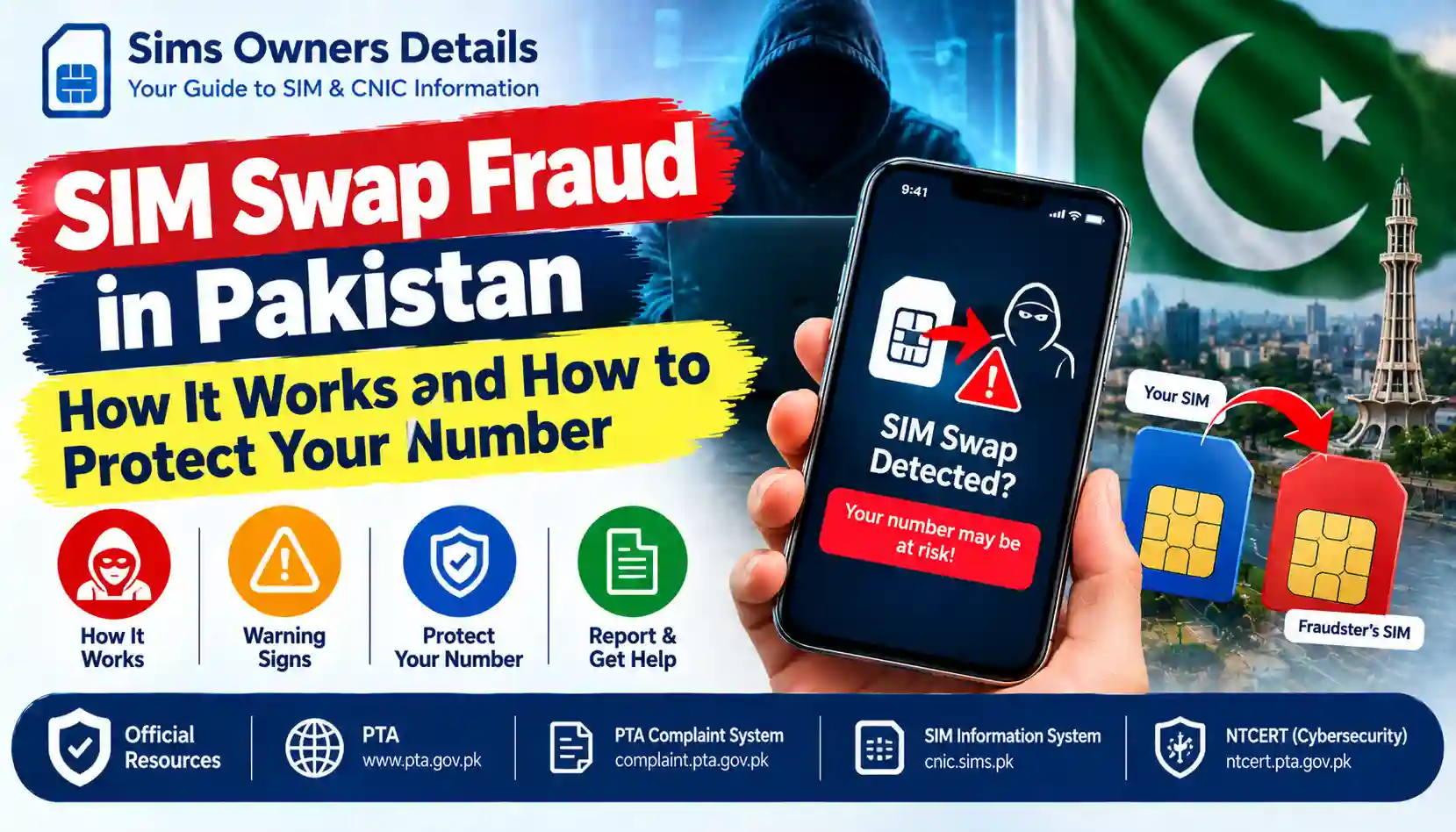
Learn how SIM swap fraud works in Pakistan, recognize warning signs, protect your mobile number and banking accounts, and report suspected SIM hijacking.
Your mobile number is connected to more than calls and messages. It may also be used to receive banking alerts, password-reset codes, WhatsApp verification messages, and other security notifications. If a criminal takes control of your number, some of your digital accounts could become vulnerable.
This type of attack is known as SIM swap fraud. It occurs when someone fraudulently convinces a mobile network operator to transfer a victim’s number to a SIM card or service controlled by the attacker.
In Pakistan, protecting your SIM registration details, CNIC information, banking credentials, and mobile accounts is an important part of digital security.
In this guide, SimsOwnersDetails.com explains how SIM swap fraud works, the warning signs to watch for, the steps you can take to protect your number, and what to do if you suspect your SIM has been compromised.
Important: This article provides independent educational information. SimsOwnersDetails.com is not affiliated with the Pakistan Telecommunication Authority (PTA), NADRA, banks, or mobile network operators.
What Is SIM Swap Fraud?
SIM swap fraud is a form of identity-related fraud in which an attacker gains control of another person’s mobile number by arranging an unauthorized SIM replacement or number transfer.
A SIM card identifies your mobile subscription to the cellular network. When a legitimate replacement SIM is activated for your number, the previous SIM may stop working. If the replacement was obtained fraudulently, calls and SMS messages intended for you may reach the attacker instead.
For example, imagine that your number is linked to your bank account and WhatsApp. A criminal manages to obtain an unauthorized replacement SIM for your number. If the operator activates that replacement, the criminal may receive certain verification messages intended for you.
That does not automatically give the criminal access to every account. Banks and online services use different authentication and security controls. However, losing control of your number can increase the risk of account takeover.
SIM Swap Fraud vs. SIM Cloning
These terms are sometimes confused, but they describe different concepts.
| Feature | SIM swap fraud | SIM cloning |
|---|---|---|
| Basic concept | A number is fraudulently transferred to another SIM | SIM-related credentials are copied or duplicated through unauthorized means |
| Main risk | Calls and messages may be redirected to another SIM | Unauthorized use of copied SIM credentials may be possible |
| Common warning sign | Your original SIM unexpectedly loses service | Unusual network or account activity may occur |
| First response | Contact your operator and secure your accounts | Contact your operator and investigate suspicious activity |
SIM swap fraud generally involves the unauthorized transfer of a number, rather than simply copying the physical SIM card.
How Does SIM Swap Fraud Work?
Understanding the general process helps you recognize suspicious activity before it causes further damage.
Step 1: The Criminal Collects Personal Information
An attacker may gather information about a target from phishing messages, fake websites, social media, data leaks, or other sources.
Potentially exposed information may include:
- Full name and mobile number
- Email address
- Publicly shared personal details
- Information used in account-recovery questions
- Other details that help an attacker impersonate the account holder
A CNIC number or other personal detail alone does not necessarily allow someone to take over a SIM. The risk depends on what information is exposed and how effectively the operator verifies the person requesting a replacement.
Step 2: The Criminal Attempts to Impersonate the Subscriber
The attacker may contact a mobile operator or attempt to exploit weaknesses in a SIM replacement or identity-verification process.
The goal is to make an unauthorized request appear legitimate.
Mobile operators have their own procedures for verifying subscribers. Never assume that knowing someone’s name, number, or CNIC details automatically provides the ability to replace their SIM.
Step 3: An Unauthorized SIM Replacement Is Activated
If the fraudulent request succeeds, the mobile operator may activate a replacement SIM associated with the victim’s number.
The original SIM may then lose cellular service. The exact behavior depends on the operator, subscription, and type of transfer.
Step 4: The Attacker Attempts to Access Accounts
After gaining control of a number, the attacker may try to use it to receive SMS verification codes, reset account credentials, impersonate the victim, or conduct social-engineering scams.
The attacker may also contact the victim’s friends or family while pretending to be them.
Step 5: The Victim Notices Suspicious Activity
The victim might discover the issue after losing mobile service, receiving unexpected security alerts, or noticing unusual account activity.
Remember: A sudden loss of mobile service does not prove that a SIM swap has occurred. Network outages, damaged SIM cards, device problems, and billing or account issues can cause similar symptoms. Contact your operator promptly to establish the cause.
Warning Signs of SIM Swap Fraud
Recognizing unusual behavior can help you respond quickly.
1. Your SIM Suddenly Stops Working
Your phone displays messages such as “No Service,” “Emergency Calls Only,” or “SIM Not Registered” even though the SIM previously worked.
First, check for a local network outage, restart your phone, and test the SIM if possible. If the issue persists unexpectedly, contact your operator through its official helpline or service centre using another phone.
2. You Stop Receiving Calls and SMS Messages
Friends may tell you that your number is unreachable. Verification messages may also stop arriving.
This can indicate a connectivity problem, but an unauthorized SIM replacement is one possibility worth investigating.
3. You Receive an Unexpected SIM Replacement Notification
If your operator sends an alert about a SIM replacement, number transfer, or account change you did not request, contact the operator immediately.
Do not ignore the alert, and do not use contact details included in a suspicious message until you have independently verified them.
4. Your Banking or Digital Accounts Show Unexpected Activity
Watch for unfamiliar login notifications, password-reset requests, transactions, or account-recovery alerts.
A SIM swap does not necessarily mean your bank account has been accessed. However, unexplained financial or account activity requires immediate investigation.
5. You Receive Verification Codes You Did Not Request
Unexpected one-time passwords or verification codes may indicate that someone is attempting to access an account.
Never share an OTP with another person, even if they claim to be from your mobile operator, bank, government department, or customer-support team.
6. Your WhatsApp Account Shows Unusual Behavior
You may receive a registration code you did not request or discover that your account has been logged out unexpectedly.
Check WhatsApp’s security settings and linked devices from a trusted device if possible. If you suspect unauthorized access, follow WhatsApp’s official account-recovery instructions.
7. You Discover an Unauthorized SIM Registration
If you find a SIM registered against your own CNIC that you do not recognize, contact the relevant operator and ask it to investigate the registration.
An unexpected SIM count alone does not prove that SIM swap fraud occurred, but it is a reason to seek clarification.
For additional guidance, read our related article: How to Remove an Unauthorized SIM From Your CNIC.
What Can Criminals Do After a SIM Swap?
The potential impact depends on which accounts are connected to the affected number and what other information the attacker possesses.
| Potential misuse | Possible consequence |
|---|---|
| SMS-based verification | Attempts to access accounts that rely on SMS codes |
| Password recovery | Attempts to reset passwords on vulnerable accounts |
| Banking impersonation | Attempts to deceive a bank or its customer-support team |
| WhatsApp or messaging access | Attempts to register the number on another device |
| Social engineering | Messages to contacts requesting money or sensitive information |
| Identity misuse | Attempts to impersonate the victim using exposed personal details |
Not every SIM swap leads to these outcomes. Additional authentication may block the attack, and many services have independent fraud controls.
Nevertheless, you should treat an unauthorized SIM transfer as a serious security incident.
How to Protect Your Number From SIM Swap Fraud
Prevention is easier when you protect both your mobile subscription and the accounts linked to it.
1. Protect Your CNIC and Personal Information
Your identity information should only be shared when there is a legitimate reason and the recipient is trustworthy.
Follow these precautions:
- Avoid posting photographs of your CNIC on public platforms.
- Do not send identity documents to unknown people or unofficial websites.
- Be careful when sharing your full name, phone number, address, or date of birth publicly.
- Verify the identity of anyone requesting personal information.
- Do not upload biometric or identity documents to websites claiming to reveal private SIM-owner details.
Never provide your fingerprints or biometric verification for a SIM registration you did not authorize.
2. Use Authorized Mobile Operator Service Channels
Purchase SIMs and request replacements through authorized operator channels.
When replacing a SIM, verify that the request is being handled by the legitimate operator. Keep any receipt or reference number provided during the process.
If someone contacts you about a replacement you did not request, independently contact your operator to verify the claim.
3. Set a Strong Password for Your Mobile Account
If your operator offers an account password, security PIN, or additional account-verification feature, use it where available.
Choose a unique code that is difficult to guess. Do not use your CNIC number, date of birth, or a simple sequence such as 1234.
Never share your account PIN with an unsolicited caller.
4. Secure Your Email Account
Your email account can be used to reset passwords for many other services.
To strengthen it:
- Use a unique, strong password.
- Enable multifactor authentication.
- Review recovery phone numbers and email addresses.
- Remove unknown devices and active sessions.
- Be cautious of fake login pages and unexpected attachments.
Where available, consider an authenticator app or security key rather than relying entirely on SMS-based authentication.
5. Strengthen Your Banking Security
Contact your bank through its official app, website, or verified helpline to learn which additional security controls are available.
Recommended precautions include:
- Enable transaction notifications.
- Use a strong banking-app PIN or password.
- Never share your ATM PIN, password, or OTP.
- Review account activity regularly.
- Use transaction limits and other security features where available.
- Report unrecognized transactions immediately.
If you suspect that your mobile number has been hijacked, tell your bank that SMS delivery or number control may be compromised. Ask what immediate protections are appropriate for your account.
6. Enable Two-Step Verification on WhatsApp
WhatsApp offers two-step verification as an additional layer of protection.
Open WhatsApp and look for Settings → Account → Two-step verification. Menu wording may vary by version.
Set a PIN that others cannot easily guess. Add a recovery email if the app offers that option for your account.
Never share your WhatsApp registration code or two-step verification PIN with anyone.
7. Avoid Suspicious Links and Messages
Criminals may send fake prize offers, delivery notifications, job opportunities, bank warnings, or SIM-verification messages to steal personal information.
Before entering any details:
- Check the website address carefully.
- Avoid links from unknown senders.
- Do not install apps from untrusted sources.
- Never enter banking credentials on an unfamiliar website.
- Verify urgent account warnings directly with the relevant organization.
You can also consult the official PTA National Telecom CERT awareness resources for cybersecurity guidance.
8. Check SIM Registrations Against Your Own CNIC
Periodically review the SIM information associated with your own CNIC using official channels.
The PTA SIM Information System is an official resource for checking SIM information associated with a CNIC. The 668 SMS service is another commonly used method for checking SIM counts; confirm current instructions and applicable charges with official sources.
If the result appears incorrect or includes a connection you do not recognize, contact the relevant mobile operator for clarification and investigation.
These services should not be treated as tools for obtaining another person’s confidential subscriber information.
What to Do If You Suspect a SIM Swap
If your number suddenly stops working and you suspect unauthorized activity, act quickly. You do not need to wait until money is stolen or an account is compromised.
Step 1: Contact Your Mobile Operator Immediately
Use the operator’s verified helpline, official app, website, or authorized service centre.
Explain that your number has unexpectedly lost service or that you suspect an unauthorized SIM replacement. Ask the operator to:
- Investigate recent SIM replacement or number-transfer activity.
- Verify whether any unauthorized change occurred.
- Secure the subscription and prevent further unauthorized changes where possible.
- Explain the process for restoring your number to your control.
- Provide a complaint or reference number.
Follow the operator’s identity-verification process. You may be asked to visit an authorized service centre with your original identification.
Step 2: Secure Your Email and Important Accounts
Use a trusted device and internet connection if possible.
Start with your email account, financial services, messaging apps, and other important accounts. Change passwords if compromise is suspected, revoke unfamiliar sessions, and review account-recovery settings.
If you cannot receive SMS codes, use the service’s official alternative recovery procedure rather than repeatedly requesting codes.
Step 3: Contact Your Bank if Financial Accounts May Be at Risk
If your mobile number is connected to banking services, notify your bank immediately when you suspect a SIM swap.
Ask the bank to review suspicious access or transactions and explain whether temporary restrictions or additional verification are appropriate.
If unauthorized transactions have occurred, report them through the bank’s official fraud-reporting channel and retain the complaint reference.
Step 4: Recover Your Messaging Accounts
Use the official recovery procedure for WhatsApp and any other affected messaging accounts.
Tell family members and colleagues through another trusted channel that your number may be compromised. Ask them to ignore unusual requests for money, passwords, or verification codes that appear to come from you.
Step 5: File a Complaint With PTA if Necessary
If your mobile operator does not resolve the issue, or you need to escalate a telecom complaint, use the PTA Complaint Management System.
Provide accurate details, including your mobile number, operator, complaint reference, dates, and any evidence you have. Do not include unnecessary sensitive information in public posts.
Step 6: Report Related Cybercrime or Financial Fraud
If the incident involves account takeover, impersonation, identity misuse, or financial loss, ask the relevant bank or official authority which reporting channel applies.
Keep copies of SMS alerts, screenshots, transaction records, and complaint references. Do not delete evidence before preserving it securely.
For immediate danger to your finances, contact your bank first rather than waiting for a general complaint to be processed.
How to Check Whether a SIM Is Registered Against Your CNIC
If you are worried that someone may have misused your identity, use official SIM-verification methods to review registrations associated with your own CNIC.
Method 1: Use the Official SIM Information System
- Open the official SIM Information System.
- Follow the website’s current instructions.
- Enter the requested information for your own CNIC.
- Review the displayed SIM information.
- If you notice an unfamiliar registration or discrepancy, contact the relevant operator for an investigation.
The information displayed may be limited to the service’s stated purpose. Do not expect it to provide private subscriber records, call contents, or another person’s confidential identity details.
Method 2: Use the 668 SMS Service
The 668 service is commonly used to check SIM counts associated with a CNIC.
- Prepare your own CNIC number without dashes.
- Follow the current official instructions for sending it to 668.
- Review the response and check for unexpected registrations.
- Contact the relevant operator if the result requires investigation.
Charges, instructions, and service behavior can change, so verify the current process before using it.
Method 3: Contact Your Mobile Operator
If you suspect an actual SIM swap, a SIM-count check is not enough to establish what happened.
Contact your operator and request an investigation into the affected number, including any recent replacement or transfer activity. Only the operator can investigate the relevant subscriber-service records through its authorized procedures.
For further help, read our guide: CNIC.SIMS.PK Guide – How to Check Registered SIMs Online.
SIM Swap Fraud in Pakistan: Where to Get Official Help
The following resources can help you reach the appropriate organization.
| Organization or service | Purpose | Official resource |
|---|---|---|
| Pakistan Telecommunication Authority (PTA) | Telecom consumer information and regulatory complaints | pta.gov.pk |
| PTA SIM Information System | Check SIM information associated with your own CNIC | cnic.sims.pk |
| PTA Complaint Management System | Submit and track eligible telecom complaints | complaint.pta.gov.pk |
| PTA National Telecom CERT | Telecom cybersecurity advisories and awareness | ntcert.pta.gov.pk |
| Your mobile operator | Investigate SIM replacement, restore service, and secure the subscription | Use the operator’s verified official website or service centre |
| Your bank | Investigate suspicious financial activity and secure banking access | Use your bank’s verified app, website, or helpline |
For a specific SIM swap concern, start with your mobile operator. If banking access or money is at risk, contact your bank at the same time.
Common Myths About SIM Swap Fraud
Myth 1: A Criminal Can Take Over Any SIM Using Only a Phone Number
Reality: A phone number alone does not automatically provide control of a subscription. SIM replacement procedures and identity verification vary, and attackers may need additional information or exploit weaknesses in a process.
Myth 2: Losing Mobile Service Always Means SIM Swap Fraud
Reality: Network outages, damaged SIM cards, device issues, and account problems can also interrupt service. Contact your operator to establish the cause.
Myth 3: Checking SIM Counts Proves Whether a Swap Occurred
Reality: SIM-count services can help identify unexpected registrations, but they do not necessarily provide a complete history of SIM replacement activity. Ask your operator to investigate suspected transfers.
Myth 4: Two-Step Verification Makes Every Account Completely Safe
Reality: Two-step verification improves security but does not eliminate every risk. Strong passwords, account recovery protection, device security, and careful handling of verification codes remain important.
Myth 5: Every SIM Swap Results in Bank Fraud
Reality: A SIM swap creates a risk, not a guaranteed outcome. An attacker may be blocked by banking controls, authenticator-based verification, transaction monitoring, or other protections.
Frequently Asked Questions (FAQs)
1. What is SIM swap fraud in Pakistan?
SIM swap fraud occurs when someone obtains unauthorized control of a person’s mobile number by arranging a fraudulent SIM replacement or transfer. The attacker may then attempt to access accounts linked to that number.
2. How can I tell if someone has swapped my SIM?
Unexpected loss of service, SIM replacement notifications you did not request, and unusual account activity are warning signs. None proves a swap by itself. Contact your mobile operator immediately to investigate.
3. Can someone access my bank account through a SIM swap?
A SIM swap may help an attacker receive SMS verification codes or attempt account recovery. Whether they can access a bank account depends on the bank’s security controls and the information they possess. Contact your bank immediately if you suspect an incident.
4. Does checking my CNIC on cnic.sims.pk prevent SIM swap fraud?
No. The official SIM Information System can help you review SIM information associated with your CNIC, but checking it does not prevent an unauthorized replacement. Contact your operator promptly if you suspect your number has been transferred without permission.
5. What should I do if my SIM suddenly stops working?
Check for a network issue, then contact your operator through a verified channel if service does not return or the interruption is unexpected. Ask whether a replacement or transfer was requested and secure any important accounts that rely on your number.
6. Can I report SIM swap fraud to PTA?
You can use the PTA Complaint Management System to escalate an eligible telecom complaint. Contact your operator first to report the incident and retain the complaint reference.
7. How can I protect WhatsApp from SIM swap fraud?
Enable WhatsApp two-step verification, protect your email and device, never share registration codes, and review linked devices. If you lose control of your number, follow WhatsApp’s official recovery process.
8. Is SIM swap fraud the same as SIM cloning?
No. SIM swap fraud usually involves an unauthorized transfer of a mobile number to another SIM. SIM cloning refers to copying SIM-related credentials or functionality. The methods and technical details differ.
9. Should I share my OTP with someone claiming to be from my network?
No. Never disclose an OTP, account PIN, banking password, or messaging-app verification code to an unsolicited caller or message sender. Contact the organization directly using a verified channel if you are unsure.
10. Can SimsOwnersDetails.com recover my SIM or identify the person responsible?
No. SimsOwnersDetails.com is an independent informational website, not a mobile operator or law-enforcement agency. For subscriber verification, SIM recovery, and investigation, contact your operator and the appropriate official authority.
Final Thoughts
SIM swap fraud can put your mobile number and connected accounts at risk, but early action and strong security practices can reduce the potential damage.
Protect your CNIC information, use authorized operator channels, enable additional account security, and never share OTPs or passwords. If your SIM suddenly stops working or you receive an unexpected replacement notification, contact your operator promptly instead of assuming the issue is harmless.
If banking or messaging accounts may also be affected, secure them through their official recovery processes and report suspicious activity to the appropriate organization.
SimsOwnersDetails.com provides independent educational guidance to help users understand SIM registration, identity protection, and digital security in Pakistan. For account-specific help, always rely on your mobile operator, PTA, your bank, or the relevant official authority.
Disclaimer: This article is for general educational and public-awareness purposes only. It does not provide access to confidential SIM databases or private subscriber records and is not a substitute for professional, legal, financial, or official assistance. Procedures may change; verify current requirements with the relevant organization.