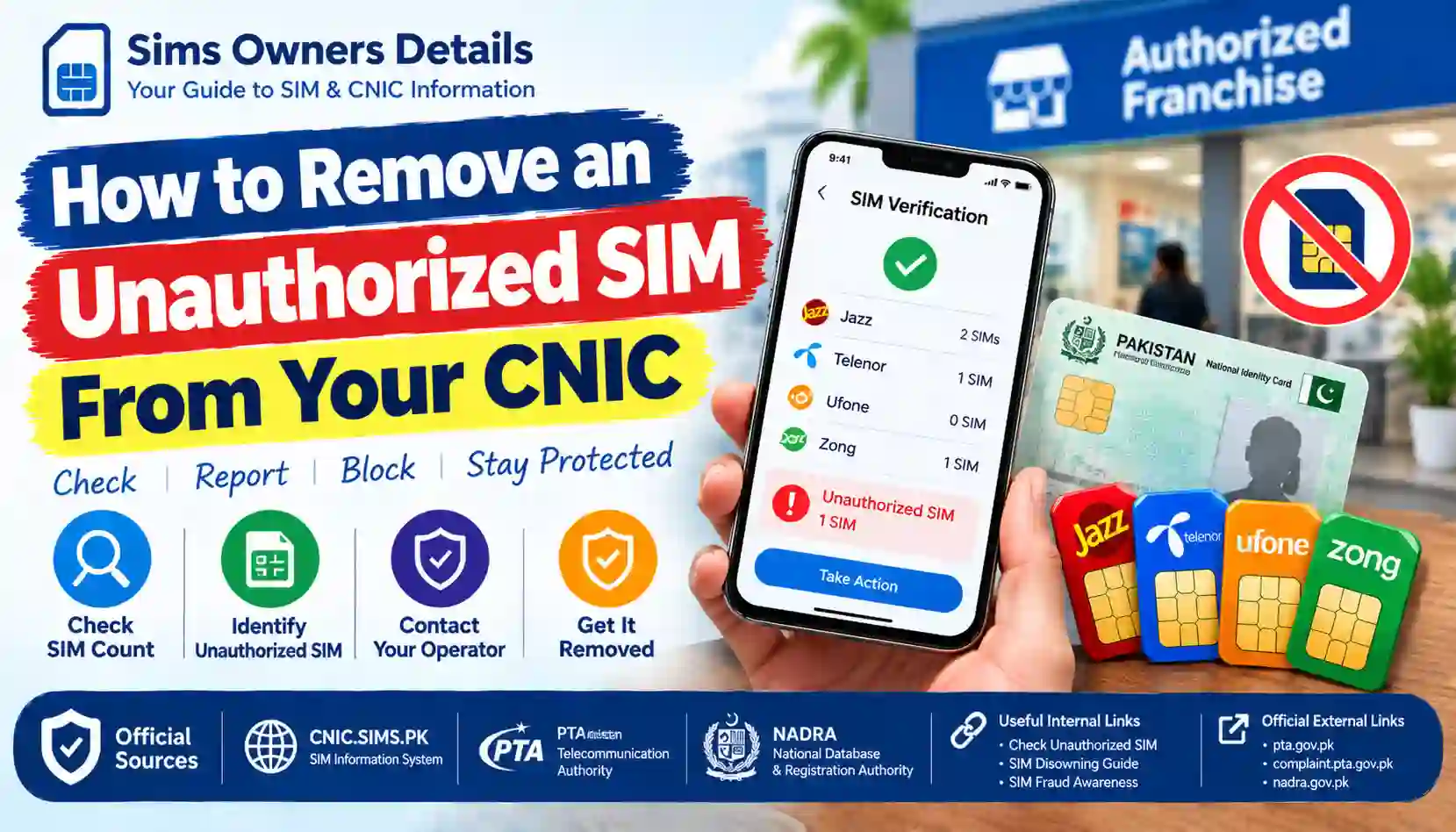
Find out how to report and remove an unauthorized SIM registered against your CNIC in Pakistan. Learn official PTA checks, operator complaints, and escalation steps.
Finding a SIM card registered against your CNIC without your knowledge can be worrying. You might be concerned that someone has used your identity information without permission or that an unknown mobile connection could create problems in the future.
In Pakistan, mobile SIM registration is linked to subscriber verification requirements. The Pakistan Telecommunication Authority (PTA) advises consumers to check the SIMs registered against their CNICs and contact the relevant mobile operator if they discover a SIM issued without their knowledge or consent.
The good news is that there are official channels for reporting suspicious registrations and requesting an investigation.
This guide explains how to remove an unauthorized SIM from your CNIC, how to check your SIM registration status, what documents you may need, how to submit a complaint, and what to do if your mobile operator does not resolve the issue.
The information is intended for people protecting their own CNIC and identity. It does not provide methods for accessing another person’s confidential subscriber information.
What Is an Unauthorized SIM Registered Against Your CNIC?
An unauthorized SIM is a mobile connection that appears to be registered against your CNIC even though you did not knowingly request, authorize, or retain that registration.
For example, you might discover an unfamiliar registration after checking your SIM count through an authorized verification service.
Possible explanations include:
- Someone may have misused your identity information.
- A SIM may have been issued without your proper knowledge or authorization.
- An old registration may not have been correctly updated.
- You may have forgotten a connection you previously used.
- A database or administrative issue may need investigation.
An unfamiliar registration should not automatically be treated as proof of identity theft. First, confirm the information and ask the relevant operator to investigate.
Important: If a SIM is registered against your CNIC, do not assume that another person’s use of it removes your responsibility. Resolve registrations you do not recognize through the appropriate official process.
Step 1: Check Which SIMs Are Registered Against Your CNIC
Before requesting removal, confirm that an unexpected registration exists.
Method 1: Use the SIM Information System
You can check SIM registration counts through the SIM Information System.
How to check:
- Visit the SIM Information System.
- Enter your own CNIC details as requested.
- Complete the verification shown on the page.
- Review the SIM counts displayed for the mobile networks.
- Note any result that you cannot explain.
The system provides registration-count information. Do not assume that it will reveal the full phone number, subscriber identity, or complete private records for every SIM.
If the result indicates an unexpected registration, contact the relevant operator for a detailed investigation.
Method 2: Check through SMS 668
The 668 SMS service is another commonly used way to check SIM registrations against your CNIC.
General steps:
- Open your phone’s messaging application.
- Enter your own CNIC number without dashes.
- Send it to 668, after confirming the current procedure.
- Review the response and identify any unexpected operator-wise count.
Charges may apply. Confirm the current procedure with your mobile operator if the service does not respond.
What if you only see the total number of SIMs?
A registration count may not identify the exact SIM you do not recognize. Use the result as a starting point, then ask the relevant operator to investigate the registration associated with your CNIC.
Do not use unofficial websites that claim to expose confidential subscriber records.
For a more detailed explanation, read our related guide: How to Check an Unauthorized SIM Registered on Your CNIC.
Step 2: Identify the Relevant Mobile Network
After checking your registration count, determine which operator needs to investigate the issue.
Pakistan has several mobile operators, including Jazz, Zong, Ufone, Telenor, and other licensed services.
If your result indicates an unexpected registration under a particular operator, contact that operator through its official customer-service channels.
| Operator or service | Recommended next step |
|---|---|
| Jazz | Contact official Jazz customer support or visit an authorized service centre |
| Zong | Contact official Zong customer support or visit an authorized service centre |
| Ufone | Contact official Ufone customer support or visit an authorized service centre |
| Telenor | Contact official Telenor customer support or visit an authorized service centre |
| Another operator | Confirm the operator shown by the verification result and contact its official support channel |
The table is a general guide, not a list of verified branch addresses or current helpline numbers. Use each operator’s official website to confirm its current contact details.
Do not assume that an operator-wise count reveals the identity of the unknown SIM holder. Ask the operator to verify the registration through its authorized process.
Step 3: Contact the Mobile Operator and Report the Unauthorized Registration
This is the most important step.
If a SIM appears to have been registered against your CNIC without your permission, contact the operator responsible for that registration as soon as possible.
Explain that you do not recognize or authorize the SIM and want the matter investigated.
What should you tell customer support?
Provide a clear explanation of the problem:
- You checked the SIM registration status associated with your own CNIC.
- The result indicates a registration you do not recognize.
- You did not knowingly request or authorize that SIM, if that is accurate.
- You want the operator to investigate how the registration occurred.
- You want guidance on the appropriate blocking, disowning, or corrective process.
Ask for a complaint or reference number and keep it for future follow-up.
Can the operator remove the SIM immediately?
The outcome depends on the circumstances, the operator’s verification process, and the applicable rules.
The operator may need to verify your identity, review its records, and determine whether the case is an unauthorized-issuance dispute or an ordinary SIM disowning request.
Do not assume that every case can be resolved instantly. Ask the operator what action has been taken and whether any additional documents or verification are required.
Step 4: Visit an Authorized Franchise or Customer-Service Centre
If customer support cannot resolve the issue remotely, visit an authorized service centre of the relevant operator.
An in-person visit can be useful when identity verification or a review of subscriber records is required.
What should you take with you?
Consider taking:
- Your original, valid CNIC.
- Your mobile phone, if relevant to the complaint.
- The result of your SIM registration check, if available.
- Your operator complaint or reference number.
- Any relevant SMS messages or previous complaint records.
The operator may request additional information according to its procedures. Confirm the requirements before travelling.
What happens at the service centre?
The staff may verify your identity, review the registration issue, ask you questions about the disputed SIM, and explain the available resolution process.
Depending on the circumstances, the operator may investigate an allegedly unauthorized registration and explain whether it can be blocked, disowned, corrected, or referred for further review.
Ask for written confirmation or a complaint reference wherever available.
Never share your account passwords, banking PINs, or one-time verification codes with someone who claims they can remove a SIM from your CNIC.
Step 5: Explain Clearly That You Dispute the Registration
There is an important difference between asking to disown a SIM that you previously owned and disputing a SIM that you believe was issued without your authorization.
When you visit the operator, describe the situation accurately.
For example:
- If you previously owned the SIM but no longer need it, explain that you want to disown or close the connection.
- If you never requested the SIM, explain that you dispute the registration and want an investigation into possible unauthorized issuance.
- If you transferred a SIM to another person, explain the transfer history and ask the operator to confirm the current registration status.
- If you are unsure why the registration appears, say so rather than making an unsupported accusation.
This helps the operator determine the appropriate procedure.
Important information about the 2026 SIM disowning restriction
Public reporting in 2026 described a PTA change extending the restriction period for disowning newly activated SIMs from 60 days to 365 days.
However, do not assume that an ordinary disowning restriction automatically settles or prevents a complaint about a SIM allegedly issued without authorization. Explain that you are disputing the registration and ask the operator and, if necessary, PTA to clarify how the rules apply to your case.
The applicable process may depend on the facts, the activation date, and the nature of the complaint.
Step 6: Escalate Your Complaint to PTA if Necessary
If you have contacted the mobile operator but the issue remains unresolved, you can consider escalating the matter through PTA’s complaint channels.
The PTA Complaint Management System allows consumers to register and track telecommunications complaints.
Visit the PTA Complaint Management System to check the current registration and complaint-submission process.
How to prepare your PTA complaint
Include the relevant facts, such as:
- Your name and the required identity information.
- The mobile operator involved.
- A clear explanation of the unexpected SIM registration.
- The date you first discovered the issue, if known.
- The operator complaint reference number.
- Any response received from the operator.
- Supporting documents requested by the complaint portal.
Submit only the information required by the official process. Avoid uploading unnecessary personal documents or publishing your CNIC in public posts.
What should you request from PTA?
Explain that you want the suspected unauthorized registration investigated and ask for guidance on the appropriate corrective action.
Depending on the facts, you may request assistance in obtaining a response from the operator, resolving the registration dispute, or identifying the appropriate further reporting channel.
Keep your PTA complaint reference and check its status using the available tracking process.
Step 7: Report Suspected Identity Theft or Fraud
An unknown SIM registration may sometimes be connected to broader identity misuse.
If you have evidence suggesting that someone used your identity information without authorization, consider reporting the suspected misuse through the appropriate official law-enforcement channel as well as contacting your operator and PTA.
Keep relevant evidence, including:
- Screenshots of your registration result.
- SMS messages or suspicious communications.
- Operator complaint references.
- PTA complaint records.
- Any written response explaining the registration dispute.
Do not delete relevant records before saving copies.
An unexpected registration alone does not establish who caused it or prove a crime. Describe the evidence accurately and let the relevant authority investigate.
For general cybercrime-prevention guidance, consult the National Cyber Crime and SIM Safety Guidance. Confirm the current competent reporting authority and complaint procedure through official government sources before submitting a report.
Documents You May Need to Remove an Unauthorized SIM
The exact requirements depend on the operator and the circumstances of the case.
| Document or information | Why it may be useful |
|---|---|
| Original valid CNIC | To verify your identity |
| Operator complaint reference | To connect your visit with an earlier complaint |
| SIM registration result | To explain how you discovered the issue |
| Previous correspondence | To show what action has already been requested |
| Supporting evidence of suspected misuse | To help explain the dispute, if available |
Do not send your CNIC to an unknown person or an unverified website offering SIM removal services.
If an official portal or operator requests documents, confirm that you are using the legitimate service before submitting them.
How Long Does It Take to Remove an Unauthorized SIM?
There is no single guaranteed resolution time for every case.
Some registration issues may be straightforward, while others may require identity verification, record review, a formal complaint, or escalation.
The time may depend on:
- The operator involved.
- Whether the registration can be identified from the available information.
- Whether the operator needs additional verification.
- Whether the case involves a disputed or allegedly unauthorized issuance.
- Whether a complaint must be escalated to PTA or another authority.
Ask the operator for an estimated timeline and the reference number. If the stated period passes without an update, follow up using the official complaint channel.
Avoid websites or agents promising guaranteed removal within a few minutes in exchange for your CNIC or payment.
Can You Remove an Unauthorized SIM Online?
You can start the process online by checking registration counts and using official complaint channels where available.
However, checking a SIM count is not the same as completing a SIM removal request. An online complaint also does not guarantee that a registration will be removed immediately.
The operator may need to verify your identity or investigate the disputed registration before deciding on the appropriate action.
Use these official starting points:
- SIM Information System — check SIM registration counts associated with your CNIC.
- PTA Complaint Management System — review the process for submitting and tracking a telecom complaint.
- PTA official website — find regulatory information and official contact details.
What If the Operator Says the SIM Cannot Be Removed?
If the operator refuses your request or explains that a restriction applies, ask for the reason and the relevant procedure.
You can ask:
- Is this being treated as an ordinary disowning request or a disputed unauthorized registration?
- What verification is still required?
- Is there a specific restriction affecting the request?
- Can the operator investigate whether the SIM was issued with proper authorization?
- What is the formal escalation process?
- Can I receive a written response or complaint reference?
If you believe the issue has not been properly handled, submit the available records through PTA’s official complaint system.
Do not attempt to bypass the operator’s verification process or pay unofficial agents to alter subscriber records.
How to Protect Your CNIC From Unauthorized SIM Registration
Removing an unexpected registration is important, but prevention also matters.
Check your SIM registration status periodically
Use the SIM Information System or the 668 service to check the registrations associated with your CNIC.
Be careful during biometric verification
Before completing biometric verification, understand which service or transaction you are authorizing. Do not allow someone to use your identity verification for an unexplained purpose.
Use authorized SIM outlets
Obtain SIM cards through authorized operator channels and follow the required subscriber-verification procedure.
Do not lend a SIM registered in your name without considering the consequences
PTA has advised users to ensure that SIMs are registered in the name of the person using them. A registered subscriber may face complications if a connection is misused.
Protect your personal documents
Avoid sending copies of your CNIC to unknown people or uploading them to unofficial SIM lookup websites.
Be cautious of fake PTA messages
Scammers may send messages claiming that your SIM will be blocked unless you click a link. Do not open suspicious links or provide sensitive information in response to unsolicited messages. Verify the claim through an official operator or government channel.
Frequently Asked Questions
1. How do I remove an unauthorized SIM from my CNIC in Pakistan?
First, check your own registration status using the SIM Information System or the 668 service. Contact the operator associated with the unexpected registration, explain that you dispute it, and request an investigation. If the matter remains unresolved, consider escalating it through PTA’s complaint system.
2. Can I remove a SIM from my CNIC without visiting a franchise?
You can check registration counts and start a complaint online where an official service allows it. Whether the issue can be fully resolved remotely depends on the operator’s procedures and the circumstances. Additional identity verification may be required.
3. Is 668 used to remove an unauthorized SIM?
No. The 668 service is used to check SIM registration counts against a CNIC. If you discover an unexpected registration, contact the relevant operator and follow the appropriate complaint or disowning process.
4. Can PTA remove an unauthorized SIM?
PTA provides a complaint channel for telecommunications issues and can guide or act within its regulatory role. The actual investigation and corrective process depend on the facts and the relevant operator’s responsibilities.
5. What if I do not know which mobile operator issued the SIM?
Start by checking the operator-wise counts through the SIM Information System or 668. Contact the relevant operator based on the result and ask it to investigate the registration associated with your CNIC.
6. What if the unknown SIM was issued using my biometric information?
Tell the operator that you suspect unauthorized use of your identity or biometric information. Ask for an investigation and preserve relevant evidence. If necessary, escalate the complaint through PTA and the appropriate law-enforcement channel.
7. Is there a fee to remove an unauthorized SIM?
Do not assume that every case has the same fee or that a payment is required. Ask the relevant operator about the current procedure and any applicable charges. Avoid paying unofficial agents who promise to remove registrations.
8. What is the 365-day SIM disowning rule reported in 2026?
Public reporting in 2026 described an extended restriction period for disowning newly activated SIMs. If you are reporting a SIM that you believe was issued without your authorization, explain that distinction to the operator and ask how the applicable rules affect your dispute.
9. Can an unauthorized SIM cause legal problems?
An unexpected registration can create complications because SIMs are linked to subscriber identity records. That is why it is important to investigate and correct a registration you do not recognize. The existence of an unknown registration does not, by itself, prove that you committed an offence.
10. How can I check whether the SIM has been removed?
After the operator confirms its action, recheck your registration status through an authorized channel. If the result does not appear to have changed, follow up with the operator using your complaint reference.
Conclusion
If you discover a SIM registered against your CNIC without your knowledge, do not ignore it. Confirm the registration through an authorized service, contact the relevant mobile operator, and clearly explain that you dispute the registration.
Keep your complaint reference, provide only the information required for verification, and escalate the issue through PTA’s official complaint channel if necessary. If you suspect identity theft or fraud, preserve the evidence and consider reporting it to the appropriate authority.
The most important step is to use official verification and complaint channels rather than unverified SIM lookup or removal services. These steps can help you investigate the registration, protect your identity, and seek the appropriate corrective action.
Disclaimer: This article is for general educational purposes and is not legal advice. Procedures, restrictions, and operator requirements may change. Confirm the current rules with PTA and the relevant mobile operator. SimsOwnersDetails.com is an independently operated informational website and is not affiliated with PTA, NADRA, or any mobile operator.
For More Details: Sims Owners Details