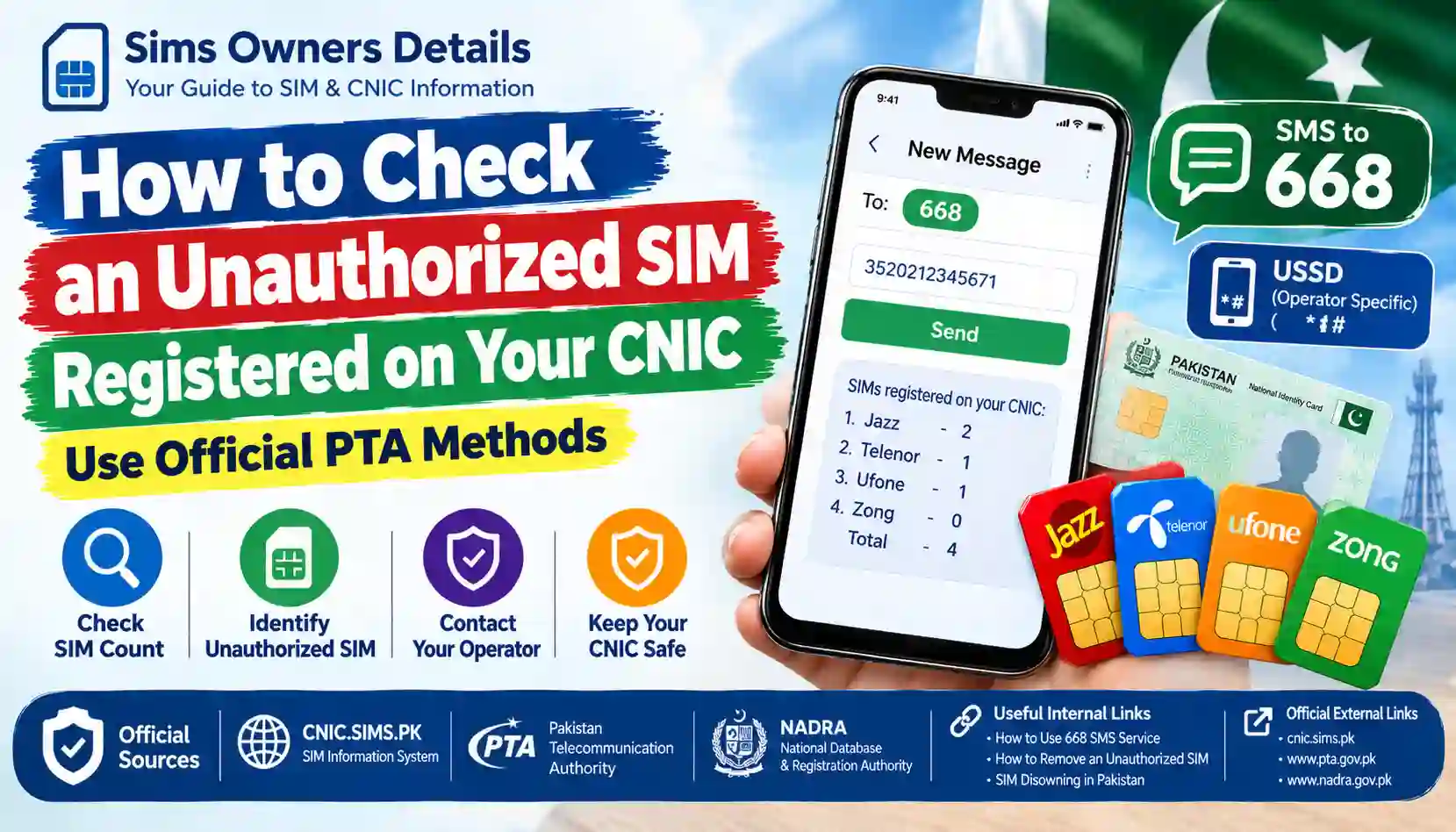
Learn how to check for an unauthorized SIM registered on your CNIC in Pakistan using official PTA SIM verification methods, 668 SMS, CNIC.SIMS.PK and operator support.
Finding a SIM registration that you do not recognize can be worrying.
Your CNIC is linked to your identity, and mobile SIM registration is an important part of telecom security in Pakistan. If you discover that more SIMs are registered against your CNIC than you actually use, you should investigate the situation instead of ignoring it.
The good news is that you do not need a third-party “SIM owner details” website to perform this check.
You can start with official SIM-registration verification methods and then contact the relevant mobile operator if something appears incorrect.
The basic process is:
Check your CNIC → review the registered SIM count → identify the operator → contact the operator → request the appropriate action → escalate through official channels if necessary.
Pakistan’s telecom-security guidance specifically recommends periodically checking the number of SIMs issued in your name by sending your CNIC number to 668 and blocking illegally issued SIMs.
This guide explains the complete process.
1. What Is an Unauthorized SIM?
An unauthorized SIM is a mobile connection that appears to be registered against your identity/CNIC but is not one that you knowingly obtained or currently recognize.
For example, suppose you normally use:
- 1 Jazz SIM
- 1 Zong SIM
But your official SIM-registration check shows additional registrations that you do not recognize.
That does not automatically prove fraud. There can be legitimate explanations, including an old connection, a registration you forgot about, or a record that needs clarification.
However, an unfamiliar registration should be investigated.
An unauthorized SIM may become a concern if:
- You never purchased the SIM.
- You do not recognize the mobile number.
- You gave up an old SIM but expected it to be removed.
- Someone may have used your identity information.
- You suspect improper biometric use.
- Your CNIC-linked SIM count is higher than expected.
- You receive suspicious telecom messages.
The goal is to verify the registration through official channels, not to obtain private information about another person.
2. The First Check: Use the Official SIM Information System
One of the easiest ways to begin is the SIM Information System.
The official system allows a user to enter their CNIC and check the number of SIMs registered against it. The current system displays operator-wise SIM counts and a total.
The important point is that this is a registration-count check, not a public database for obtaining another person’s private subscriber information.
Basic process
- Open the official SIM Information System.
- Select the appropriate identity type.
- Enter your own CNIC information.
- Complete the verification shown on the page.
- Submit the request.
- Review the operator-wise SIM counts.
- Compare the result with the SIMs you actually use.
The system also provides an option for foreign nationals using a Foreign ID rather than a Pakistani CNIC.
For a detailed explanation, read our internal guide:
CNIC.SIMS.PK Guide – How to Check Registered SIMs Online
3. Check Your CNIC Through SMS 668
If you do not have internet access, the 668 SMS method is particularly useful.
The PTA’s National Telecom CERT guidance specifically advises consumers to periodically check the number of SIMs issued in their name by sending their CNIC number to 668.
How to use 668
Step 1: Open your phone’s SMS application.
Step 2: Enter your 13-digit CNIC number.
Step 3: Send the message to:
668
Step 4: Wait for the response.
Step 5: Compare the result with the SIMs you actually own or use.
If the result contains an unexpected registration, continue with the operator-verification process.
For a complete explanation of this method, see:
How to Use 668 SMS Service to Check SIMs on Your CNIC
4. What Should You Look For in the Result?
Do not immediately assume that every number you do not recognize is fraudulent.
First look at the operator-wise counts.
For example, your result could show something like:
| Network | SIMs shown |
|---|---|
| Jazz | 2 |
| Telenor | 0 |
| Ufone | 1 |
| Zong | 1 |
| Total | 4 |
Now compare these figures with your actual SIM usage.
If you knowingly have:
- 1 Jazz SIM
- 1 Ufone SIM
- 1 Zong SIM
then the additional Jazz registration deserves investigation.
Important
The initial SIM Information System check does not mean that you should search the internet for a person’s name or address.
The correct next step is to identify the relevant operator and ask the operator about the registration through an authorized channel.
5. Does the SIM Information System Show the SIM Owner’s Name?
This is an important distinction.
The SIM Information System is useful for checking how many SIMs are associated with your identity, but it should not be treated as a public “enter any number and reveal the person’s name, CNIC and address” database.
The official system currently presents network-level SIM counts for a CNIC.
Therefore, be suspicious of websites that promise:
Complete SIM owner name + CNIC + address + location
from only a mobile number.
Such claims are not the same thing as official SIM-registration verification.
6. How to Determine Which SIM Is Unauthorized
The CNIC check may tell you that an unexpected number of SIMs exists under a particular network.
The next step is to determine which operator needs to investigate the issue.
Example
Suppose you normally have:
- Jazz: 1
- Zong: 1
- Ufone: 0
- Telenor: 0
But your verification result shows:
- Jazz: 2
- Zong: 1
- Ufone: 0
- Telenor: 0
The unexpected count is under Jazz.
Your next step should therefore be to contact Jazz through its official customer-service or authorized-franchise channel.
Do not try to obtain private subscriber information through an unofficial website.
7. What If You Don’t Know the Mobile Number?
This is a common problem.
You may know that an extra SIM exists under your CNIC but not know the exact mobile number.
That is one reason the operator’s official customer-service process becomes important.
You can explain:
“My CNIC appears to have a SIM registration that I do not recognize. I want to verify the registration and take the appropriate action.”
The operator can explain what information it can provide and what verification is required.
Depending on the case, you may need to visit an authorized franchise or customer service center with your original identity document.
For more information, read:
How to Visit an Authorized Franchise for SIM Verification
8. Visit the Relevant Operator’s Authorized Franchise
If the issue cannot be resolved through basic checking, visit an authorized franchise, customer service center, or other officially designated operator location.
Take your:
- Original CNIC
- Relevant mobile phone
- Known SIMs if available
- 668 result or online verification result
- Any previous complaint/reference information
Tell the representative clearly that you have identified a SIM registration that you do not recognize.
Ask the representative:
- Which SIM registration is associated with the issue?
- What verification is required?
- Can the registration be investigated?
- Can the SIM be blocked or disowned if appropriate?
- Is biometric verification required?
- Do I need a complaint/reference number?
For a detailed franchise process, see:
How to Visit an Authorized Franchise for SIM Verification
9. Why You Should Use an Authorized Operator
SIM registration involves sensitive identity information.
Pakistan’s telecom-security guidance warns against illegal SIM issuance and specifically advises consumers to purchase SIMs through cellular franchises rather than kiosks, portable vans, stand-alone booths or door-to-door sales. It also advises consumers to check SIMs issued in their name through 668.
This is particularly important if you need to:
- Replace a SIM
- Transfer ownership
- Disown a SIM
- Resolve an unauthorized registration
- Complete biometric verification
- Activate a new connection
Use an official operator channel rather than an unknown agent.
10. What Documents Should You Take?
For an identity-related SIM issue, your original CNIC is the most important document for a Pakistani citizen.
You may also want to take supporting information.
Recommended checklist
| Item | Purpose |
|---|---|
| Original CNIC | Identity verification |
| Mobile phone | Relevant SIM/account access |
| Existing SIMs | Helps identify your known connections |
| 668 result | Shows the CNIC-linked SIM count |
| Online verification result | Additional reference |
| Complaint/reference number | Useful for follow-up |
| Supporting documents | If requested for a special case |
Do not assume that a photocopy or photograph of your CNIC is sufficient for a biometric transaction.
11. What If the Unauthorized SIM Was Registered Through Biometric Misuse?
Biometric information is highly sensitive.
PTA’s National Telecom CERT guidance warns about illegal SIM issuance and specifically describes risks involving the collection and misuse of thumb data.
If you believe your biometric information may have been misused, tell the operator clearly.
For example:
“I did not authorize this SIM registration, and I am concerned that my identity or biometric information may have been used without my permission.”
The operator can explain the appropriate verification and complaint process.
For additional information about biometric procedures, read:
How to Verify SIM Ownership Through Biometric Verification (BVS)
12. What If You Previously Owned the SIM?
Not every unfamiliar registration is necessarily fraudulent.
Think about your previous SIM history.
You may have:
- Changed mobile networks.
- Replaced an old SIM.
- Stopped using a number.
- Changed your phone number.
- Received a replacement SIM.
- Used a temporary connection.
- Transferred or disowned a connection.
If an old SIM is still associated with your identity, ask the relevant operator about its current status.
Do not assume that simply throwing away the physical SIM automatically removes its registration.
13. What If You Gave Your SIM to Someone Else?
This situation requires special attention.
If a SIM is registered under your CNIC but another person is using it, the registration may still remain associated with you.
For example, you might have given an old SIM to:
- A family member
- A friend
- An employee
- A business partner
Even if another person uses the number, that does not automatically mean the official registration has changed.
If you no longer want the connection associated with your identity, ask the operator about the appropriate formal ownership-transfer or disowning process.
Related guide:
How to Get a SIM Formally Transferred to Another Person in Pakistan
14. What If the SIM Belongs to a Deceased Relative?
A deceased person’s SIM registrations require a different approach.
Do not simply take the SIM and start using it under your own identity.
The appropriate process can depend on:
- The operator
- The SIM status
- The relationship
- Required documentation
- Whether the number needs transfer, blocking or disowning
For this situation, use the operator’s official service channel and ask which documentation is required.
Related internal article:
Deceased Relative? How to Block, Transfer, or Disown the SIMs on Their CNIC
15. Can You Remove an Unauthorized SIM Online?
Do not assume that an online SIM-count checker can directly remove a SIM.
The SIM Information System is useful for checking registration information, but resolving an unauthorized registration may require communication with the relevant operator and, where applicable, an authorized service location.
The online check is therefore the starting point, not necessarily the complete resolution process.
Think of the process this way:
Online/SMS check → identify issue → contact operator → identity verification → operator action → confirm result
This distinction is important because checking and changing registration are separate processes.
16. What If the Operator Says the SIM Is Legitimate?
Suppose you report an unfamiliar registration and the operator says it is legitimately associated with your identity.
Ask for clarification.
You can explain:
“I don’t recognize this connection. Please tell me what official procedure I should follow if I no longer want it associated with my CNIC.”
Depending on the situation, you may need:
- Disowning
- Ownership transfer
- SIM blocking
- Replacement
- Further identity verification
The correct action depends on the circumstances.
17. What If the Operator Does Not Resolve the Issue?
If you have already contacted the relevant operator and the problem remains unresolved, you can consider escalating through the official PTA Complaint Management System.
PTA’s current CMS documentation says the system allows telecom consumers to register and track complaints concerning telecom services. It also provides account registration and complaint-submission procedures.
Keep your records
Before escalating, keep:
- CNIC verification result
- Operator name
- Mobile number, if known
- Date of your visit
- Franchise/customer-service location
- Complaint/reference number
- Copies of relevant receipts
- Screenshots or SMS records
This makes it easier to explain what happened.
18. How to Submit a PTA Complaint
If an operator-level complaint has not resolved the matter, use the official PTA Complaint Management System.
The current PTA CMS documentation explains that users can create a profile using information such as their name, CNIC, mobile number and contact details, then submit and track complaints.
General process
- Open the official PTA Complaint Management System.
- Create/sign in to your account.
- Provide the requested information.
- Select the appropriate telecom complaint category.
- Explain the unauthorized-SIM issue clearly.
- Include relevant operator information.
- Submit the complaint.
- Save the complaint/reference details.
- Monitor the status through the official system.
Do not submit false information or someone else’s CNIC details.
19. What Information Should You Include in a Complaint?
A clear complaint is easier to understand.
You can explain:
Problem:
An unexpected SIM registration appears to be associated with my CNIC.
What I checked:
I checked my CNIC-linked SIM registrations using the official verification method.
What I recognize:
I recognize only the SIMs I currently use.
What I don’t recognize:
An additional registration appears under the relevant operator.
Action already taken:
I contacted the operator / visited its authorized service center.
Current problem:
The registration remains unresolved.
Requested action:
I want the matter investigated and the appropriate action taken according to the applicable telecom procedure.
Keep the complaint factual and avoid making accusations that you cannot prove.
20. Unauthorized SIM vs Unknown Mobile Number
These terms are sometimes confused.
Unknown mobile number
You may receive a call or message from a number you do not recognize.
That alone does not mean the number is registered against your CNIC.
Unauthorized SIM registration
This means your official identity/SIM registration check indicates a connection associated with your CNIC that you do not recognize or authorize.
The second situation is the one that requires an identity-registration investigation.
21. Can You Check the Name and Address of the Unknown SIM User?
You should not attempt to obtain private subscriber information through unofficial databases.
The correct process is to verify your own CNIC registration and then approach the relevant operator.
The official SIM Information System is designed around checking the number of SIMs registered against your CNIC rather than providing a public database of private subscriber addresses.
This protects privacy while still allowing individuals to monitor their own identity-linked SIM registrations.
22. Don’t Trust “Live SIM Database” Websites
A common search result may promise:
- SIM owner name
- CNIC number
- Home address
- Current location
- Call history
- Family details
These claims should be treated with extreme caution.
A website claiming to have a “live SIM database” is not automatically an official telecom verification service.
Never provide such websites with:
- CNIC scans
- OTPs
- Banking information
- Mobile-wallet PINs
- Passwords
- Biometric information
- SIM replacement codes
Use official telecom and government channels instead.
23. How to Protect Yourself From Future Unauthorized SIM Registrations
Checking after a problem occurs is useful, but prevention is even better.
Follow these practices:
Use authorized SIM channels
Buy and activate SIMs through official or authorized telecom channels.
Protect your biometric information
Do not allow unknown individuals to capture or reuse your fingerprints.
Avoid suspicious “free SIM” offers
Especially when the person cannot clearly explain the company or service.
Check your CNIC-linked SIM registrations
Use official methods periodically.
Keep track of old SIMs
If you no longer need a connection, ask the operator about the correct process.
Don’t share OTPs
An OTP should not be given to an unknown person claiming to be an operator representative.
Secure your mobile account
Use available security controls and official support channels.
24. How Often Should You Check Your CNIC?
There is no practical reason to check your SIM count every day.
A periodic check is more sensible.
Consider checking when:
- You purchase a new SIM.
- You replace a SIM.
- You change networks.
- You discontinue a number.
- You suspect identity misuse.
- You experience suspicious mobile activity.
- You believe your biometric information may have been exposed.
- You discover an old SIM you no longer use.
The PTA’s telecom-security guidance recommends periodically checking the number of SIMs issued in your name.
25. Quick Action Plan
If you think an unauthorized SIM is registered on your CNIC, follow this sequence.
Step 1 — Check
Use the official SIM Information System or 668.
Step 2 — Compare
Compare the result with the SIMs you actually use.
Step 3 — Identify
Determine which operator has the unexpected registration.
Step 4 — Contact
Contact the relevant operator.
Step 5 — Visit
If required, visit an authorized franchise/customer service center with your original CNIC.
Step 6 — Request action
Ask about blocking, disowning, investigation, transfer or another applicable solution.
Step 7 — Record
Keep your complaint/reference number and supporting information.
Step 8 — Escalate
If the operator does not resolve the issue, use the official PTA complaint system.
26. 668 vs Online SIM Information System
Both methods can help you identify unexpected registrations, but they are useful in different situations.
| Feature | 668 SMS | Online SIM Information System |
|---|---|---|
| Internet required | No | Yes |
| Smartphone required | No | No |
| CNIC-based check | Yes | Yes |
| Operator-wise information | Yes | Yes |
| Useful without internet | Yes | No |
| Good for quick checking | Yes | Yes |
| Shows private address | No | No |
| Removes an unauthorized SIM | No | No |
| Resolution required through operator | Often | Often |
The important point is that verification does not automatically equal removal.
27. What the Official System Does Not Mean
Suppose your result shows:
Jazz: 2
This does not necessarily mean:
“Two people are currently using Jazz SIMs illegally.”
It means that the system reports two SIM registrations associated with the relevant identity.
You then need to compare that information with your own records.
Similarly, if you see an unexpected number, it is better to say:
“I found a SIM registration I do not recognize.”
rather than immediately claiming:
“Someone committed identity theft.”
The operator can investigate the underlying registration.
28. Frequently Asked Questions
How can I check if an unauthorized SIM is registered on my CNIC?
Start by checking the official SIM Information System or sending your CNIC number to 668. Compare the operator-wise SIM counts with the connections you actually recognize.
What number do I send my CNIC to?
The PTA’s telecom-security guidance identifies 668 for checking the number of SIMs issued in your name.
Does 668 show the name of the SIM owner?
The purpose of the check is to identify SIM registrations associated with your own CNIC. It should not be treated as a public database for obtaining another person’s private subscriber details.
What if I find an extra SIM on my CNIC?
Identify the relevant operator and contact it through an official channel. You may need to visit an authorized franchise or customer service center.
Can I remove an unauthorized SIM online?
Do not assume so. The online/SMS check helps identify the issue; the operator may need to process the actual blocking, disowning or investigation.
What should I take to the franchise?
Take your original CNIC and any relevant SIM, mobile number, 668 result, previous complaint/reference number or other supporting information.
What if I don’t know the number of the unauthorized SIM?
Tell the operator that your CNIC-linked SIM count contains an unfamiliar registration. The operator can explain the official procedure for investigating it.
Can someone else use a SIM registered on my CNIC?
A SIM may physically be used by another person, but that does not necessarily mean the official registration has been transferred to that person. If you no longer want the connection associated with your CNIC, ask the operator about formal transfer or disowning.
Is an unknown SIM always fraud?
No. There may be legitimate explanations, such as an old connection or a registration that you forgot about. Investigate it before making conclusions.
Can I get the unknown user’s address?
Do not use unofficial databases to obtain another person’s private address or subscriber information. Use the operator’s official process to resolve a registration associated with your own CNIC.
What if the operator does not help?
Keep your complaint/reference information and consider escalating through the official PTA Complaint Management System. PTA’s CMS is designed for registering and tracking telecom complaints.
Disclaimer
Sims Owners Details is an independently operated informational website. It is not affiliated with PTA, NADRA, Jazz, Zong, Telenor, Ufone, SCOM or ONIC. We do not provide private SIM databases, confidential CNIC records, call records, location information or private subscriber information. This article is provided for educational and public-awareness purposes. Telecom procedures and service requirements can change, so users should verify important matters directly through the relevant operator or official government channel.