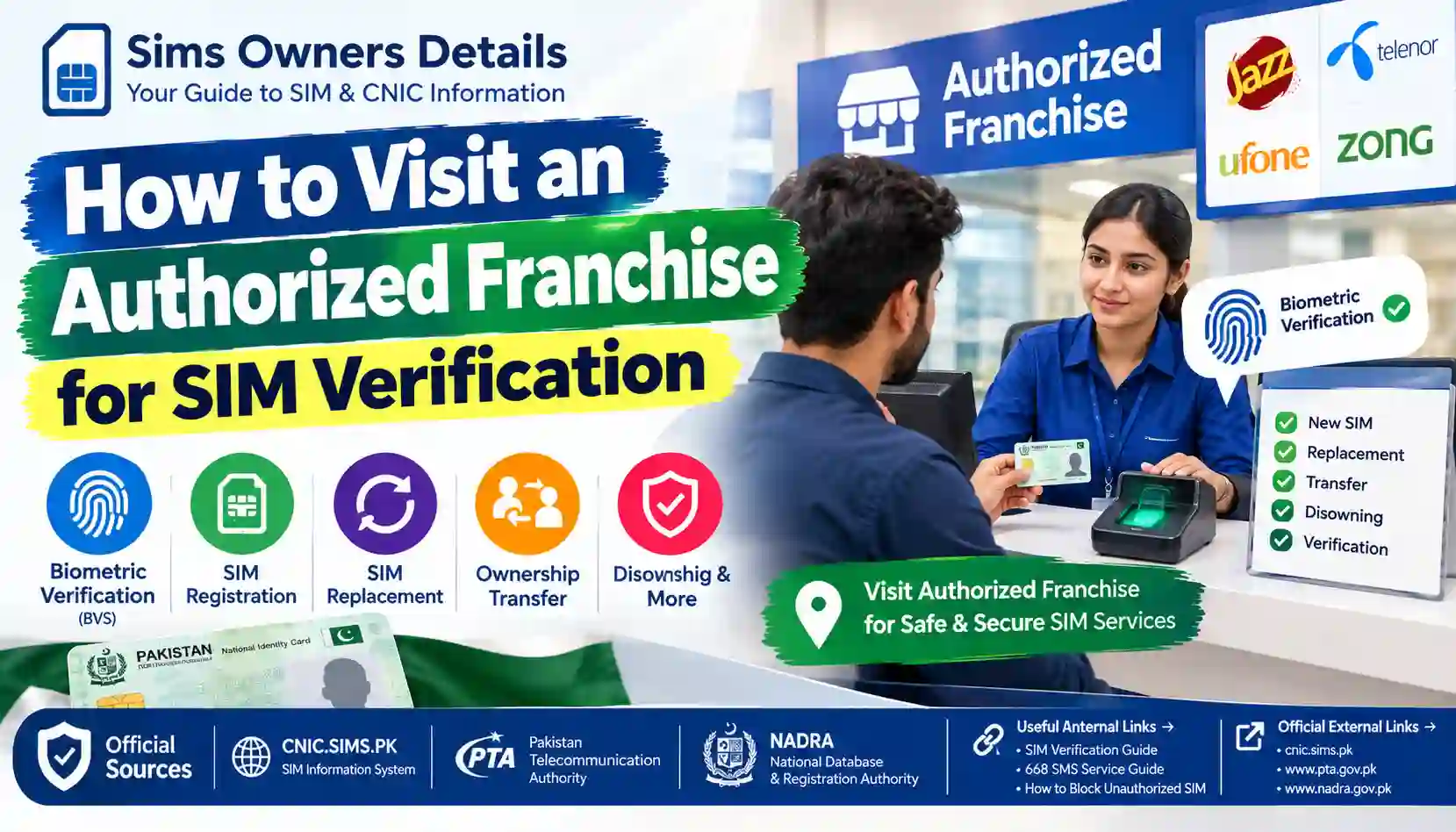
Learn how to visit an authorized SIM franchise in Pakistan for biometric verification, SIM ownership issues, replacement, transfer, disowning, and registration problems.
Sometimes checking your SIM registration through SMS or an online portal is not enough.
You may discover an unfamiliar SIM on your CNIC, need to replace a damaged SIM, transfer ownership, disown an old connection, activate a new SIM, or complete biometric verification.
In these situations, you may need to visit an authorized franchise, customer service center, experience center, or registered retailer of the relevant mobile operator.
An authorized outlet is important because SIM-related transactions can involve your CNIC, biometric verification, SIM ownership information, and telecom account details.
This guide explains what to do before visiting a franchise, what documents to carry, what usually happens at the outlet, when biometric verification is required, and what you should do if your SIM-related problem cannot be resolved.
Important: Exact requirements can vary according to the operator and the transaction. Always confirm the current requirements through the operator’s official website or customer service channel before visiting.
1. When Should You Visit a SIM Franchise?
You do not need to visit a franchise every time you want to check basic SIM registration information.
For example, you can use the appropriate official SMS method for checking SIMs associated with your own CNIC.
However, a physical visit may become necessary when an action requires identity verification, biometric verification, ownership processing, or an operator-side account change.
Common situations include:
- New SIM activation
- SIM replacement
- Lost or damaged SIM replacement
- Change of SIM ownership
- SIM disowning
- Biometric verification
- Certain MNP/porting procedures
- SIM registration problems
- Unauthorized SIM registration
- Identity-document problems
- eSIM-related services where an outlet visit is required
- Other operator-specific customer-service requests
For example, current Zong terms state that SIM activation can be handled through the operator’s customer sales/service center, authorized franchise, or registered retailer, with biometric information submitted for verification through NADRA.
2. Authorized Franchise vs Ordinary Mobile Shop
This distinction is important.
A normal mobile shop may sell telecom products, accessories, recharge cards, or other services, but not every shop is an authorized location for every SIM-related transaction.
For sensitive transactions, you should prefer an operator’s:
- Customer service center
- Official franchise
- Experience center
- Authorized/registered retailer, where the operator permits the specific transaction
Why does this matter?
SIM registration involves personal identity information.
If you need biometric verification or an ownership-related transaction, using an official channel gives you a safer way to deal with the operator.
You should not hand over your:
- Original CNIC
- Fingerprints
- OTP
- Account credentials
- Mobile-wallet PIN
to an unknown person simply because they claim to provide SIM services.
3. First Step: Identify Your Mobile Network
Before visiting a franchise, determine which operator is involved.
For example, your issue may concern:
- Jazz
- Zong
- Ufone
- Telenor
- SCOM
- ONIC
- Another operator or telecom service
If your concern is about an unknown SIM registered against your CNIC, first identify which operator’s SIM count appears incorrect.
This can make your visit much easier because you can go directly to the relevant operator instead of visiting multiple locations.
For a broader explanation of checking your registration status, see our guide:
How to Check SIM Registration Status in Pakistan
4. Check Your SIM Information Before Going
Before visiting a franchise, collect as much information as possible.
If your concern is an unauthorized SIM, you may first perform an official CNIC-linked SIM check.
For example, our related guide:
How to Use 668 SMS Service to Check SIMs on Your CNIC
explains the offline SMS process.
You should ideally know:
- Your CNIC number
- The mobile number involved
- The operator
- Why you are visiting
- Whether the SIM is currently active
- Whether the SIM is physically available
- Whether the SIM belongs to you
- Whether you want replacement, transfer, disowning, or investigation
This preparation can save time at the customer service counter.
5. What Should You Take to the Franchise?
For most identity-related SIM transactions, your original identity document is important.
For Pakistani citizens, this will generally be the original CNIC when the transaction requires CNIC-based verification.
The exact documents depend on the service.
Basic checklist
| Item | Why you may need it |
|---|---|
| Original CNIC | Identity verification |
| Mobile phone | To access the relevant SIM |
| SIM card | Useful for replacement/verification issues |
| Mobile number | Helps identify the connection |
| 668 result | Useful when investigating CNIC-linked SIMs |
| Supporting documents | Required for some special cases |
| Passport/visa | May apply to eligible foreign customers |
| NICOP/other identity document | May apply to specific customer categories |
Do not assume that a photocopy alone is sufficient for a biometric transaction.
For example, Jazz’s current published requirements state that a Pakistani citizen purchasing a SIM needs their presence for fingerprint biometric verification and an original CNIC; its foreign-customer requirements include an original passport and valid visa, while overseas Pakistanis may use NICOP for applicable services.
6. Why Your Physical Presence May Be Required
A SIM transaction involving biometric verification normally cannot simply be completed by sending someone else with your CNIC.
Your physical presence may be required because the operator needs to verify the person making the request.
For example, Jazz currently states that customer presence is required for fingerprint biometric verification for applicable SIM transactions.
This is particularly important for:
- New SIM activation
- SIM replacement
- Ownership-related transactions
- Certain porting procedures
- Other services requiring biometric authentication
Therefore, if an employee or friend tells you that they can complete the entire biometric SIM process for you without your presence, be cautious.
7. What Happens at an Authorized SIM Franchise?
The exact process depends on your request, but a typical identity-related transaction can follow several stages.
Step 1: Tell the representative your purpose
Explain clearly what you need.
For example:
“I want to verify a SIM registered against my CNIC.”
or:
“I want to replace my SIM.”
or:
“I found a SIM registration I do not recognize and need assistance.”
Being specific helps the representative select the appropriate service.
Step 2: Provide your identification
If the transaction requires identity verification, the representative may request your original CNIC or another accepted identity document.
Step 3: Account/SIM information is checked
The operator may check the relevant mobile number, account, SIM status, or eligibility.
Step 4: Biometric verification may be performed
Where applicable, your fingerprint/thumb impression is captured using the designated biometric system.
Step 5: Verification is submitted
The biometric information and identity details may be submitted for the applicable verification process.
Step 6: Complete the requested transaction
Depending on your request, this could involve:
- SIM activation
- SIM replacement
- Ownership change
- Disowning
- Porting
- Account update
- Another operator-supported service
Step 7: Confirm the result
Before leaving, ask what has been completed and whether anything else is required.
8. What Is Biometric Verification at a SIM Franchise?
Biometric verification is an identity-authentication process that uses biometric information, such as a fingerprint, as part of the applicable telecom transaction.
For SIM activation, current operator terms describe capturing a customer’s thumb/finger through a designated biometric scanner and sending the result along with CNIC information for verification against NADRA.
This is different from simply typing your CNIC into a website.
Simple comparison
| Method | Main purpose |
|---|---|
| CNIC/SMS check | Review SIM registration information |
| Online SIM information system | Online SIM-count verification |
| Biometric verification | Authenticate identity for applicable telecom transactions |
| Franchise visit | Complete operator services requiring physical verification |
For more information, read:
How to Verify SIM Ownership Through Biometric Verification (BVS)
9. Can You Visit Any Network’s Franchise?
You should normally visit the operator responsible for the SIM or service.
For example:
If your issue involves a Jazz SIM, a Jazz authorized outlet is the logical starting point.
If it involves a Zong SIM, use a Zong customer service center or authorized franchise.
The same principle applies to other operators.
Do not assume that one operator can modify another operator’s customer records.
10. How to Find an Authorized Franchise
The safest way is to use the operator’s official franchise locator or customer-service channel.
Avoid relying only on:
- Random Google Maps listings
- Facebook posts
- WhatsApp messages
- Unverified directories
- Social-media comments
- Unknown agents
A location can appear online without making it an officially authorized outlet for every service.
Example: Jazz
Jazz currently provides an official Franchise Locator where users can search by location/city.
Jazz also states that customers can find nearby franchise/retailer information through its official channels.
For Jazz customers, the company currently lists a free SMS method for finding nearby locations by sending a blank SMS to 7089 from a Jazz number.
11. What If You Cannot Find the Correct Franchise?
If you are unsure which location is official, contact the operator first.
Tell customer service:
- Your city
- Your area
- The service you need
- Whether biometric verification is required
- Whether the SIM belongs to you
- Whether you are dealing with an unauthorized SIM
Ask them specifically:
“Which authorized franchise or customer service center can process this request?”
This is better than visiting several random retailers.
12. Visiting a Franchise for a New SIM
If you are purchasing a new SIM, the operator will generally need to establish your eligibility and complete the applicable identity and biometric requirements.
For example, Zong’s published process states that a customer provides a valid CNIC to an operator customer sales/service center, authorized franchise or registered retailer. The seller checks eligibility and uses a designated biometric scanner for thumb/finger verification, with verification from NADRA.
Jazz similarly states that the customer’s presence and fingerprint biometric verification are required for applicable new SIM purchases.
Basic process
- Find an authorized outlet.
- Take your original identity document.
- Tell the representative you want a new SIM.
- Select an available number if applicable.
- Complete the required biometric verification.
- Follow the operator’s activation process.
- Confirm that the SIM has been activated.
13. Visiting for SIM Replacement
A physical visit is commonly required when you need to replace a SIM.
Reasons may include:
- Lost SIM
- Damaged SIM
- Faulty SIM
- SIM upgrade
- Other operator-supported replacement situations
The operator may need to verify that the person requesting the replacement is the legitimate customer.
For example, Jazz currently lists its retailers, franchise centers and experience centers as locations for SIM replacement and states that customer presence is required for fingerprint biometric verification.
What to carry
Take:
- Original CNIC
- Your mobile number
- The damaged SIM if available
- Your phone if useful
If the SIM was lost, tell the representative clearly that it is lost rather than pretending the physical SIM is available.
14. Visiting for Change of SIM Ownership
Ownership changes are more sensitive than ordinary customer-service requests.
If a SIM needs to be formally transferred to another person, both the current and new customer may need to complete the operator’s required process.
Do not rely on an informal arrangement such as:
“Just give the SIM to your brother/friend and let them use it.”
Using a SIM and being formally registered as its subscriber are not necessarily the same thing.
For a detailed explanation, read:
How to Get a SIM Formally Transferred to Another Person in Pakistan
15. Visiting to Disown a SIM
You may also visit an authorized operator location when you no longer want a SIM associated with your identity.
Examples include:
- Old unused SIM
- Number you no longer use
- SIM you gave up
- Connection that should no longer remain under your CNIC
The operator can explain the current process and applicable requirements.
For a detailed guide, see:
SIM Disowning in Pakistan: How to Remove a SIM From Your CNIC
Do not simply throw away an old SIM and assume that its registration has automatically disappeared from your identity record.
16. What If an Unknown SIM Is Registered on Your CNIC?
This is one of the most important reasons to visit an operator.
Suppose you check your CNIC-linked SIM information and discover an operator count that you do not recognize.
Do not panic, but do not ignore it either.
Recommended process
1. Keep the verification result
Save the SMS or record the information.
2. Identify the operator
Determine which network appears to have the unexpected registration.
3. Contact that operator
Use its official customer-service channel.
4. Visit an authorized outlet if required
Take your original CNIC.
5. Explain the issue clearly
Tell the representative that you do not recognize the SIM registration.
6. Ask what action is available
Depending on the circumstances, the operator may explain the applicable blocking, disowning, investigation, or verification process.
7. Escalate if necessary
If the matter is not resolved through the operator, use the official PTA complaint process.
For a dedicated guide, read:
What to Do If an Unknown SIM Is Registered on Your CNIC?
17. What If Your Biometric Verification Fails?
A biometric verification failure does not automatically mean that you have done something wrong.
Possible reasons can include:
- Fingerprint quality
- Scanner/readability issues
- Identity-record problems
- Biometric matching problems
- Technical issues
- Other verification conditions
The operator representative should explain the next available step.
Current Zong terms, for example, state that where a customer’s thumb/finger impression cannot be verified from NADRA, the seller communicates the reason and the customer may need to contact NADRA for further support.
What you should do
Do not immediately use an unofficial biometric service.
Instead:
- Ask the operator why the verification failed.
- Confirm whether the issue is technical or identity-related.
- Follow the official next step.
- If directed to NADRA, use NADRA’s official channels.
18. Can Someone Else Visit the Franchise for You?
This depends on the transaction.
For services requiring your biometric verification, you should expect to be personally present.
A representative cannot normally replace your fingerprint with their own.
For some non-biometric inquiries, another person may be able to ask general questions, but sensitive account changes can have stricter requirements.
Therefore, before sending a family member or friend, contact the operator and ask whether the requested service requires the account holder’s presence.
19. What About Foreigners and Overseas Pakistanis?
SIM verification requirements are not necessarily identical for every customer category.
Depending on the operator and applicable rules, foreign customers may need documents such as:
- Original passport
- Valid visa
- Other applicable immigration documentation
Overseas Pakistanis may have different accepted identity documents such as NICOP for relevant services.
For example, Jazz currently publishes separate documentation requirements for Pakistani citizens, foreigners and overseas Pakistanis.
Zong also publishes a specific SIM issuance process for foreign/Afghan customers involving applicable passport, visa, POC and related documents.
Therefore, do not assume that a standard Pakistani CNIC process applies to every customer.
20. What Should You Never Do at a Franchise?
Even when visiting an official outlet, protect your personal information.
Never:
- Give your OTP to a stranger.
- Tell anyone your mobile-wallet PIN.
- Share your banking PIN.
- Allow an unknown person to photograph your documents unnecessarily.
- Leave your original CNIC unattended.
- Sign a form without understanding it.
- Accept a SIM registered to another person as “your own.”
- Use an unofficial biometric device.
- Follow suspicious SMS links.
- Pay an unexplained fee without asking what it is for.
If you are asked to provide information that seems unrelated to the requested service, ask why it is required.
21. How to Confirm the Transaction Was Completed
Before leaving the franchise, ask the representative:
- Has my SIM been verified?
- Has the replacement been completed?
- Has the ownership process been submitted?
- Has the old SIM been blocked?
- Has the SIM been disowned?
- Is any further verification required?
- Do I need to wait for activation?
- Is there a reference or receipt number?
Keep any receipt, reference number or official confirmation you receive.
This can become important if you later need to contact customer support.
22. What If the Franchise Cannot Solve Your Problem?
A franchise is not necessarily the final escalation point.
If the representative cannot resolve the issue:
Step 1: Ask for customer support
Contact the operator through its official customer-care channel.
Step 2: Keep your reference number
If you receive a complaint or service reference number, save it.
Step 3: Explain the problem again
Provide:
- Mobile number
- CNIC
- Service requested
- Franchise visited
- Date of visit
- Reference number
- Explanation of what happened
Step 4: Escalate through PTA if appropriate
If you have an unresolved telecom complaint, you can use the official PTA Complaint Management System.
For more information, see:
Official PTA SIM Verification Methods – Complete 2026 Guide
23. Franchise Visit vs SMS Verification
Both methods are useful, but they serve different purposes.
| Feature | SMS Verification | Authorized Franchise |
|---|---|---|
| Internet required | No | No personal internet required |
| Physical visit | No | Yes |
| Basic SIM-count check | Suitable | Not usually necessary |
| Biometric verification | No | Yes, where required |
| SIM replacement | No | Yes |
| Ownership transaction | No | Yes, where applicable |
| Disowning process | No | Often required |
| New SIM activation | No | Yes, where applicable |
| Identity document | Usually not physically presented | Usually required for identity transactions |
| Best for | Information/checking | Actual telecom transactions |
The important point is:
SMS can help you identify a problem; an authorized franchise can help you resolve a transaction that requires operator-side verification.
24. Why Authorized Locations Are Safer
A SIM is not just a plastic card.
It is connected with a mobile number and can be used for:
- Calls
- SMS
- Account verification
- OTP delivery
- Mobile applications
- Financial services
- Social accounts
- Recovery processes
That is why SIM registration needs to be handled carefully.
Using an authorized operator channel reduces the risk of handing your identity information to an unknown intermediary.
PTA-related guidance has also warned about illegal SIM issuance and misuse of biometric/thumb information, reinforcing the importance of using legitimate telecom channels.
25. A Simple Franchise Visit Checklist
Before leaving home:
Documents
- Original CNIC
- Passport/visa if applicable
- NICOP if applicable
- Relevant SIM
- Mobile phone
Information
- Mobile number
- Operator name
- Reason for visit
- Previous complaint/reference number
- 668 result if investigating an unknown SIM
At the outlet
- Confirm the outlet is authorized
- Explain your request
- Complete required identity verification
- Complete biometric verification if required
- Ask what action was completed
- Obtain receipt/reference where applicable
Before leaving
- Confirm the status
- Ask whether another visit is needed
- Keep your documents
- Keep the receipt/reference
- Do not share unnecessary security information
26. Questions to Ask the Franchise Representative
If you are unsure about the process, ask direct questions.
For an unknown SIM:
“I found a SIM registration on my CNIC that I do not recognize. What is the official process to investigate or remove it?”
For SIM replacement:
“What documents and biometric verification are required for this SIM replacement?”
For ownership transfer:
“What is the official process for transferring this SIM to another person?”
For biometric failure:
“Why did my biometric verification fail, and what official step should I take next?”
For disowning:
“I no longer use this SIM. What is the correct process to disown it?”
Clear questions can prevent misunderstandings.
27. Common Mistakes During a SIM Franchise Visit
Mistake 1: Going to the wrong operator
If your problem involves a Zong SIM, visiting a Jazz outlet will not normally solve the Zong account issue.
Mistake 2: Forgetting your original CNIC
Many identity-related transactions require original documentation.
Mistake 3: Sending someone else
If biometric verification is required, your physical presence may be necessary.
Mistake 4: Using an unofficial retailer for a sensitive transaction
Prefer the operator’s authorized location.
Mistake 5: Not keeping a receipt
Always keep documentation when a transaction involves ownership, replacement or disowning.
Mistake 6: Assuming the SIM is no longer registered because you stopped using it
Usage and registration are separate issues. If you no longer want a SIM associated with your identity, ask the operator about the appropriate disowning process.
28. Internal Guides You Should Read Next
If you are building a complete understanding of SIM verification, these guides on Sims Owners Details are closely related:
SIM Checking
- CNIC.SIMS.PK Guide – How to Check Registered SIMs Online
- How to Use 668 SMS Service to Check SIMs on Your CNIC
- SIM Verification Without Internet – Official SMS and USSD Methods
- What Is SIM Information System in Pakistan? Complete Guide
- How to Check SIM Registration Status in Pakistan
Biometric Verification
- How to Verify SIM Ownership Through Biometric Verification (BVS)
- Official PTA SIM Verification Methods – Complete 2026 Guide
Unauthorized SIMs
- What to Do If an Unknown SIM Is Registered on Your CNIC?
- How to Block an Unauthorized SIM Registered on Your CNIC
- How to Remove an Unauthorized SIM From Your CNIC
- How to Protect Your CNIC From Unauthorized SIM Registration
SIM Ownership
- How to Get a SIM Formally Transferred to Another Person in Pakistan
- SIM Disowning in Pakistan: How to Remove a SIM From Your CNIC
These internal links help connect the article with the wider SIM verification and CNIC security topical cluster.
29. Frequently Asked Questions
Do I need to visit a franchise to check SIMs on my CNIC?
Not necessarily. Basic SIM-registration information can be checked through the appropriate official SMS/online methods. A franchise becomes useful when you need an operator to process or resolve a specific issue.
What should I take to a SIM franchise?
For identity-related services, take your original CNIC and the relevant SIM/mobile number. Additional documents may apply depending on your customer category and requested service.
Is biometric verification required at a franchise?
It is required for applicable transactions. The exact requirement depends on the service.
Can I send someone else to complete my biometric verification?
Generally, if your own biometric verification is required, you should expect to be personally present.
Can I visit any mobile shop for SIM verification?
For sensitive SIM registration and biometric transactions, use the operator’s authorized franchise, customer service center, experience center, or another location officially authorized for that particular service.
What if I find an unknown SIM on my CNIC?
Contact the relevant operator and follow its official investigation/blocking/disowning procedure. If necessary, escalate through the official PTA complaint system.
What happens if my fingerprint does not verify?
Ask the operator representative for the reason and next official step. If the issue appears related to identity/biometric records, you may be directed to the appropriate NADRA support channel.
Can a franchise remove every SIM from my CNIC?
The operator can process matters relating to its own services and explain the applicable procedure. A cross-network CNIC check should not be confused with an individual operator’s customer-service process.
Should I pay an unofficial agent to get a SIM verified?
No. Use official operator channels and ask for the applicable official charges, if any.
How do I find the nearest authorized franchise?
Use the operator’s official website, franchise locator or customer-care service. Do not rely solely on an unverified third-party directory.
30. Final Takeaway
Visiting an authorized franchise is often the right next step when a SIM issue cannot be solved through an SMS or online check.
Before visiting:
Check your SIM information → identify the operator → find an authorized location → take your original CNIC → explain the issue → complete biometric verification where required → confirm the result → keep your receipt/reference.
If you are dealing with an unknown SIM on your CNIC, do not use unofficial SIM databases or random agents.
Instead, use official telecom channels.
Remember that checking SIM registration information and completing a SIM transaction are two different things. SMS and online tools can help you identify information, while an authorized franchise may be required for biometric verification, replacement, ownership changes, disowning and other operator-side services.
Your CNIC and biometric information are sensitive. Treat them accordingly and use only trusted, authorized channels.
Disclaimer
Sims Owners Details is an independently operated informational website and is not affiliated with PTA, NADRA, Jazz, Zong, Ufone, Telenor, SCOM or ONIC. We do not provide private SIM databases, confidential CNIC records, call records or private subscriber information. This article is for educational and public-awareness purposes. Operator procedures, outlet availability, documents and charges can change, so users should confirm the current requirements directly with the relevant operator before visiting a franchise.