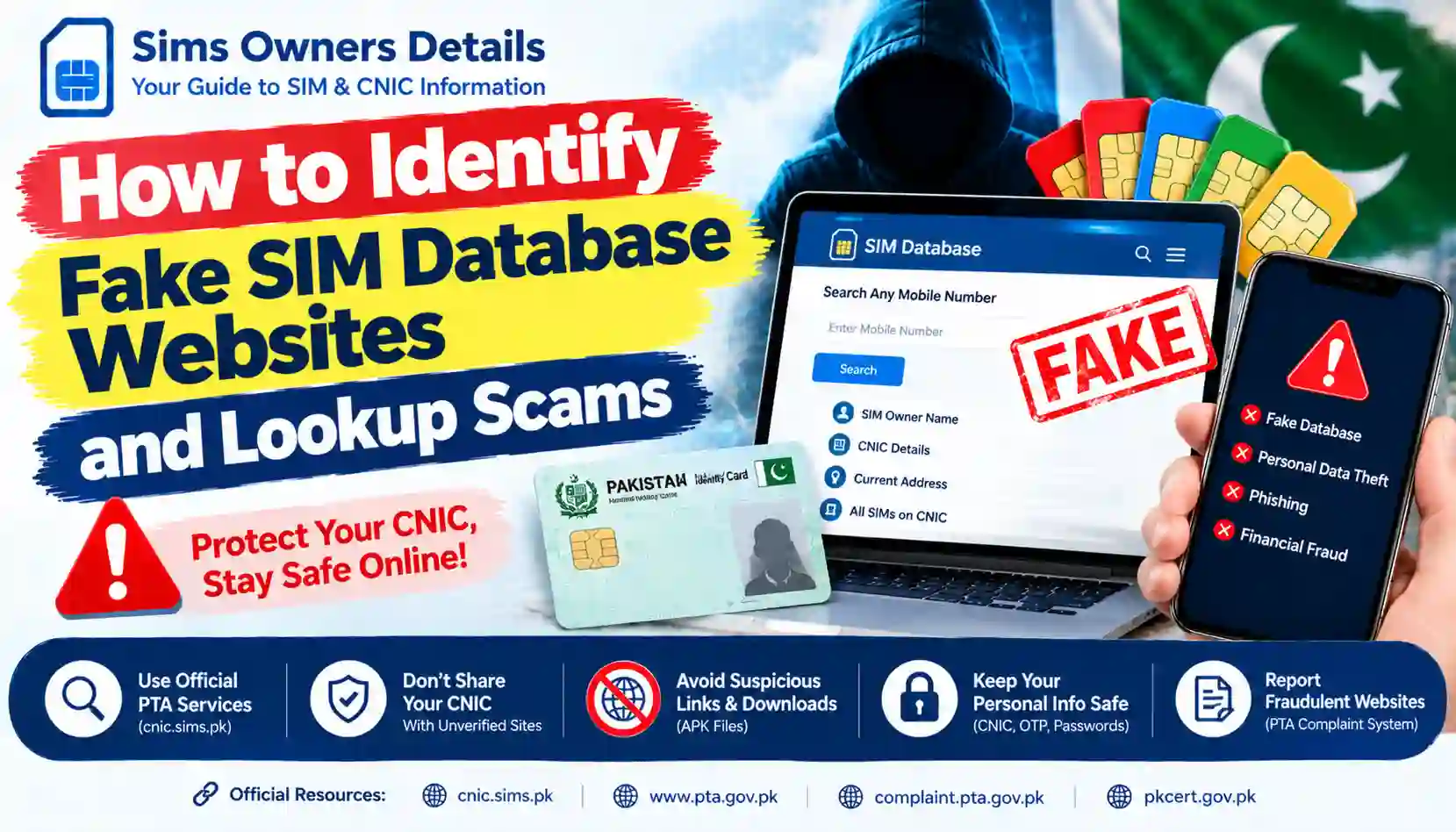
Learn how to spot fake SIM database websites in Pakistan, avoid CNIC lookup scams, protect your personal information, and use official PTA resources.
Searching for SIM owner details, CNIC information, or mobile number records can lead users to many websites claiming to provide instant results. Some pages advertise a complete SIM database, while others promise to reveal a person’s name, CNIC number, address, or all mobile numbers registered under their identity.
These claims can be misleading and may expose visitors to privacy risks, phishing, fake results, unwanted payments, or malicious downloads.
In Pakistan, users should distinguish between official SIM verification services and unofficial websites that claim to provide private subscriber records. The Pakistan Telecommunication Authority (PTA) provides an official SIM Information System for checking SIM registrations associated with your own CNIC. PTA has also warned the public about deceptive links that imitate official services and attempt to collect personal information.
This guide explains how to recognize fake SIM database websites, what warning signs to look for, how to protect your CNIC, and where to report a suspicious website.
What Is a Fake SIM Database Website?
A fake SIM database website is a page or service that makes misleading claims about access to mobile subscriber information. It may advertise itself as a SIM owner checker, Pak SIM database, CNIC lookup tool, mobile number tracker, or private information search system.
Not every unofficial SIM-related website is automatically fraudulent. Some provide educational information about network codes, SIM verification, or official procedures. The concern arises when a website makes deceptive claims, requests unnecessary sensitive information, demands suspicious payments, or attempts to access data without proper authorization.
Common examples include websites that:
- Promise the private identity of any mobile number owner.
- Claim to show another person’s CNIC or home address from a phone number.
- Advertise a downloadable database containing millions of Pakistani mobile records.
- Ask visitors to upload CNIC photographs or biometric information without a clear, legitimate reason.
- Demand payment before revealing supposedly confidential subscriber records.
- Require users to install unknown applications or APK files.
- Copy the name, logo, or appearance of an official government service.
Important: A professional-looking design, a search box, or a large database claim does not prove that a website is authentic or authorized.
Why SIM Lookup Scams Can Be Dangerous
Fake lookup websites may be designed to collect information, generate advertising revenue through misleading claims, distribute malicious files, or persuade users to pay for results that are fabricated or unauthorized.
1. CNIC and identity information theft
Your CNIC number is sensitive personal information. If a suspicious website collects it alongside your name, phone number, date of birth, or a CNIC image, that information could be misused in further scams or impersonation attempts.
Only provide identity information through a service you have independently verified and when it is necessary for the stated purpose.
2. Fake search results
A website may display a name, number, location, or record after you enter a query, but that does not establish that the result is genuine, current, or obtained lawfully. Some pages may show generic results, outdated records, or invented data to persuade visitors to subscribe or pay.
Do not make decisions about another person based on unverified lookup results.
3. Payment fraud
Some sites advertise a free search but request a payment to unlock the final result. After payment, users may receive nothing, be redirected to another page, or face repeated requests for additional fees.
Avoid sending money to unknown operators who promise access to confidential subscriber information.
4. Phishing and account compromise
A fake SIM database website may imitate an official service and ask you to enter passwords, verification codes, or other account details. These details could then be used to attempt account takeover.
The National Cyber Emergency Response Team of Pakistan provides public guidance on recognizing phishing and suspicious links. Read its official phishing safety guidance.
5. Malware and unsafe applications
Some websites encourage visitors to download an APK, browser extension, or unknown file to access a supposed SIM database. Such downloads may expose your device or personal information to security risks.
Do not install an application simply because a website claims it contains an exclusive or updated SIM database.
10 Warning Signs of a Fake SIM Database Website
Use the following checklist before entering any personal information.
1. It promises details for any mobile number
Be cautious when a site claims that entering any Pakistani phone number will reveal the owner’s full name, CNIC, home address, family details, or private records.
A claim of access to private subscriber data is not proof of authorization. Prefer official services and the information you are entitled to access.
2. It claims to have a complete leaked database
Terms such as “all Pakistan SIM data,” “full live database,” “complete CNIC records,” or “millions of numbers updated daily” may be used to attract visitors.
Ask yourself whether the site identifies a legitimate operator, explains its authorization, and provides a verifiable privacy policy. Even if a database appears real, that does not mean it is lawful or safe to use.
3. It imitates a government website
A fraudulent page may use official-looking colours, badges, logos, or agency names to appear trustworthy.
Check the complete domain carefully. For PTA SIM verification, type the official address directly into your browser:
Do not trust a link just because it contains words such as “PTA,” “SIM,” “Pakistan,” or “CNIC.” Lookalike domains can use extra words, spelling changes, hyphens, or misleading subdomains.
4. It asks for unnecessary sensitive information
Stop if a basic information page demands your CNIC photograph, fingerprints, banking information, account password, or one-time password (OTP) without a clear and verified reason.
Never share an OTP with a SIM lookup website or an unknown person claiming to be a representative.
5. It asks you to install an unknown APK
An unknown APK or browser extension can introduce security risks. Use official app stores and verify the publisher before installing an application.
A website that blocks all other options until you download an unfamiliar file deserves extra caution.
6. It demands payment for secret records
A request for money to reveal confidential information about another person is a serious warning sign. Do not assume a payment makes the service genuine or authorized.
Never share card details or send money merely because a page displays a countdown, limited-time offer, or “premium database” message.
7. It has no meaningful contact information
Look for a clear operator name, a working contact method, and a privacy policy explaining what information is collected and why.
Missing contact details alone do not prove fraud, but combined with unrealistic claims and requests for sensitive information, they increase concern.
8. It uses aggressive pop-ups and redirects
Repeated redirects, browser notifications, fake virus alerts, forced downloads, and misleading buttons are warning signs.
Close the page if it attempts to send you to unrelated websites or pressures you to enable notifications before continuing.
9. It uses copied or inconsistent branding
A site may display a government emblem or telecom logo without proving any official relationship. Check the service through the organization’s own website instead of relying on branding shown by the third-party page.
10. It cannot explain how its results are obtained
A trustworthy service should explain what it checks, the limits of its results, and how it handles personal information.
Claims of secret access to every operator’s private records, with no verifiable explanation, should not be treated as reliable evidence.
Official SIM Verification vs. Unofficial Lookup Websites
| Feature | Official verification route | Suspicious lookup website |
|---|---|---|
| Purpose | Helps users check supported SIM registration information | May promise private details beyond its authority |
| Identity requirements | Uses the information required by the official process | May request unnecessary personal data |
| Data access | Subject to the service’s rules and limits | Authorization may be unclear |
| Results | Limited to what the official service provides | Could be fabricated, outdated, or misleading |
| Payments | Follow the official service’s stated terms | May demand unexplained fees |
| Safety | Verify the domain and instructions directly | May contain phishing links or unsafe downloads |
This comparison is a general safety guide, not a claim that every third-party site is fraudulent. Assess the actual service, its claims, and its authorization before trusting it.
How to Verify Your Own SIM Registration Safely in Pakistan
If your goal is to find out how many SIMs are registered against your own CNIC, start with official channels rather than an unofficial lookup website.
Method 1: Use the PTA SIM Information System
- Open the official website: https://cnic.sims.pk/
- Confirm the domain is spelled exactly as shown.
- Follow the instructions on the official page.
- Enter your own CNIC information only as required by the service.
- Review the result and follow the official guidance if you notice an unexpected registration.
Use this service for your own records. Do not assume it provides unrestricted access to another person’s private subscriber information.
Method 2: Check through SMS 668
PTA has advised consumers to check SIMs registered against their CNIC through the SIM Information System or by sending their CNIC number without dashes to 668. Charges may apply, and service instructions can change.
Before sending a message, confirm the current procedure through an official PTA source or your mobile operator. Use your own CNIC and do not send identity information to a random number provided by an unofficial website.
Method 3: Contact your mobile network operator
If you find an unfamiliar registration or need help confirming a SIM record, contact the relevant operator through its official website, helpline, or authorized franchise. Ask about the proper verification and complaint procedure.
Bring the required identification if visiting a franchise, and do not hand your CNIC to an unknown agent or unverified service.
What to Do If You Have Already Used a Fake SIM Lookup Website
If you entered information on a suspicious page, do not panic. Take practical steps based on what you shared.
If you entered your CNIC number
- Stop entering further information.
- Save the website address and any messages or receipts.
- Monitor your SIM registrations through the official PTA service.
- Contact your mobile operator if you notice an unfamiliar SIM or unusual account activity.
- Be alert for follow-up calls or messages that use your personal details to sound convincing.
Entering a CNIC number does not automatically mean your identity has been compromised, but it is sensible to remain vigilant.
If you shared an OTP or account password
- If an account may be affected, change its password from the official app or website.
- Review account security settings and active sessions where available.
- Contact the relevant service provider through its verified support channel.
- Never share additional codes with anyone who contacts you unexpectedly.
If you installed an unknown application
- Stop using the application and review the permissions it received.
- Uninstall it if you suspect it is unsafe.
- Run the security checks available on your device and update the operating system.
- If you entered passwords or financial details, secure the affected accounts using a trusted device and contact the relevant provider.
If you made a payment
Keep the transaction receipt, payment reference, website URL, messages, and any contact details provided by the seller. Contact your bank or payment service promptly to ask whether the transaction can be disputed or otherwise addressed.
Do not pay additional “recovery fees” to strangers who promise to get your money back.
How to Report a Fake SIM Database Website
The correct reporting channel depends on what happened.
Report a telecom-related complaint to PTA
For telecom-related complaints, visit the PTA Complaint Management System. Review the available categories and follow the portal’s instructions.
Report suspected phishing or malicious links
You can review the National CERT’s official cybersecurity guidance for information about phishing, suspicious links, and digital safety.
Report identity-theft concerns
The National Cyber Crime Investigation Agency’s identity-theft guidance explains basic identity protection steps. Consult its official website for current reporting options and instructions.
When reporting, provide evidence you already have, such as the website URL, screenshots, transaction receipts, or messages. Avoid publicly posting your full CNIC, passwords, OTPs, or other sensitive information.
How to Protect Your CNIC and Mobile Number Online
Follow these basic precautions whenever you use a SIM-related website:
- Verify the domain: Open official websites by typing their addresses yourself.
- Limit personal information: Share only what is necessary for a verified purpose.
- Never disclose OTPs: An unknown person or lookup site should not receive your verification codes.
- Avoid unknown downloads: Do not install files offered as a shortcut to private records.
- Check your own SIM registrations: Use the official PTA SIM Information System or the currently confirmed SMS method.
- Keep evidence: Save suspicious messages, URLs, and payment records if you need to report a scam.
- Use strong account security: Set unique passwords and enable available security protections.
- Question unrealistic claims: Promises of unrestricted access to private subscriber records should raise concern.
- Check privacy policies: Understand how a service says it collects, uses, and stores information.
- Tell family members: Help others recognize fake links and avoid sharing CNIC images in public groups.
Internal Links for SimsOwnersDetails.com
For stronger internal linking and topical authority, connect this article to related guides on your website. Use the actual published URL for each article; do not create links to pages that have not been published.
| Suggested anchor text | Relevant article |
|---|---|
| How to Check SIMs Registered on Your CNIC | CNIC.SIMS.PK Guide – How to Check Registered SIMs Online |
| Official PTA SIM Verification Methods | Official PTA SIM Verification Methods – Complete 2026 Guide |
| How to Protect Your CNIC | How to Protect Your CNIC From Unauthorized SIM Registration |
| How to Report SIM Fraud | SIM Fraud in Pakistan – Warning Signs & What to Do |
| How SIM Swap Fraud Works | SIM Swap Fraud – How It Works and How to Protect Your Number |
| How to Check SIM Registration Status | How to Check SIM Registration Status in Pakistan |
| How to Remove an Unauthorized SIM | How to Remove an Unauthorized SIM From Your CNIC |
| SIM Database Online Sites | SIM Database Online Sites: Why Pak SIM Database Lookup Claims Can Be Risky |
Recommended internal linking placement:
- Link the CNIC checking guide in the section explaining official verification.
- Link the unauthorized SIM article in the section about unexpected registrations.
- Link the SIM fraud and SIM swap guides in the warning-signs and response sections.
- Link the SIM database article in the introduction or the explanation of fake database claims.
- Link the homepage using natural brand wording, such as SimsOwnersDetails.com, where it helps readers find more SIM verification guidance.
Trusted External Links and Official Resources
Use these links to help readers verify information independently.
| Resource | Purpose |
|---|---|
| PTA SIM Information System | Check SIM registration information associated with your own CNIC, according to the service’s instructions. |
| Pakistan Telecommunication Authority | Read official telecom information and announcements. |
| PTA Complaint Management System | Review the official process for submitting telecom-related complaints. |
| National CERT Pakistan | Find cybersecurity advisories and online safety guidance. |
| National CERT phishing guidance | Learn how to recognize and avoid phishing attempts. |
| National Cyber Crime Investigation Agency | Read identity-theft prevention guidance and check official reporting information. |
Always verify that a website is genuinely operated by the organization it claims to represent. An external link is included for reference and does not mean every third-party service is endorsed.
Frequently Asked Questions
How can I tell if a SIM database website is fake?
Look for unrealistic promises, requests for unnecessary CNIC or OTP information, suspicious payment demands, forced downloads, copied official branding, and unclear contact details. No single sign proves fraud, but several warning signs together should prompt you to leave the site.
Can a website show the owner of any Pakistani mobile number?
Do not assume that an online lookup service is authorized to reveal private subscriber details. Use official services for your own SIM registration information and contact the relevant operator or authority when you have a legitimate concern.
Is the PTA SIM Information System official?
The official PTA SIM Information System is available at https://cnic.sims.pk/. Check the exact domain before entering your CNIC details and follow the instructions displayed on the official site.
Is it safe to upload a CNIC picture to a SIM database website?
Avoid uploading your CNIC image to an unfamiliar or unverified website. An identity document contains sensitive information and should only be provided through a verified service when genuinely required.
What should I do if a fake website has my CNIC number?
Stop using the site, preserve evidence, and monitor your own SIM registrations through official channels. If you find an unfamiliar registration or suspect misuse, contact your operator and consult the relevant official complaint channel.
Should I pay for a leaked SIM database?
No. Do not pay unknown sellers for supposed private subscriber records. The authenticity and authorization of such data may be unclear, and the transaction itself may expose you to financial or privacy risks.
Where can I report a suspicious telecom-related link?
Start with the official PTA Complaint Management System for relevant telecom complaints. For suspected phishing or identity theft, consult the official National CERT and NCCIA resources listed above.
Does a website become trustworthy just because it has HTTPS?
No. HTTPS encrypts the connection between your browser and a website, but it does not prove the website is honest, official, or authorized to provide the information it advertises.
Conclusion
Fake SIM database websites and lookup scams often rely on curiosity, urgency, and promises of access to private information. A convincing logo, a professional layout, or a working search box is not enough to establish trust.
Protect yourself by checking the domain, avoiding unnecessary disclosure of CNIC details, refusing suspicious payments, and staying away from unknown downloads. For SIM registrations associated with your own identity, use the official PTA SIM Information System or the currently confirmed SMS procedure.
Sims Owners Details provides educational guidance to help users understand SIM verification and online safety. Always confirm important instructions through the relevant official organization.
Disclaimer: SimsOwnersDetails.com is an independent informational website and is not affiliated with PTA, NADRA, NCCIA, or any mobile network operator. This article is for general awareness and does not provide access to private subscriber databases or legal advice.