The SIM Information System in Pakistan is an important telecom verification service that helps individuals check how many mobile SIMs are registered against their CNIC. It is particularly useful for people who want to review their mobile registrations, identify an unexpected SIM count, or keep better control over their identity information.
In Pakistan, SIM registration is closely connected with identity verification. A mobile connection is not simply a phone number; its registration is associated with subscriber information and identity verification processes.
The official SIM Information System provides a way for users to check SIM registration information associated with their CNIC. The current system asks users to enter their CNIC and provides network-wise SIM information, including a total. It also provides a separate option for foreign nationals to use a Foreign ID.
This complete guide by Sims Owners Details explains what the SIM Information System is, how it works, what information it provides, how to check your registered SIMs, the role of PTA and NADRA, what to do if you find an unfamiliar registration, and how to protect your CNIC from unauthorized SIM-related activity.
Important: Sims Owners Details is an independent informational website. It does not operate the official SIM Information System, PTA, NADRA, or any telecom operator database. Always verify important information through official channels.
Quick Answer: What Is the SIM Information System?
The SIM Information System is an online system that allows a person to check the number of SIMs registered against their CNIC.
The official website asks users to enter their CNIC number and complete the required verification. After processing the request, the system can show SIM counts associated with supported mobile networks.
In simple terms:
CNIC → SIM Information System → Network-wise SIM Count → Total SIMs
The current official interface shows network fields including Jazz, Telenor, Ufone, Zong and Warid, along with a total SIM count. The exact presentation of network information can change as telecom services and systems are updated.
The official system also clearly states that CNIC validity is not reflected in the result. Therefore, a SIM Information System result should not be interpreted as confirmation that a CNIC itself is valid or invalid.
Why Was the SIM Information System Created?
A mobile SIM connects a subscriber to a telecommunications network. Because SIM registration is associated with identity information, users need a way to understand what mobile registrations exist against their own identity.
The SIM Information System helps provide visibility into that registration information.
This is particularly important because people may accumulate mobile connections over time.
For example, a person might have:
- Used Jazz several years ago
- Switched to Zong
- Kept an old Telenor number
- Replaced a lost SIM
- Forgotten about an unused connection
- Changed mobile networks multiple times
Without checking the registration record, it may be difficult to remember every SIM associated with an identity.
The system therefore provides a useful self-checking mechanism.
What Does the SIM Information System Show?
The most important thing to understand is that the system primarily provides SIM registration counts, not unrestricted private subscriber information.
A typical network-level result can be understood like this:
| Network | Number of Registered SIMs |
|---|---|
| Jazz | Number shown by system |
| Telenor | Number shown by system |
| Ufone | Number shown by system |
| Zong | Number shown by system |
| Warid | Number shown by system |
| Total | Combined count |
The official SIM Information System currently presents a network and number-of-SIMs structure on its result page.
This means the system is useful for answering a question such as:
“How many SIMs are registered against my CNIC?”
It should not be confused with a public database for obtaining another person’s private information.
What the SIM Information System Does Not Mean
There is a lot of misinformation online about SIM databases.
Some websites advertise services claiming to provide:
- SIM owner name
- Complete CNIC details
- Home address
- Family information
- Live location
- Complete SIM database
- Private subscriber records
These claims should be treated very carefully.
The official SIM Information System is intended for controlled SIM registration checking. It should not be viewed as a public directory that allows anyone to obtain another person’s confidential subscriber information.
The system is primarily useful for:
- Checking your own SIM registration count
- Reviewing network-wise registrations
- Identifying an unexpected SIM count
- Maintaining awareness of your mobile registrations
It should not be used as a way to:
- Track another person
- Find someone’s home address
- Obtain private CNIC records
- Access leaked databases
- Find someone’s live location
- Obtain confidential subscriber information
Sims Owners Details does not provide leaked SIM databases or private subscriber records.
How Does SIM Registration Work in Pakistan?
SIM registration involves identity verification.
NADRA is Pakistan’s national identity authority and maintains the country’s central national identity infrastructure. It issues identity documents including CNIC, NICOP and POC and provides identity verification services.
Telecom services use identity verification processes when subscriber-related transactions are performed.
NADRA’s current verification information describes biometric verification services that can match fingerprints and photographs with CNIC information.
This is one reason why users should take their CNIC and biometric information seriously.
SIM Information System and CNIC
A CNIC is the Computerised National Identity Card issued by NADRA.
NADRA describes the CNIC as an official identity document and states that it serves as proof of a citizen’s identity, nationality and legal status within Pakistan.
The SIM Information System uses the CNIC as the identity reference for checking SIM registration information.
This creates a simple relationship:
| Item | Role |
|---|---|
| CNIC | Identity reference |
| NADRA | National identity authority |
| Telecom operator | Provides mobile/SIM service |
| SIM Information System | Provides SIM registration checking |
| PTA | Telecom regulator and consumer complaint authority |
Understanding these different roles helps prevent confusion.
How to Check SIMs Through the SIM Information System
If you want to check SIMs registered against your CNIC online, the process is straightforward.
Step 1: Open the Official SIM Information System
Visit the official SIM Information System website.
Make sure you are using the correct official domain:
cnic.sims.pk
Avoid entering your CNIC into random websites that appear in search results.
Step 2: Select CNIC
The current system provides options for:
- CNIC
- Foreign ID
For Pakistani citizens checking their own registrations, select the CNIC option.
Foreign nationals should use the appropriate Foreign ID option where applicable.
Step 3: Enter Your CNIC Number
Enter your 13-digit CNIC number in the required field.
Check the digits carefully before submitting.
Do not publish your CNIC on social media or provide it to an unknown website simply because it claims to offer SIM verification.
Step 4: Complete the Verification
The online system may require a verification challenge.
Complete the verification shown on the website.
If verification fails, check the information you entered and try again.
Step 5: Submit the Request
After entering your CNIC and completing the verification, submit the request.
The system processes the information and displays the available SIM registration result.
Step 6: Review the Result
Look at the network-wise SIM counts.
For example:
| Network | Example Count |
|---|---|
| Jazz | 2 |
| Telenor | 1 |
| Ufone | 0 |
| Zong | 1 |
| Total | 4 |
The numbers above are only an example. They do not represent a real CNIC or real subscriber record.
How to Check SIMs Through SMS
The SIM Information System is not the only route associated with SIM registration checking.
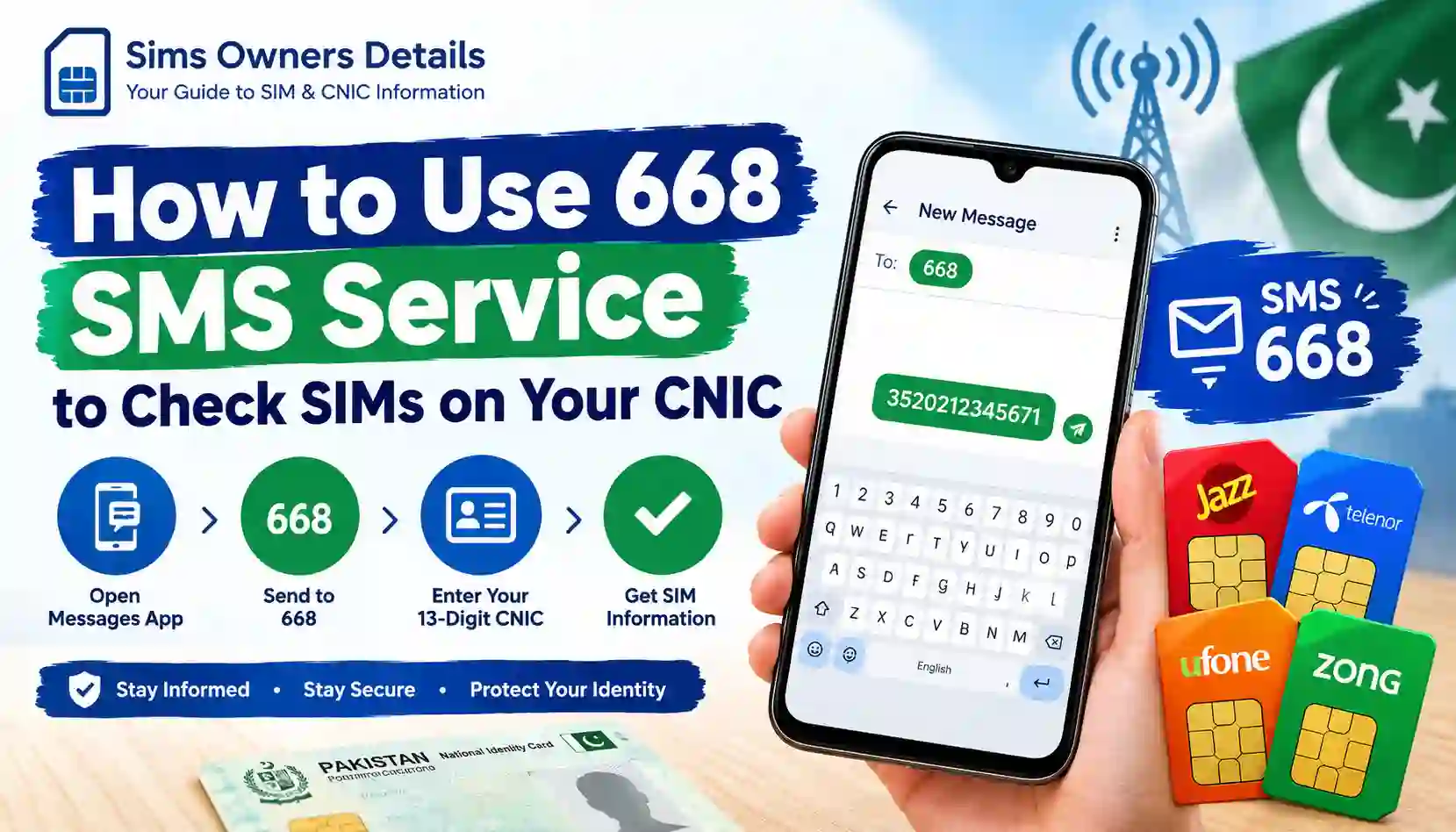
PTA’s published cybercrime guidance advises users to periodically check the number of SIMs issued in their name by sending their CNIC number to 668. The same guidance recommends blocking illegally issued SIMs.
The basic method is:
Type your CNIC number → Send to 668
Use your own CNIC and follow the current instructions applicable to your mobile service.
If SMS procedures or charges change, verify the current information through official telecom sources.
Online SIM Check vs 668 SMS
Both methods are useful, but they work differently.
| Feature | Online SIM Information System | 668 SMS |
|---|---|---|
| Method | Website | SMS |
| Internet | Required | Not required for SMS |
| CNIC | Required | Required |
| Best for | Browser-based checking | Quick mobile check |
| Device | Phone, tablet or computer | Mobile phone |
| Network result | Displayed online | Returned through SMS |
| Useful for periodic checking | Yes | Yes |
The online system is particularly useful when you want to view the network-wise result on a browser.
The SMS method can be convenient when you do not have reliable internet access.
What Is the Difference Between SIM Information System and NADRA?
This is one of the most common areas of confusion.
NADRA and the SIM Information System are not the same thing.
NADRA is Pakistan’s national identity authority. It is responsible for registering citizens and establishing legal identity and maintains the national identity database.
The SIM Information System, meanwhile, is used for checking SIM registration information.
Simple comparison
| NADRA | SIM Information System |
|---|---|
| National identity authority | SIM registration checking service |
| Issues CNIC/NICOP/POC | Checks SIM registration information |
| Provides identity verification services | Shows SIM counts by network |
| Maintains national identity infrastructure | Focused on SIM registration information |
NADRA’s official website currently describes a broad identity-verification ecosystem, including biometric verification, Verisys and other identity services.
What Is PTA’s Role?
The Pakistan Telecommunication Authority (PTA) is the country’s telecom regulatory authority.
For ordinary users, it is useful to think about PTA as the regulator overseeing the telecommunications environment, while mobile operators deal directly with subscribers and their accounts.
If you discover a telecom problem, your first step may involve the relevant mobile operator.
If the issue is not resolved appropriately, PTA’s complaint mechanism provides a route for telecom consumers to submit complaints.
This distinction is important:
SIM Information System → checking registration information
Mobile operator → subscriber account/SIM-level assistance
PTA → telecom regulatory and complaint channel
Why Should You Check SIMs Registered on Your CNIC?
There are several practical reasons to periodically review your SIM registration information.
1. You May Have Forgotten an Old SIM
People often stop using a number without remembering whether its registration was properly handled.
2. You May Have Lost a SIM
A lost SIM should not simply be ignored.
3. You May Have Changed Networks
If you have used multiple operators, reviewing your registration information can provide useful visibility.
4. You May Find an Unexpected Registration
A higher-than-expected SIM count gives you a reason to investigate.
5. It Helps You Monitor Your Identity
Regular checks can make you more aware of the mobile services associated with your identity.
6. It Can Help Identify Potential Problems
An unexplained registration should be investigated through official channels rather than ignored.
What If the SIM Count Is Higher Than Expected?
Suppose you check your CNIC and the system shows more SIMs than you currently use.
Don’t immediately assume that someone has stolen your identity.
There can be several explanations.
Possible reasons include:
- An old SIM you forgot about
- A previously used mobile network
- A lost SIM
- A replacement connection
- An account that requires operator-level verification
- A registration you genuinely do not recognize
The correct response is to investigate.
What to Do If You Find an Unknown SIM
Follow a simple process.
1. Identify the Network
Look at which mobile network has the unexpected count.
2. Think About Your Previous SIMs
Consider numbers you used several years ago.
3. Contact the Operator
Use the operator’s official customer-care channel or authorized service center.
4. Explain the Issue
Tell the operator that you do not recognize the registration associated with your CNIC.
5. Complete Identity Verification
The operator may require identity verification before making changes.
6. Ask About Blocking or Correction
Follow the operator’s official procedure.
7. Save Your Complaint Number
Keep a record of any complaint or service request.
8. Escalate if Necessary
If the matter is not resolved through the operator, consider using PTA’s official complaint process.
Why Biometric Verification Matters
Biometric verification is an important part of Pakistan’s broader identity ecosystem.
NADRA currently describes biometric verification services that match fingerprints and photographs with CNIC information. It also describes multi-biometric verification and other identity-verification services.
The National Registration & Biometric Policy Framework also discusses the role of biometric verification in SIM-related processes and highlights risks associated with misuse of biometric information.
This means consumers should be cautious when anyone asks them for:
- Fingerprints
- CNIC photographs
- CNIC numbers
- OTP codes
- Other identity information
Only provide such information through legitimate and authorized processes.
SIM Information System and SIM Fraud
SIM-related fraud can involve unauthorized registration, social engineering, identity misuse, or other forms of abuse.
PTA’s telecom security guidance has specifically warned about illegal SIM issuance and recommends that consumers periodically check the SIMs issued in their names.
Some warning signs include:
- Unexpected SIM registrations
- Suspicious telecom messages
- Sudden loss of mobile service
- Unexplained account activity
- Someone asking for your biometric information
- Someone asking for an OTP
- A stranger requesting a copy of your CNIC
Not every unusual event means fraud, but unusual activity should be investigated carefully.
How to Protect Your CNIC From Unauthorized SIM Registration
You cannot completely eliminate every possible risk, but you can reduce unnecessary exposure.
Follow these security practices:
- Check your SIM registrations periodically.
- Use authorized telecom outlets.
- Do not provide biometric information to unknown individuals.
- Do not share OTPs.
- Avoid uploading CNIC photographs to unofficial websites.
- Do not post your CNIC publicly.
- Be cautious when someone offers a free SIM outside an authorized location.
- Keep records of your active mobile connections.
- Report suspicious telecom activity through official channels.
PTA’s published awareness material specifically advises purchasing SIMs from cellular franchises rather than informal locations and recommends periodically checking SIMs issued in your name.
SIM Information System Is Not a Mobile Tracking Tool
Another common misunderstanding is that SIM registration systems can be used to track a person’s live location.
A SIM registration check is not the same thing as location tracking.
The SIM Information System is designed to provide registration information associated with an identity record. It does not mean that a normal user can enter a person’s CNIC or mobile number and obtain their live GPS location.
Be especially careful with websites claiming:
“Track any SIM location online.”
Such claims should not be confused with legitimate telecom verification services.
Can You Find a SIM Owner’s Name Through the Official System?
The official SIM Information System should not be treated as a public reverse-lookup directory.
Its purpose is to allow authorized checking of SIM registration information rather than exposing unrestricted private subscriber data.
If a website claims:
Enter any Pakistani mobile number and get the owner’s complete name, CNIC, address and location.
you should be extremely cautious.
Avoid providing your own CNIC, mobile number, or documents to such websites unless you have a legitimate reason and understand who operates the service.
What Information Should You Never Share Publicly?
Your identity information should be handled carefully.
Never publicly post:
| Information | Why You Should Protect It |
|---|---|
| CNIC number | Identity information |
| CNIC photograph | Contains sensitive identity data |
| Fingerprint/biometric information | Highly sensitive authentication information |
| OTP | Can be used to authenticate transactions |
| Banking credentials | Financial security |
| SIM/account PIN | Account security |
| Home address | Personal privacy |
If you need help with a SIM problem, describe the issue without posting your personal information.
Common Problems With the SIM Information System
Verification Failed
The website may display a verification failure.
Try:
- Checking the CNIC digits
- Refreshing the page
- Completing the verification again
- Trying later if there is a temporary technical problem
Result Does Not Match Your Expectations
If the displayed count is higher or lower than expected, investigate the registration through the relevant operator.
CNIC Validity Question
The official SIM Information System specifically states that CNIC validity is not reflected in the result.
Therefore, do not use the SIM result as proof that your CNIC is currently valid or invalid.
Website Not Working
If the official website is temporarily unavailable, you can consider the appropriate official SMS route or contact your telecom provider for relevant assistance.
Does the SIM Information System Show Every Mobile Number?
The official interface is designed around SIM counts by network.
The result page presents networks and their corresponding number of SIMs.
Therefore, users should not assume that the system is a public list containing every private mobile number associated with a CNIC.
This distinction is especially important because many third-party websites incorrectly advertise their services as “complete SIM databases.”
For legitimate self-verification, rely on official channels.
What Is the Role of Mobile Operators?
Mobile operators are important because the SIM Information System may tell you that a registration exists, but an operator is generally the appropriate organization to contact about a specific subscriber account or SIM issue.
If your result is unexpected:
Check the network → Contact the relevant operator → Complete verification → Request appropriate action
If the matter remains unresolved, you can consider the relevant PTA complaint mechanism.
This is safer than attempting to resolve a subscriber-registration issue through an unofficial website.
Official SIM Verification vs Third-Party Websites
A major goal of this guide is to help users distinguish legitimate services from questionable websites.
| Official Route | Third-Party Lookup |
|---|---|
| Uses recognized telecom/official channels | Ownership may be unclear |
| Designed for legitimate verification | May make unsupported claims |
| Protects controlled subscriber information | May request unnecessary personal data |
| Provides a defined service | May advertise leaked databases |
| Better choice for your own SIM check | Privacy and accuracy may be uncertain |
When checking your CNIC, official sources should always be your first choice.
Benefits of Checking Your SIM Registration
The SIM Information System is useful for general awareness and identity management.
Key benefits include:
- Better awareness of registered SIMs
- Ability to identify unexpected counts
- Convenient online checking
- Alternative SMS-based checking
- Useful for periodic personal audits
- Helps you follow up on unfamiliar registrations
- Encourages better CNIC security practices
These are practical benefits of verification and should not be interpreted as guarantees that checking a SIM record will prevent every form of identity fraud.
A Simple SIM Registration Audit
You can perform a basic personal audit using this checklist.
Once you check your result:
Question 1: How many SIMs do I currently use?
Question 2: How many old SIMs have I used?
Question 3: Have I lost any SIMs?
Question 4: Have I changed mobile networks?
Question 5: Does the network-wise count make sense?
Question 6: Is there anything I do not recognize?
Question 7: If something looks wrong, have I contacted the relevant operator?
This approach is much more useful than simply checking a number and ignoring the result.
Official Resources for SIM and Identity Information
When researching SIM registration, use reliable sources.
SIM Information System
The official SIM Information System provides the online CNIC-based SIM registration check.
PTA
PTA provides telecommunications regulatory information and consumer complaint channels.
NADRA
NADRA handles Pakistan’s national identity infrastructure and provides identity verification services.
Mobile Operators
Operators provide subscriber-level assistance for SIM-related issues.
FIA / Law Enforcement
Where an issue involves suspected criminal misuse or cybercrime, use the appropriate official reporting channel.
Frequently Asked Questions
What is SIM Information System in Pakistan?
The SIM Information System is a service used to check the number of SIMs registered against a CNIC. The official online system provides network-wise SIM information and a total.
What website is used to check SIMs on CNIC?
The official online SIM Information System is available at cnic.sims.pk.
How can I check SIMs registered against my CNIC?
Open the official SIM Information System, select the CNIC option, enter your 13-digit CNIC, complete the verification and submit the request.
Can I check SIMs without internet?
Yes. PTA-linked guidance recommends checking SIMs issued in your name by sending your CNIC number to 668.
Does the SIM Information System show mobile numbers?
The official result is structured around network-wise SIM counts. It should not be treated as a public list of another person’s private mobile numbers.
Does the system show the SIM owner’s address?
No. It should not be used as a public source for obtaining someone’s private address.
Is the SIM Information System the same as NADRA?
No. NADRA is Pakistan’s national identity authority. The SIM Information System is used for checking SIM registration information.
What if I find an unknown SIM on my CNIC?
Contact the relevant mobile operator through an official channel and request verification or appropriate action. Keep any complaint/reference number.
What if the operator does not resolve the issue?
You can consider using PTA’s official complaint mechanism for an unresolved telecom complaint.
Can someone track me using my SIM registration?
A SIM registration check is not the same as live location tracking. Be cautious of websites claiming that they can provide live SIM locations.
Should I give my CNIC to a third-party SIM website?
Avoid giving sensitive identity information to unknown websites. For SIM verification, use official services whenever possible.
Does the SIM result confirm that my CNIC is valid?
No. The official SIM Information System states that CNIC validity is not reflected in the result.
Why is checking SIM registration important?
Periodic checking can help you identify registrations that you do not recognize and gives you an opportunity to contact the relevant operator if something appears incorrect.
Final Thoughts
The SIM Information System in Pakistan is an important tool for people who want to understand the SIM registrations associated with their CNIC.
Its main purpose is straightforward:
Use your identity information to check the SIM registrations associated with that identity.
The official system provides a network-wise view of SIM counts and a total. Users can also follow the SMS-based checking route associated with 668, which PTA-linked guidance recommends for periodically checking SIMs issued in their name.
However, it is important not to confuse legitimate SIM verification with unofficial “SIM owner database” websites.
A genuine SIM registration check is about your own identity and your own mobile registrations. It is not a tool for obtaining another person’s address, live location, confidential CNIC record, or private subscriber information.
If your result appears unusual, investigate it calmly. Check your history, identify the relevant network, contact the operator, complete any required verification, and keep a record of your complaint. If necessary, use the appropriate PTA complaint channel.
Your CNIC and biometric information should always be treated as sensitive. Avoid sharing these details with unknown websites, social media accounts, or unauthorized individuals.
Sims Owners Details provides educational information only. We are not affiliated with PTA, NADRA, or any mobile network operator and do not maintain a private SIM-owner database. For important or account-specific matters, always rely on the relevant official authority or telecom operator.
Quick Reference Table
| Need | Recommended Route |
|---|---|
| Check SIMs registered on your CNIC | Official SIM Information System |
| Check through SMS | 668, following current official instructions |
| Identity verification | NADRA-authorized services |
| SIM/account problem | Relevant mobile operator |
| Telecom complaint | PTA complaint channel |
| Suspected criminal misuse | Appropriate official law-enforcement channel |
| Private SIM database | Do not use unofficial sources |
Key Points to Remember
- SIM Information System helps check SIM registrations associated with your CNIC.
- The official online service is available through cnic.sims.pk.
- The result is presented by network and includes a total.
- CNIC validity is not reflected in the SIM Information System result.
- PTA-linked guidance recommends periodic checking through 668.
- NADRA and the SIM Information System have different roles.
- An unexpected SIM count should be investigated through the relevant operator.
- Do not use unofficial websites to obtain another person’s private information.
- Protect your CNIC, biometrics and OTPs.
- Use official sources for telecom and identity-related issues.