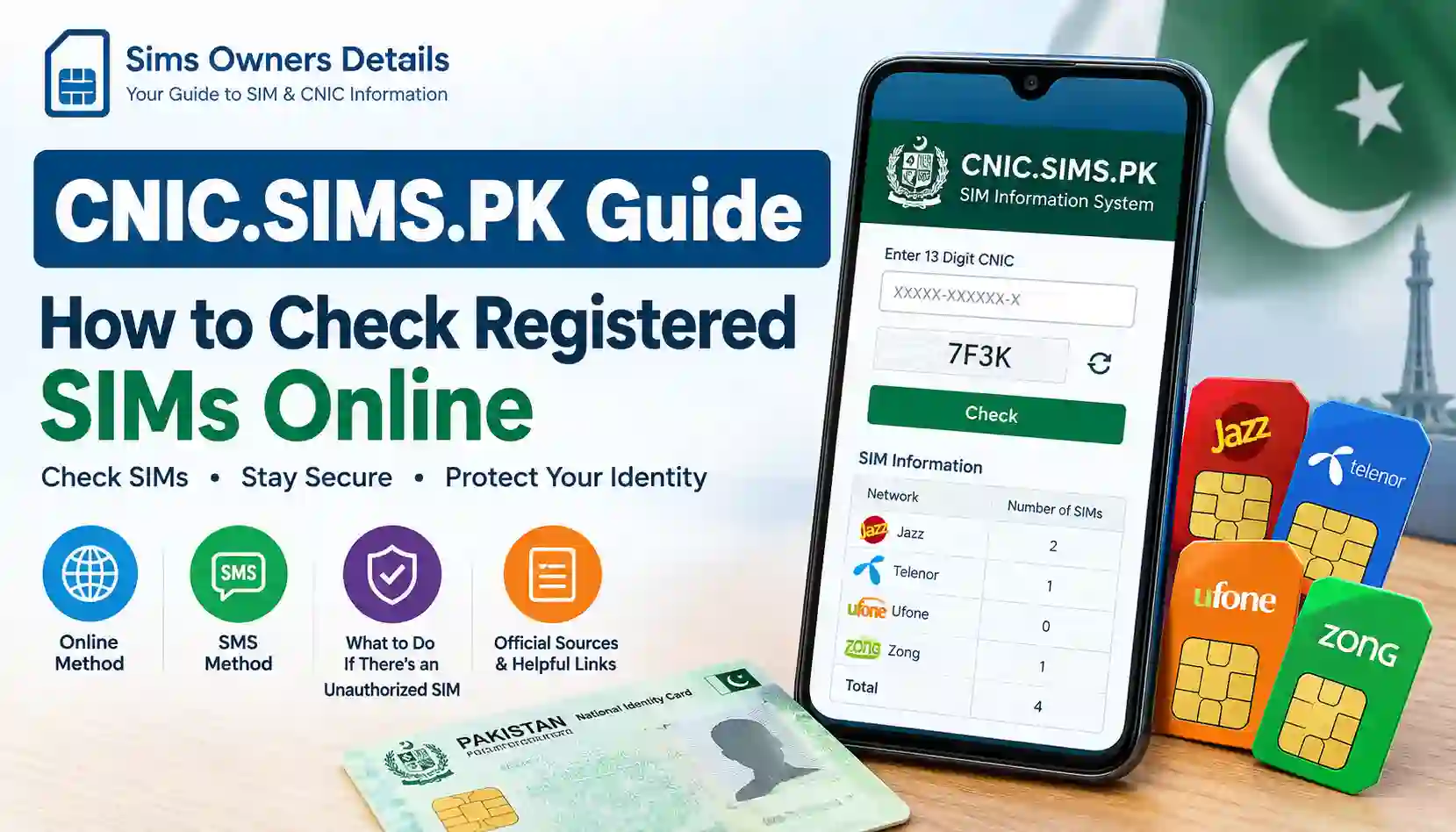
If you want to know how many SIM cards are registered against your CNIC in Pakistan, the official SIM Information System provides a convenient way to check your registration record. The service is commonly accessed through CNIC.SIMS.PK, where users can enter their CNIC number and view the number of SIMs associated with different mobile networks.
Checking your SIM registration record is useful when you want to confirm that the mobile connections registered under your identity are actually yours. It can also help you identify an unexpected SIM registration so you can contact the relevant mobile operator and take appropriate action.
The official SIM Information System displays SIM counts by network. Its current interface lists networks such as Jazz, Telenor, Ufone and Zong, along with a total SIM count. The system also notes that the CNIC number’s validity itself is not reflected by the result.
This guide from Sims Owners Details explains the process step by step, including the online method, SMS method, what the results mean, what to do about an unauthorized SIM, and important privacy and security precautions.
What Is CNIC.SIMS.PK?
CNIC.SIMS.PK is the web address used for Pakistan’s SIM Information System. The service allows a user to enter a CNIC number and check the number of SIMs associated with that identity across supported mobile networks.
The system provides results in a network-wise format rather than simply displaying a long list of mobile numbers. For example, the result can show the number of SIMs associated with individual networks and a total count.
The official system currently presents fields for:
| Information | What It Shows |
|---|---|
| CNIC Number | The identity number entered for the search |
| Jazz | Number of registered SIMs |
| Telenor | Number of registered SIMs |
| Ufone | Number of registered SIMs |
| Zong | Number of registered SIMs |
| Total | Combined number shown by the system |
The official SIM Information System itself displays a warning that CNIC validity is not reflected in the result.
For the official service, visit: Official CNIC SIM Information System
Important: Sims Owners Details is an independent informational website. It does not operate the government SIM database and does not provide private CNIC or subscriber records.
Why Should You Check SIMs Registered on Your CNIC?
Your CNIC is an important identity document. NADRA describes the CNIC as the official identity document issued to Pakistani citizens and uses national identity infrastructure for identity verification.
Because mobile SIM registration is connected with subscriber identity verification, it is sensible to periodically review the SIM registration count associated with your identity.
There are several practical reasons to check:
- You may have forgotten about an old SIM.
- A SIM may have been registered under your CNIC and is no longer in your possession.
- You may want to review your mobile registrations after changing networks.
- You may suspect that an unauthorized SIM exists.
- You may want to maintain better control over your identity information.
- You may be checking your records before obtaining another mobile connection.
- You may have lost a SIM and want to make sure your registration record is properly handled.
Pakistan’s National Registration & Biometric Policy Framework also states that fingerprints are matched against the CNIC database before certain SIM-related transactions, including purchase, duplication, re-verification or change of ownership.
How to Check Registered SIMs Online Through CNIC.SIMS.PK
The online method is straightforward.
Step 1: Open the Official SIM Information System
Open the official SIM Information System: CNIC.SIMS.PK
Make sure you are using the correct website and avoid entering your CNIC into random websites claiming to provide private SIM owner information.
Step 2: Select the CNIC Option
The system provides an option for checking information using a CNIC. Foreign nationals may have a separate Foreign ID option on the service.
The official interface specifically asks users to enter their identity information and verify it before viewing the result.
Step 3: Enter Your 13-Digit CNIC
Enter your 13-digit CNIC number in the required field.
If the website asks for the CNIC without dashes, enter the digits continuously.
For example:
1234512345671
Do not use a real person’s CNIC as an example on your own website or share your CNIC publicly.
Step 4: Complete Verification
Complete the verification step shown by the website.
Depending on the current interface, this may involve a verification challenge before the system processes the request.
Step 5: Submit the Request
Submit your CNIC information.
The system processes the request and displays the available SIM registration information by network.
Step 6: Review the Network-Wise Result
The result can show the number of SIMs associated with networks such as:
- Jazz
- Telenor
- Ufone
- Zong
The official system’s result page presents a “Network” and “Number of SIMs” structure, followed by a total.
Step 7: Compare the Result With Your Own SIMs
Now compare the displayed numbers with the SIMs you actually use or have registered.
For example:
| Network | SIMs Shown | Your Record |
|---|---|---|
| Jazz | 2 | 2 |
| Telenor | 1 | 1 |
| Ufone | 0 | 0 |
| Zong | 1 | 1 |
| Total | 4 | 4 |
This is only an illustrative example. Your actual result will depend on the information associated with the CNIC you check.
What Information Does CNIC.SIMS.PK Show?
One of the most important things to understand is that the service is primarily useful for checking SIM registration counts by network.
It should not be confused with websites that claim to reveal private information about another person.
The official system’s result format is based on network-level SIM counts.
Example of the Type of Result
| Network | Number of SIMs |
|---|---|
| Jazz | Count shown by system |
| Telenor | Count shown by system |
| Ufone | Count shown by system |
| Zong | Count shown by system |
| Total | Combined count |
The purpose is to help the CNIC holder understand the number of registered SIM connections associated with the identity record.
Can CNIC.SIMS.PK Show the Name of a SIM Owner?
The official SIM Information System should not be treated as a public directory for obtaining another person’s private subscriber information.
If you search for terms such as:
- SIM owner name by number
- CNIC owner details
- SIM owner address
- SIM owner live location
- complete CNIC database
you may encounter websites or social media pages making such claims.
Be cautious.
A legitimate SIM verification process is different from a website claiming to expose private subscriber information.
For your own SIM registration, use official channels and contact the relevant telecom operator when further verification or correction is necessary.
Sims Owners Details does not provide private CNIC databases, leaked records, addresses, or unauthorized subscriber information.
How to Check SIMs Through SMS
In addition to the web-based system, an official PTA guidance document states that users can periodically check the number of SIMs issued in their name by sending their CNIC number to 668. The same guidance recommends blocking illegally issued SIMs.
The basic concept is:
Send your CNIC number to 668.
This provides another route for checking SIM registration information.
However, because telecom procedures and SMS services can change, users should verify current instructions through official PTA or operator channels before relying on an SMS procedure.
Pakistan Telecommunication Authority (PTA)
CNIC.SIMS.PK vs SMS 668
Both methods relate to checking SIM registrations, but they are accessed differently.
| Feature | CNIC.SIMS.PK | SMS 668 |
|---|---|---|
| Method | Online | SMS |
| Information used | CNIC | CNIC |
| Main purpose | Check SIM registration information | Check SIM registration information |
| Internet required | Yes | No |
| Network-wise information | Displayed by online system | Provided through SMS service |
| Best use | Online checking | Alternative SMS-based checking |
The official PTA cybercrime guidance specifically mentions the 668 method for periodically checking SIMs issued in your name.
What If You Find an Unknown SIM on Your CNIC?
Finding an unfamiliar SIM registration does not automatically tell you why it appears in the record.
There can be different explanations, including an old connection, an issue requiring operator verification, or a registration you do not recognize.
The safest approach is to contact the relevant mobile operator through its official customer-service channels.
Follow these steps:
- Record the network shown in your result.
- Check whether you previously used that network.
- Think about old, lost, replaced, or unused SIMs.
- Contact the relevant operator through an official channel.
- Ask the operator to verify the registration associated with your identity.
- Follow the operator’s process for blocking or correcting an unauthorized connection.
- Keep any complaint or reference number.
- Recheck your registration information afterward when appropriate.
Do not post your CNIC number, mobile number, or personal documents publicly while asking for help online.
How to Block an Unauthorized SIM
If you believe a SIM has been registered using your identity without your authorization, contact the mobile operator associated with the registration.
The PTA guidance on cybercrime risks specifically advises users to check SIMs issued in their name and block illegally issued SIMs.
A typical process may involve:
1. Identify the Network
First determine which network has the unexpected SIM registration.
2. Contact the Operator
Use the operator’s official customer-care channel or visit an authorized service center.
3. Complete Identity Verification
The operator may require identity verification before making changes to a SIM registration.
4. Explain the Problem
Clearly explain that the SIM registration is not recognized by you.
5. Request Appropriate Action
Ask the operator what process applies to the unrecognized registration, including blocking or correction where appropriate.
6. Keep Proof of Your Complaint
Save any complaint number, ticket, SMS, email, or other confirmation.
7. Escalate if Necessary
If the telecom issue is not resolved, PTA’s Complaint Management System provides a platform for consumers to lodge and track telecom-related complaints. Its official manual describes registration, complaint submission, status tracking, and feedback functions.
PTA Complaint Management System
When Should You Contact PTA?
You can consider contacting PTA when you have a telecom-related complaint that requires regulatory escalation after dealing with the relevant service provider.
PTA’s official Complaint Management System is designed for telecom consumers to register and track complaints related to telecommunication services.
When making a complaint, keep useful information available, such as:
- Your name
- CNIC information
- Relevant mobile network
- Complaint details
- Operator complaint/reference number
- Date of communication
- Supporting documentation where appropriate
Avoid submitting unnecessary personal information to unofficial websites.
What If the Issue Involves Fraud or Cybercrime?
A SIM registration issue can sometimes become more serious if you believe your identity has been misused for fraudulent or unlawful activity.
In such circumstances, use the appropriate official law-enforcement reporting channel.
The FIA currently provides an official complaint registration portal where complainants can submit details, including their CNIC information, contact information, complaint category, description and optional supporting documentation.
FIA Official Complaint Registration Portal
The FIA also lists 1991 as a cybercrime helpline on its official website.
Federal Investigation Agency – Official Website
SIM Registration and Biometric Verification in Pakistan
SIM registration is connected with identity verification requirements.
NADRA’s National Registration & Biometric Policy Framework states that fingerprints are matched against the CNIC database before certain SIM-related transactions can take place, including purchasing, duplicating, re-verifying or changing ownership of a SIM/WLL connection.
This is why SIM-related identity issues should not be handled through unofficial “SIM owner database” websites.
For identity-related matters, NADRA operates official verification services and describes biometric verification as a process that matches biometric information with CNIC records.
CNIC, NADRA and SIM Verification: What Is the Difference?
It is useful to understand the roles of different organizations.
| Organization / Service | Main Role |
|---|---|
| NADRA | National identity registration and identity-related services |
| PTA | Telecommunications regulation and consumer-related telecom processes |
| CNIC.SIMS.PK | SIM Information System for checking SIM registration information |
| Mobile Operators | SIM issuance, customer service and subscriber account processes |
| FIA | Investigation/reporting channels for relevant crimes and cybercrime matters |
NADRA is responsible for national identity registration and provides identity verification infrastructure.
PTA handles telecommunications regulation and provides a complaint mechanism for telecom consumers.
The mobile operators are the entities you should contact when a specific SIM registration needs to be verified, blocked, corrected, or otherwise handled at the subscriber-account level.
Important Difference Between SIM Count and SIM Number
Many people search for a way to see all mobile numbers registered against a CNIC.
The official SIM Information System is primarily presented as a network-wise count system. Its displayed result uses the network name and number of SIMs rather than functioning as a public list of private mobile numbers.
This distinction matters.
SIM count
Tells you how many SIMs are associated with the CNIC across supported networks.
Specific SIM number
A specific mobile number is subscriber information that should be handled through appropriate operator verification and authorized channels.
Therefore, do not assume that entering a CNIC into the official system gives you unrestricted access to private subscriber information.
Common Problems When Checking CNIC.SIMS.PK
Sometimes users may not receive the result they expect.
Here are common situations:
CNIC Format Error
Make sure you enter the required 13-digit CNIC correctly.
Verification Failed
If the verification challenge fails, try again carefully.
Website Temporarily Unavailable
Online services can occasionally experience technical problems. Try again later or use the appropriate official alternative.
Unexpected SIM Count
An unexpected count should be investigated through the relevant mobile operator.
Old SIM Registration
You may discover a registration associated with an old connection that you no longer remember using.
CNIC Information Issue
Remember that the SIM Information System itself states that CNIC validity is not reflected in its result.
Security Tips When Checking SIM Registration
Your CNIC should be treated as sensitive personal information.
Follow these security practices:
- Use official websites whenever possible.
- Do not share your CNIC publicly.
- Do not upload your CNIC image to random SIM lookup websites.
- Avoid websites promising leaked SIM databases.
- Do not share OTPs with strangers.
- Do not provide biometric information to unauthorized individuals.
- Use official operator franchises or service centers for SIM-related changes.
- Keep records of complaints concerning unauthorized SIMs.
- Be careful with links received through SMS, WhatsApp, Facebook, or other platforms.
PTA’s published cybercrime guidance warns about illegal SIM issuance and recommends using authorized channels for SIM purchases and checking registrations.
Official Websites for SIM and CNIC Verification
For convenience, here are useful official resources:
| Resource | Purpose |
|---|---|
| CNIC.SIMS.PK | Check SIM registration information |
| PTA | Telecom regulatory information |
| PTA Complaint System | Telecom complaints |
| NADRA | CNIC and identity services |
| FIA | Relevant crime/cybercrime complaints |
CNIC.SIMS.PK vs Third-Party SIM Lookup Websites
Search engines may show websites claiming to provide “SIM owner details,” “SIM owner name,” or “CNIC database” services.
Users should distinguish between an official SIM registration verification system and an unofficial website making claims about private data.
| Official Verification | Unofficial Lookup Site |
|---|---|
| Uses recognized official channels | May have unclear ownership |
| Focuses on authorized verification | May make broad private-data claims |
| Provides controlled information | May claim to expose personal records |
| Better choice for your own records | Privacy and accuracy may be uncertain |
| Can direct users to relevant authorities | May not have an official complaint route |
A website displaying a person’s name, address, CNIC information, or other sensitive information does not automatically mean the information is legitimate or lawfully obtained.
For your own SIM registration, stick with official systems and authorized telecom channels.
Is CNIC.SIMS.PK Free?
The online SIM Information System is publicly accessible for checking SIM registration information.
However, users should distinguish the online service from other telecom services that may have separate charges.
For example, the SIM Information System currently displays information about a separate network-checking SMS service and notes a charge for that specific service.
Always check the current official instructions before assuming that every SIM-related SMS or telecom service is free.
How Often Should You Check SIMs Registered on Your CNIC?
There is no need to check your SIM record every day.
A periodic review can be useful, particularly after situations such as:
- Losing a SIM
- Replacing a SIM
- Changing mobile networks
- Closing an old number
- Buying a new SIM
- Suspecting identity misuse
- Discovering suspicious telecom activity
- Receiving unexpected communication about a mobile connection
PTA’s published cybercrime guidance itself recommends periodically checking the SIMs issued in your name.
Quick Checklist for Checking Registered SIMs
Use this checklist whenever you want to review your SIM registrations:
Before Checking
- Have your CNIC available.
- Use a trusted internet connection.
- Open the official SIM Information System.
- Do not use a third-party database website.
During Checking
- Enter your CNIC carefully.
- Complete the verification step.
- Review each network.
- Check the total.
- Compare the result with your own SIM history.
If Something Looks Wrong
- Identify the network.
- Contact the relevant operator.
- Request verification or appropriate action.
- Keep your complaint/reference number.
- Escalate through PTA where appropriate.
- Report suspected criminal misuse through the appropriate official authority.
Frequently Asked Questions About CNIC.SIMS.PK
What is CNIC.SIMS.PK?
CNIC.SIMS.PK is the web address for Pakistan’s SIM Information System. It allows users to enter CNIC information and check SIM registration information by network.
How can I check SIMs registered on my CNIC online?
Visit the official CNIC.SIMS.PK website, enter your CNIC number, complete the required verification, and submit the request. The system can display the number of SIMs associated with different networks.
Can I check another person’s SIMs using their CNIC?
You should not use another person’s identity information without authorization. SIM and CNIC information is sensitive personal information. Use official services for legitimate identity and subscriber verification purposes.
Does CNIC.SIMS.PK show all mobile numbers?
The official system is structured around network-wise SIM counts. It should not be treated as a public directory for obtaining another person’s private mobile numbers.
What should I do if I find an unknown SIM?
Contact the relevant mobile operator through an official channel and ask them to verify the registration. If necessary, use PTA’s official complaint process for unresolved telecom issues.
Can I check SIMs through SMS?
PTA’s published cybercrime guidance states that users can check SIMs issued in their name by sending their CNIC number to 668.
Is NADRA the same as CNIC.SIMS.PK?
No. NADRA is Pakistan’s national identity authority and provides identity-related services. The SIM Information System is used for SIM registration information. NADRA provides identity verification infrastructure that is relevant to biometric SIM processes.
Does checking SIM registration show whether my CNIC is valid?
Not necessarily. The official SIM Information System specifically states that CNIC validity is not reflected in its result.
What if a telecom company does not resolve my complaint?
You can use the official PTA Complaint Management System to submit and track a telecom complaint.
What if I believe my identity was used for fraud?
If you believe the issue involves criminal or cybercrime activity, consider using the appropriate official law-enforcement reporting channel. FIA provides an official complaint portal and lists cybercrime contact information on its website.
Final Thoughts
The CNIC.SIMS.PK Guide – How to Check Registered SIMs Online process is useful for people who want to review the SIM registration information associated with their CNIC.
The most important point is to use official verification channels rather than relying on websites that claim to provide leaked or private SIM owner databases.
The official SIM Information System provides network-wise SIM information, while PTA handles telecommunications regulation and consumer complaints. NADRA provides national identity and biometric verification infrastructure, and mobile operators handle subscriber-level SIM matters.
If your result matches the SIMs you know about, you can keep the information for your records. If you find an unexpected registration, do not panic and do not publish your CNIC online. Instead, contact the relevant mobile operator and follow the official process for verification, blocking, or correction.
For telecom complaints that remain unresolved, PTA’s Complaint Management System provides an official escalation route. If you suspect that your identity or SIM registration has been involved in criminal or cybercrime activity, use the appropriate official reporting channel.
Sims Owners Details provides informational guidance only. We do not operate PTA, NADRA, CNIC.SIMS.PK, telecom operator databases, or any private SIM-owner database. Always verify important information through the relevant official authority or mobile operator.